

Personalized and segmented emails get 30% more opens and 50% more click-throughs. This means unsegmented emails just don’t hit the same!
With our world revolving around a brand’s online presence, writing emails that connect with the audience can be challenging. With so many inboxes flooded daily, sending generic messages is no longer enough.
But that process can be incredibly time-consuming. Drafting a handful of emails can take hours each week, leaving teams stretched thin. This can lead to delayed campaigns and missed opportunities to connect with your audience.
This is where Hubspot’s AI Email Writer an intelligent tool that simplifies email copywriting, comes in.
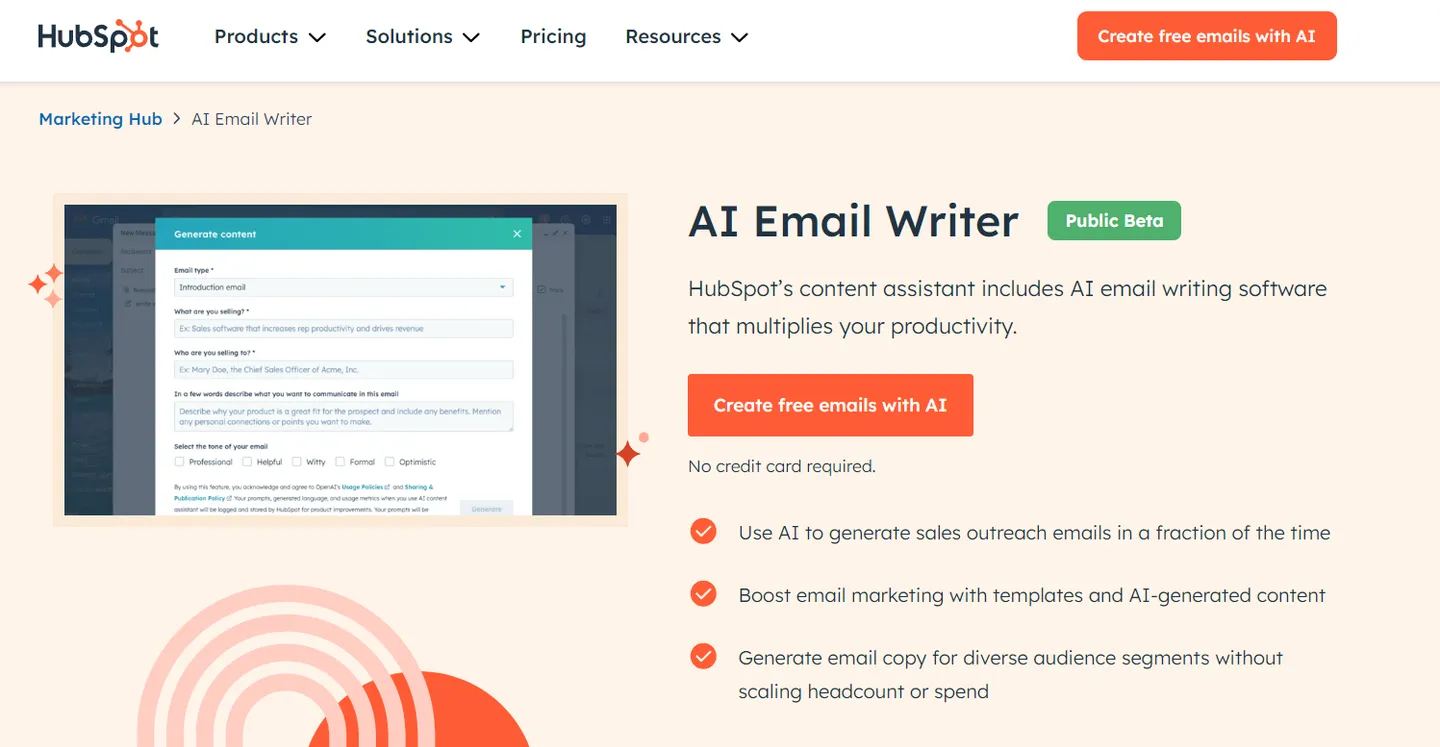
The AI Email Writer is an advanced tool within HubSpot’s Marketing Hub that helps marketers simplify the email creation process. It uses advanced artificial intelligence to automate email copywriting and allows you to quickly generate personalized, high-quality emails tailored to different audience segments.
Simple Steps to Use Hubspot’s AI Email Writer
HubSpot’s AI Email Writer makes it easy to draft personalized, exceptional emails in just a few clicks. Here’s a quick guide to help you get started.
Step 1: Access the AI Email Writer
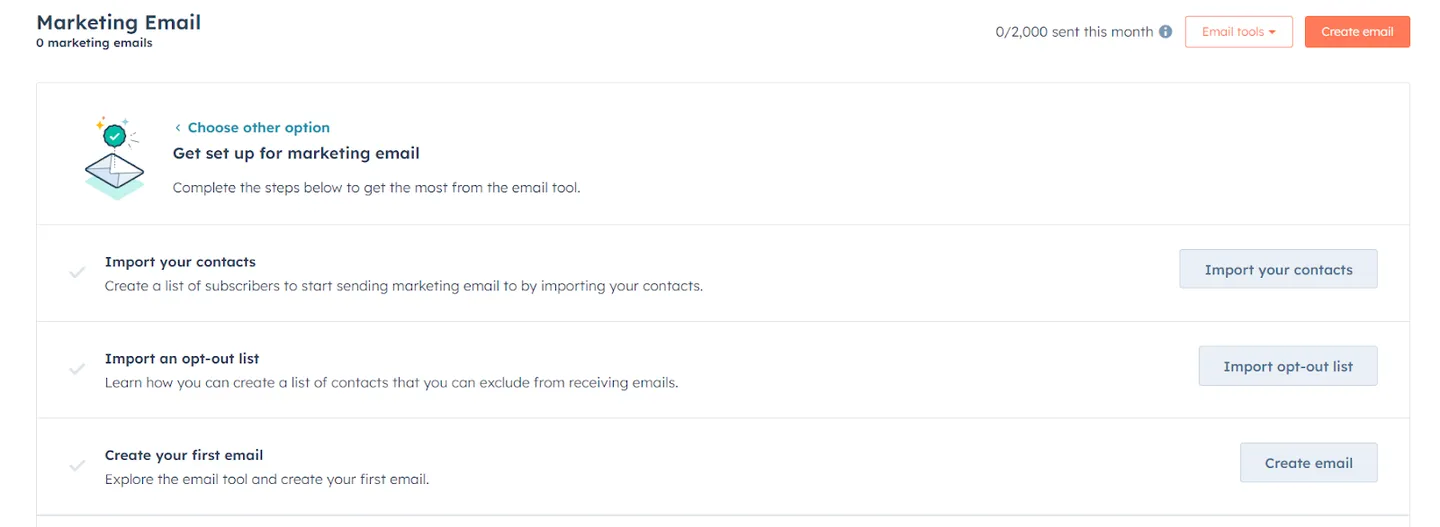
- To start, log into your HubSpot account and navigate to the “Marketing” or “Sales” section, depending on where you plan to create your email.
- Once you’re there, select the “Email” tool.
- Hubspot’s AI Email Writer is integrated into the email editor, so it’s easy to access as you build your campaign.
Step 2: Choose Your Template
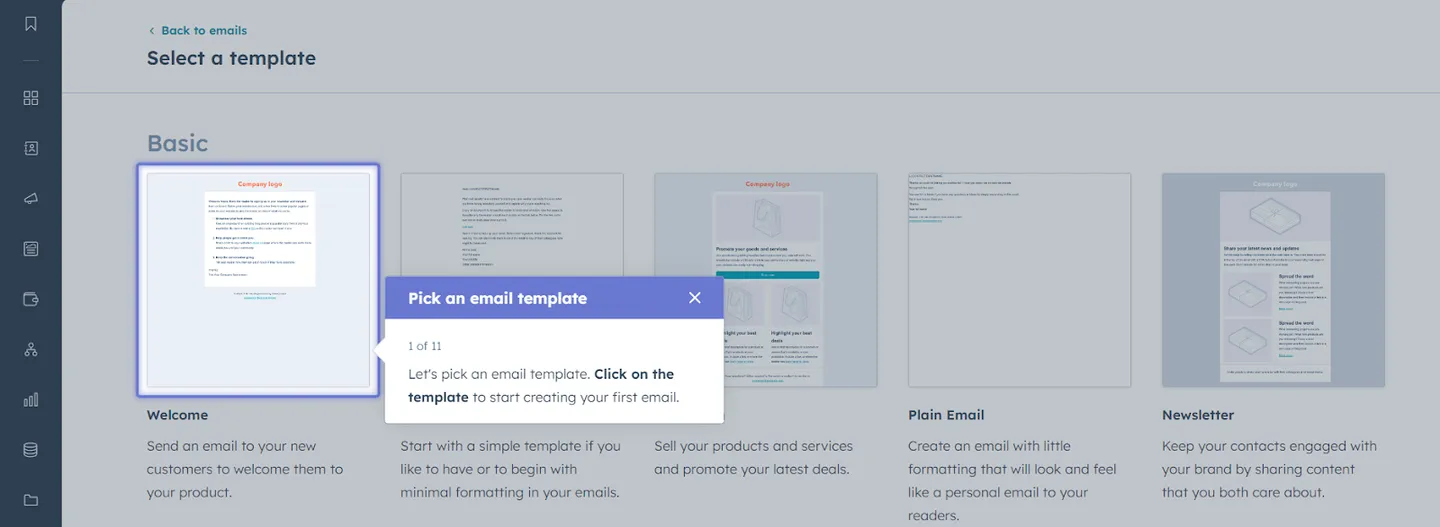
- After accessing the email tool, you’ll need to select a template.
- You can choose from HubSpot’s library of email templates or work with one you’ve previously saved. These customizable templates allow you to align your email’s design and layout with your brand.
Step 3: Launch the AI Assistant
- Inside the email editor, look for the “AI Assistant” button. It’s located in the toolbar.
- Once clicked, this will activate HubSpot’s AI Email Writer. You can prompt the AI to write a new email from scratch or improve an existing draft.
Step 4: Provide Input and Customize
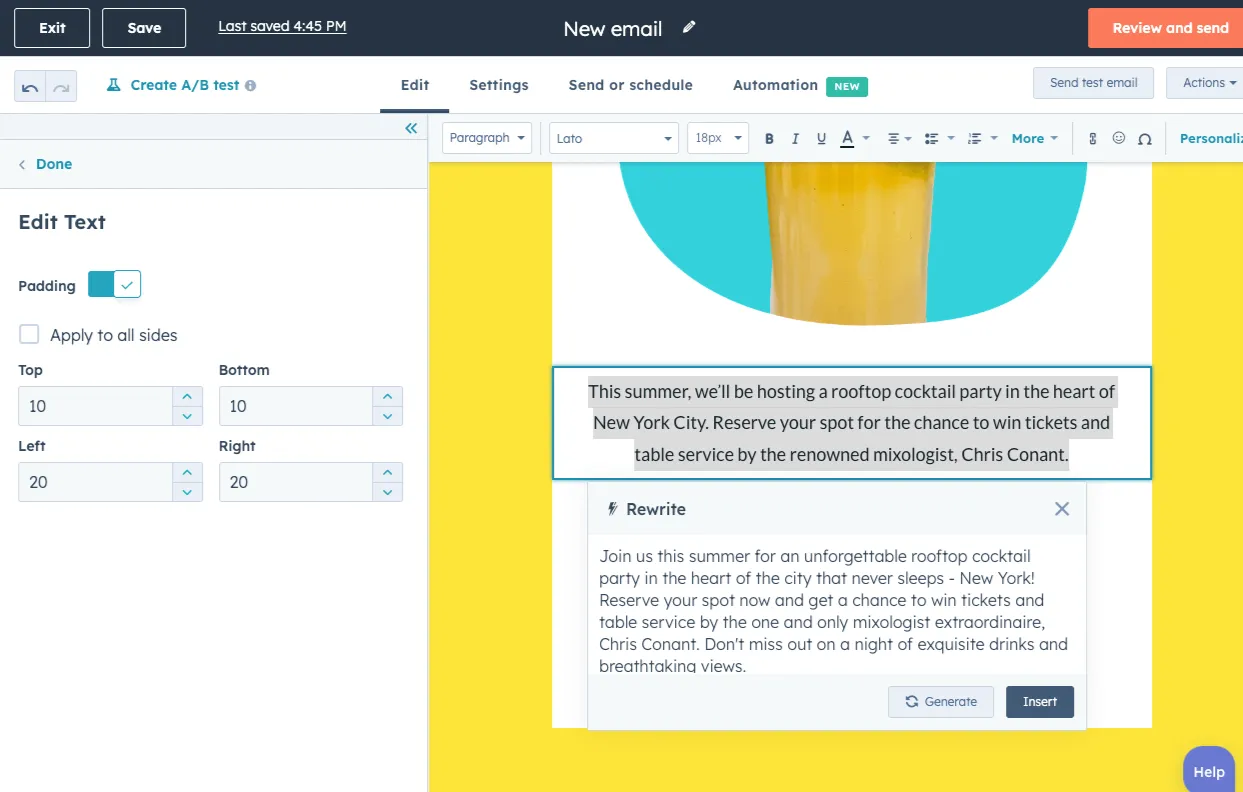
You must provide clear input for the AI Email Writer to craft a message that aligns with your goals.
Enter details like the purpose of your email (e.g., sales outreach, product announcement), target audience, tone (formal, casual, friendly), and any key points you want the AI to include.
The more specific your input, the better the results. For example, if you’re reaching out to new leads, let the AI know so it can draft an email introducing your business and highlighting key benefits.
Step 5: Review and Edit
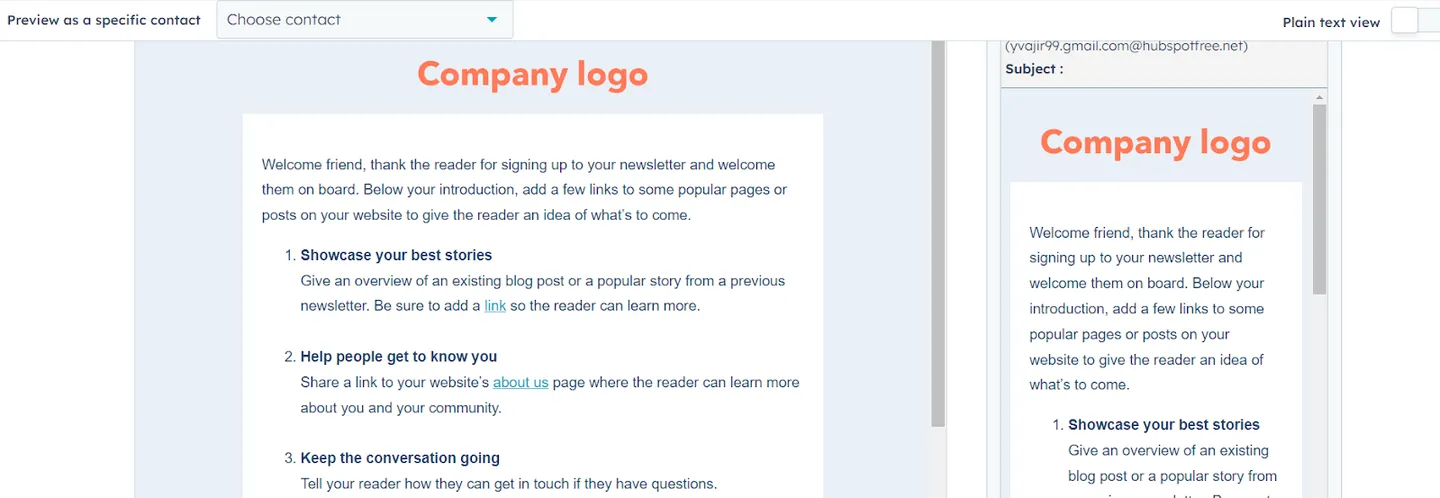
Once the AI generates your email content, review the draft. HubSpot’s AI Email Writer allows you to edit the content easily, use slash commands to tweak the tone, adjust length, or rewrite sections. You can also manually adjust the text to add a personal touch or further tailor it to your audience.
Step 6: Segment Your Audience
AI Email Writer allows you to segment your audience based on behavior, demographics, or other criteria. Using the AI Email Writer, you can quickly craft variations of your email for different audience segments. Personalized content increases the likelihood of engagement, so create targeted emails for each segment.
Step 7: Optimize for Performance
Hubspot’s AI Email Writer doesn’t stop at creating emails, it also helps optimize them. The AI suggests best practices for improving open rates, such as ideal subject line lengths and calls to action. It also considers the platform algorithms and audience behaviors to ensure your email performs well.
Step 8: Send and Track Results
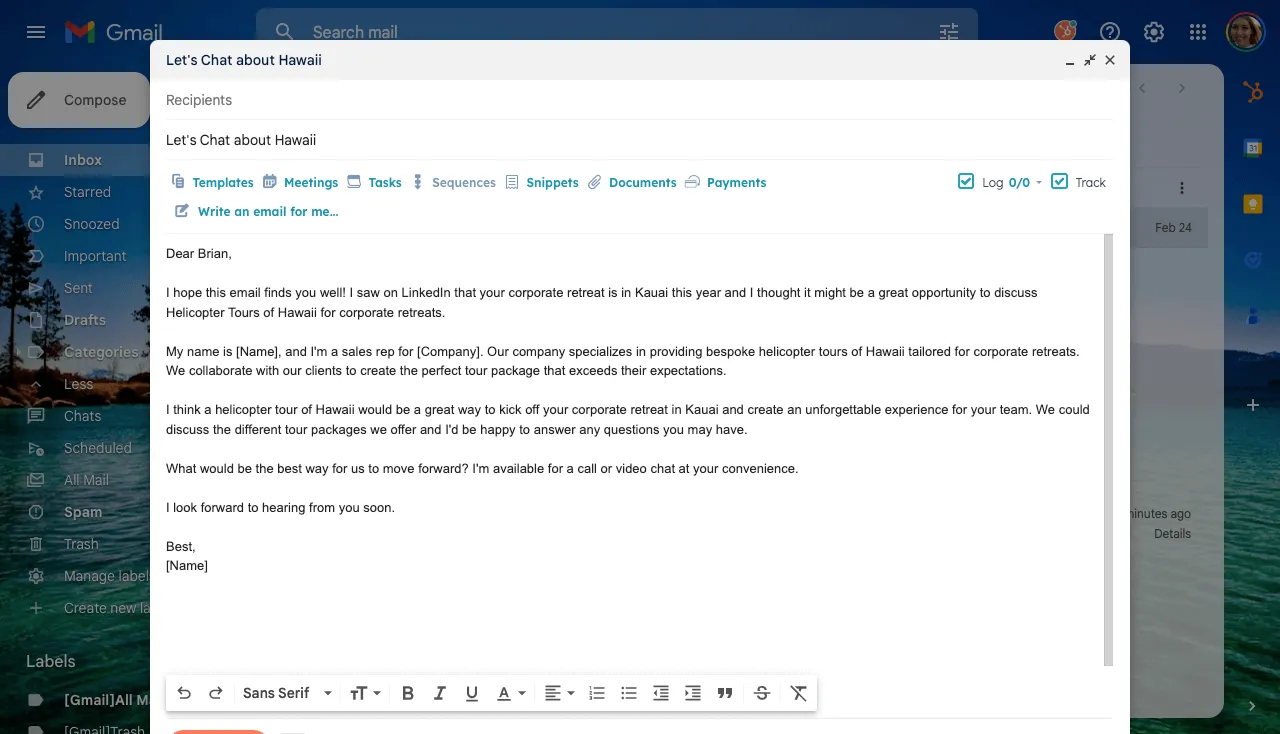
Once your email is ready, hit “Send” or schedule it to go out at the optimal time. HubSpot’s CRM automatically tracks open rates, click-through rates, and engagement. Use this data to analyze the effectiveness of your AI-generated email and fine-tune future campaigns.
Bonus: Use the AI Email Writer on the Go
You can also access HubSpot’s AI Email Writer through the HubSpot mobile app, making creating and sending emails from anywhere easy. Whether you’re in a meeting or on the road, the AI tools ensure you never miss an opportunity to engage your audience.
Why Use Hubspot AI Email Writer?
1. Generate Emails at Scale: Sales Outreach Made Simple
With AI Email Writer, you can generate email drafts at scale in just minutes, all while keeping your message personalized and effective.
| Feature | Benefit |
| AI-Generated Drafts | Create hundreds of sales emails in minutes. |
| Customization Commands | Personalize email tone, length, and content effortlessly. |
| CRM Integration | Automatically log and track email conversations. |
2. Use AI to Generate Marketing Emails in Minutes
Managing large-scale email marketing campaigns can be complex and time-consuming. HubSpot’s AI Email Writer simplifies the process by helping you quickly design, draft, and send campaigns, all within one platform.
| Task | Manual Effort (Traditional Method) | AI Email Writer Effort |
| Choosing a Template | Requires extensive design work. | Select from customizable templates. |
| Writing Email Content | Time-consuming and repetitive. | Generate on-brand content in minutes. |
| Tracking Campaign Performance | Manual logging and analysis. | Automatically recorded and tracked in CRM. |
3. Boost Open Rates with AI-Driven Email Categorization
As your audience grows, personalized messaging is essential. HubSpot AI Email Writer, combined with segmentation tools, helps create tailored messages for different audience groups to maximize open rates.
- Analyze Audience Segments: The AI identifies key interests and behaviors of different segments.
- Generate Tailored Emails: Create specific content that resonates with each group.
- Optimize Engagement: Tailored content increases your chances of higher open and click-through rates.
4. Save Time and Resources with Automated Email Copywriting
Staring at a blank draft can be overwhelming, especially when under pressure to meet deadlines. HubSpot AI Email Writer eliminates this problem by automating copywriting tasks, allowing you to focus on strategy.
- Consistent Messaging: Ensure your emails maintain a consistent tone and message across campaigns.
- Efficient Workflow: Automate time-consuming aspects of email creation.
- Cost-Effective: Scale your email marketing without needing to hire additional staff.
5. Integrate Email Writing, Sending, and Tracking in One Platform
HubSpot AI Email Writer is fully integrated into the HubSpot ecosystem, allowing you to design, draft, send, and track emails from a single platform. This integration eliminates data silos and ensures relevant information is accessible on desktop or mobile.
| Feature | Benefits |
| CRM Integration | All email interactions and lead data are automatically logged in HubSpot’s CRM, providing a clear overview of every touchpoint. |
| Real-Time Analytics | Track engagement metrics such as open rates, click-through rates, and conversions in real time. |
| Mobile Access | Create and send emails on the go using HubSpot’s mobile app. |
6. Use AI for Continuous Improvement
One of AI’s main advantages is its ability to learn and improve over time. HubSpot’s AI Email Writer continuously refines your email content by analyzing performance metrics.
- Analyze Engagement: Use built-in analytics to understand which emails perform best.
- Adjust Content Accordingly: Refine future campaigns based on data-driven insights.
- Experiment with Formats: Test different email formats and optimize based on performance.
Ready to unlock the full potential of HubSpot? Sign up for HubSpot’s free CRM today and start exploring its powerful tools for marketing, sales, and customer success. As a HubSpot Implementation and CRM Partner, INSIDEA can help you set it up the right way, so you don’t just adopt HubSpot, you actually make it work for your business.
INSIDEA
Ready to get more out of HubSpot?
We are an Elite HubSpot Partner rated 4.99 across 500+ verified reviews. Let's make your portal work harder.



 How INSIDEA works




