

Sales and marketing teams are like two sides of the same coin. Both work towards growth, but their approaches are quite different, like two colleagues at the same party. The sales team mingles, strikes up direct conversations, and quickly connects with people. On the other hand, marketing sets the tone, sends out the invites, and ensures that everyone feels welcomed long before the party even begins.
Although their methods differ, both teams pursue the same goal: converting leads into customers and building lasting relationships. At the party, the sales team delivers the final pitch, but marketing gets everyone through the door.
Sequences and workflows reflect this same dynamic, especially when comparing HubSpot sequences vs workflows. Sales teams use sequences to automate direct, personalized follow-ups with prospects, keeping them engaged through targeted, one-to-one communication. Meanwhile, workflows help marketing teams manage broader, more complex automation processes, like nurturing leads over time and organizing contacts based on behavior.
These tools work differently, but together, they help businesses create a smooth experience, starting with initial contact and ending with closing the deal.
How Do HubSpot Sequences Work to Nurture the Sales Leads?
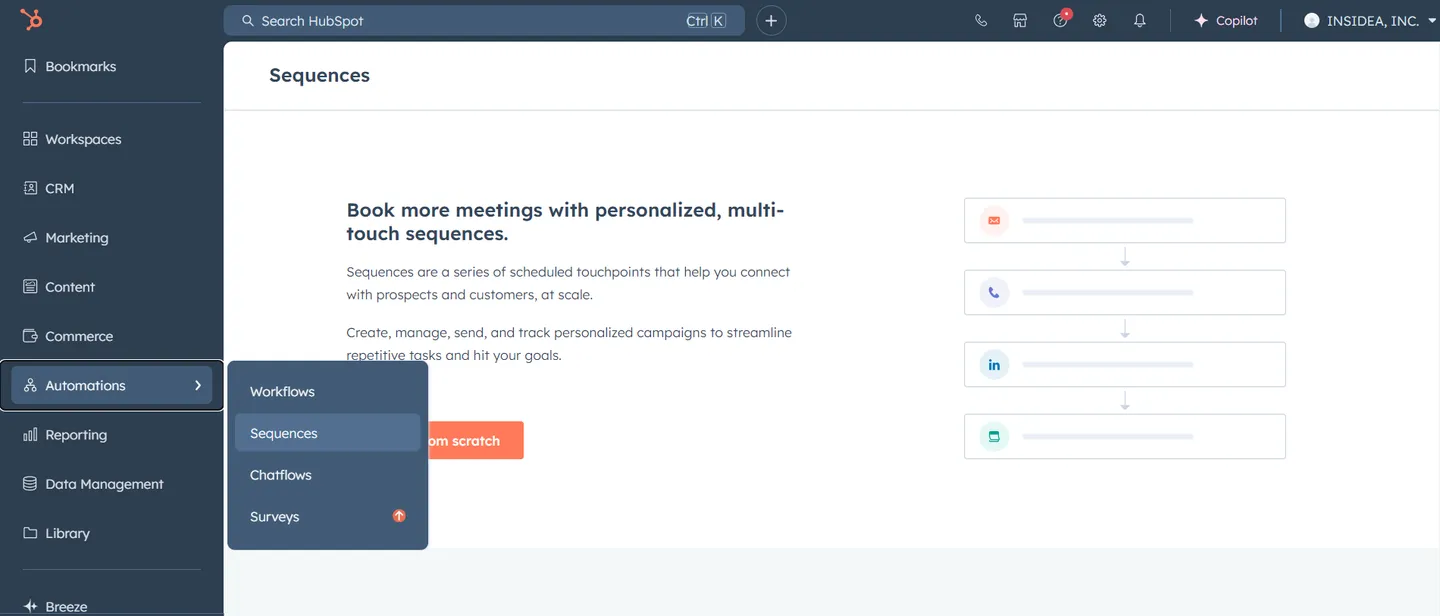
HubSpot sequences are potent tools for sales teams to follow up with leads and prospects. They automate personalized follow-up emails and tasks, helping sales reps maintain consistent outreach without letting opportunities slip through the cracks.
A sales representative contacts a potential customer about scheduling a demo. If the prospect doesn’t respond, the sequence sends follow-up emails spaced over a few days. The process continues until the prospect replies or the sequence ends. At this point, the rep takes over again with personalized outreach. This ensures consistent engagement with the leads while minimizing manual work.
What Powers HubSpot Workflows as a Leading Marketing Automation Tool?
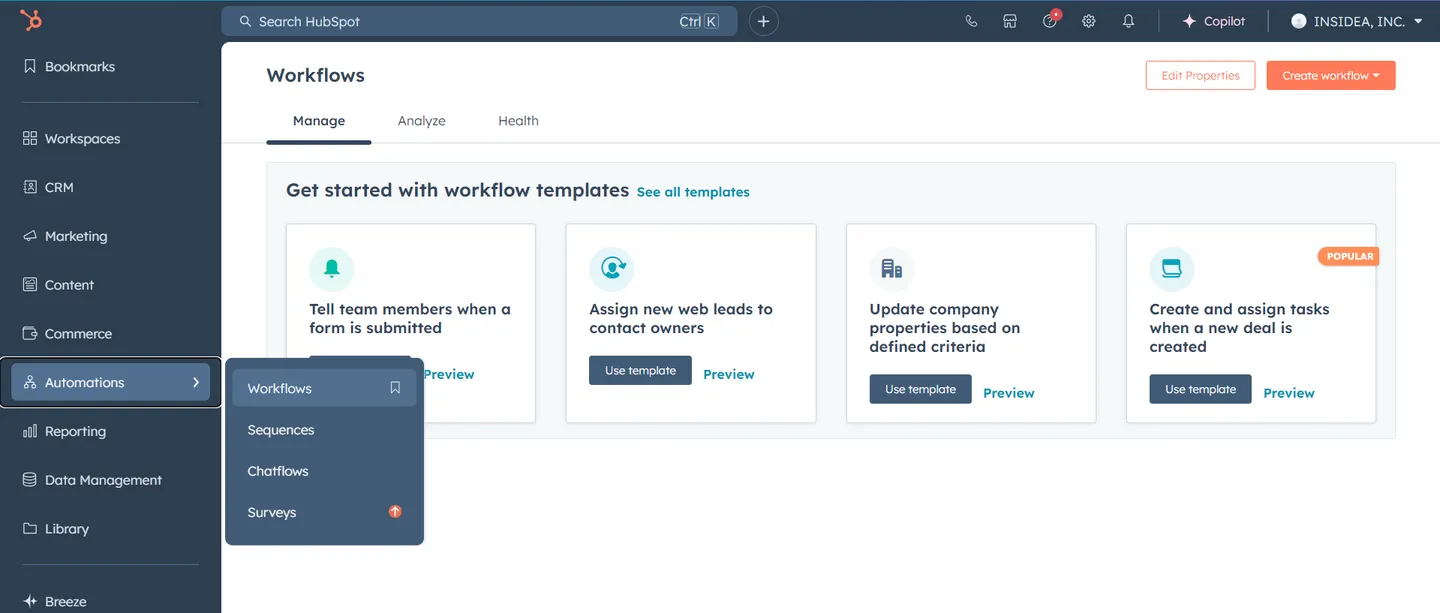
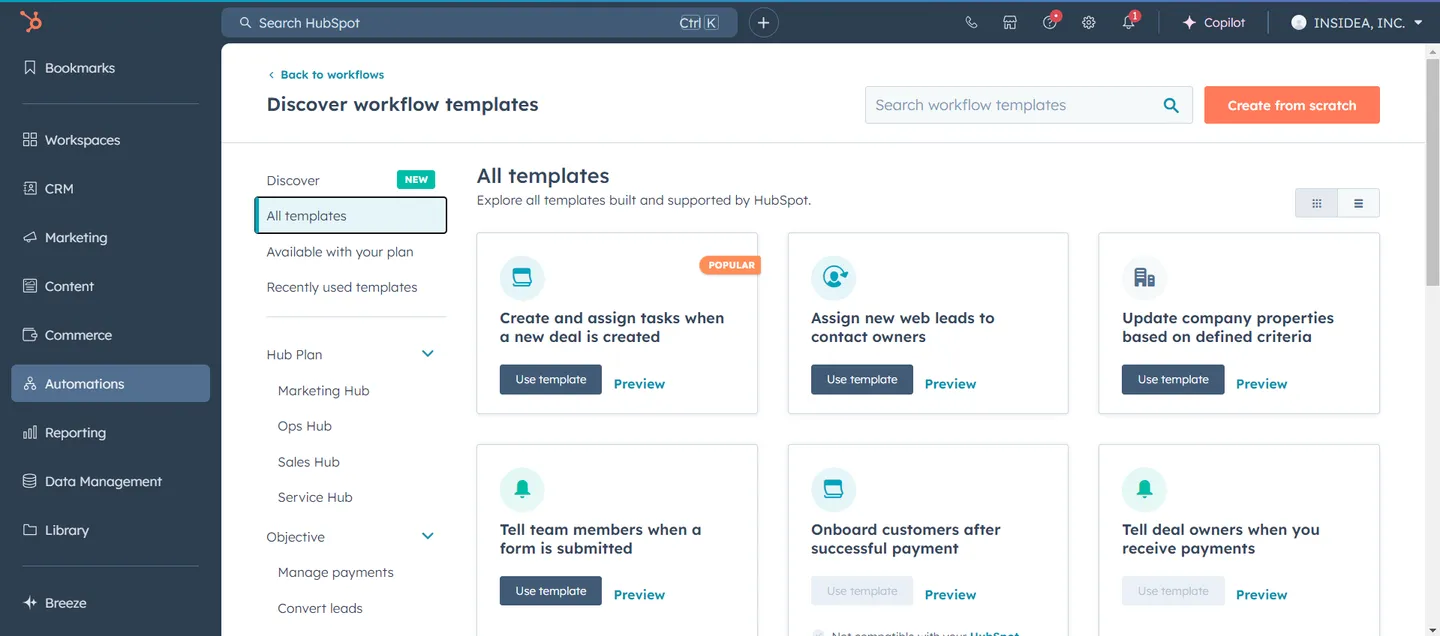
Workflows are the backbone of marketing automation in HubSpot. They manage complex processes such as lead nurturing, customer lifecycle management, and internal notifications. Workflows take care of tasks such as sending emails, updating contact details, and creating follow-up actions for marketing and sales teams. Automation keeps processes running smoothly and ensures that your team stays focused on high-priority tasks without getting bogged down by repetitive, manual work.
When a lead downloads a whitepaper, a workflow automatically sends a thank-you email, enrolls the contact in a lead nurturing campaign, and notifies the sales team if the lead engages with pricing information on the website.
Enhancing Automation with AI Buying Signals
While HubSpot sequences and workflows handle the execution of your automation, UserGems provides the intelligence to power it. As an AI command center for outbound and ABM, UserGems uses AI agents to capture live buying signals, such as role changes and contact-level intent, and surfaces them directly within HubSpot. This enables teams to automatically score accounts based on their own sales history and enroll high-value prospects into sequences at the exact moment they are most likely to convert. By integrating these real-time signals, businesses can ensure their sales and marketing automation is always driven by current buyer behavior rather than static schedules.
HubSpot Sequences vs Workflows: What Sets Them Apart?
Though both serve automation purposes, their fundamental differences determine how and when they should be used. When comparing HubSpot sequences vs workflows, it’s important to recognize that sequences are for direct, personalized follow-ups typically used by sales teams, while workflows are more suited for broader marketing automation and lead nurturing processes. Understanding these distinctions ensures each tool is used to its fullest potential.
| Fundamental Distinction | Sequences | Workflows |
| Primary Functionality | Customizes individual sales outreach, automates personalized follow-up emails, and assigns tasks for specific leads. | Built for large-scale marketing automation, it enables businesses to manage lead nurturing, customer journeys, and more complex processes. |
| Automation Level | It requires manual enrollment of contacts by sales reps, making them ideal for one-to-one communication. | Allows automatic enrollment based on predefined triggers like form submissions, page views, or email interactions. |
| Re-enrollment Capabilities | Removes contacts automatically once they reply or schedule a meeting and ensures timely follow-up without overwhelming the recipient. | Enables re-enrollment based on specific criteria and allows contacts to re-enter a workflow if they meet the right conditions. |
When Should You Use HubSpot Sequences?
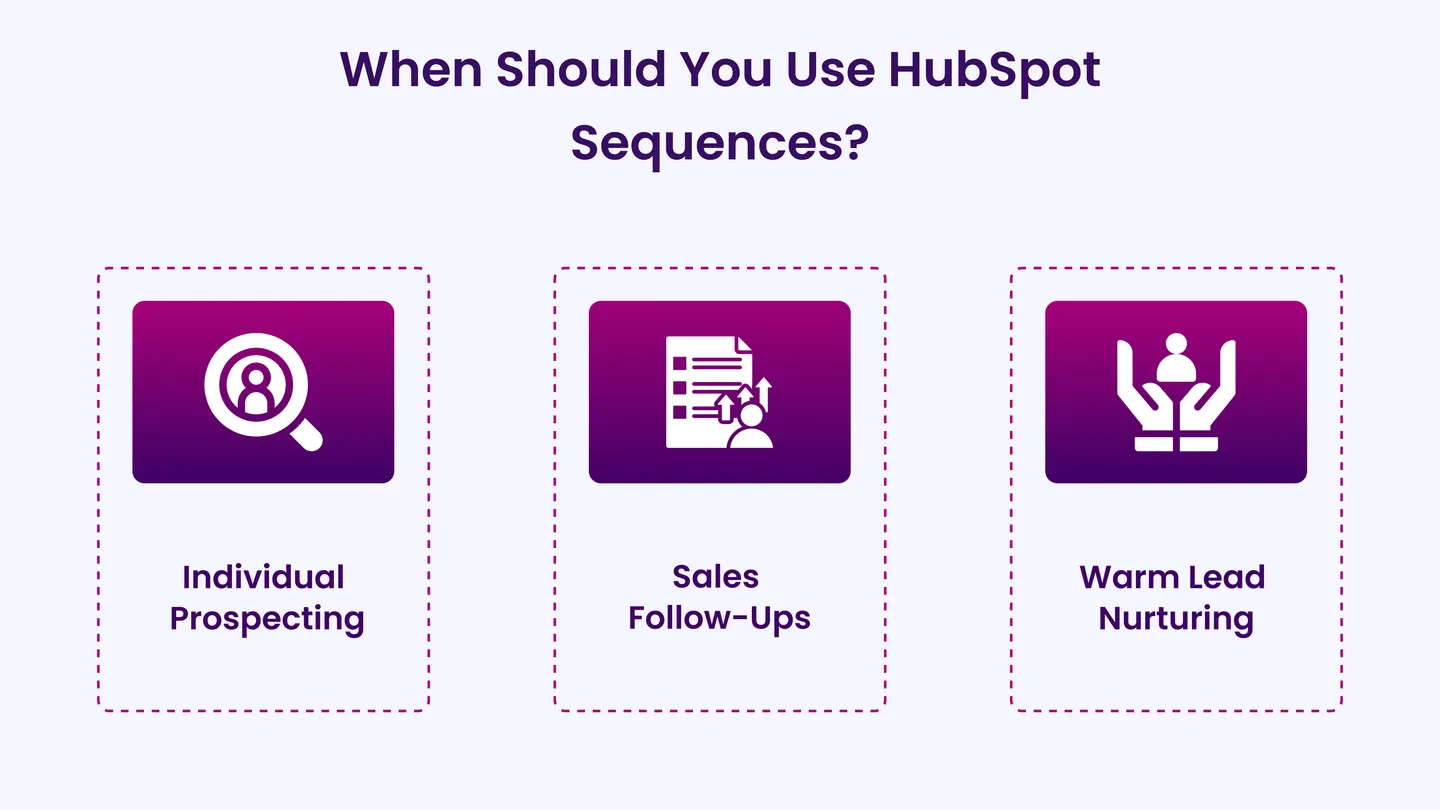
Sequences shine in scenarios where personalized outreach is critical. Sequences offer a structured approach that keeps engagement consistent for sales reps who deal with a list of warm leads or need to follow up after initial contact.
Use Sequences for:
- Individual Prospecting: Reach out to new leads and schedule demos or meetings with a personal touch.
- Sales Follow-Ups: Send timely follow-up emails after a sales call or proposal to keep the conversation active.
- Warm Lead Nurturing: Nurture leads who show interest but aren’t ready to convert; automate follow-ups to encourage engagement.
When Should You Use HubSpot Workflows?
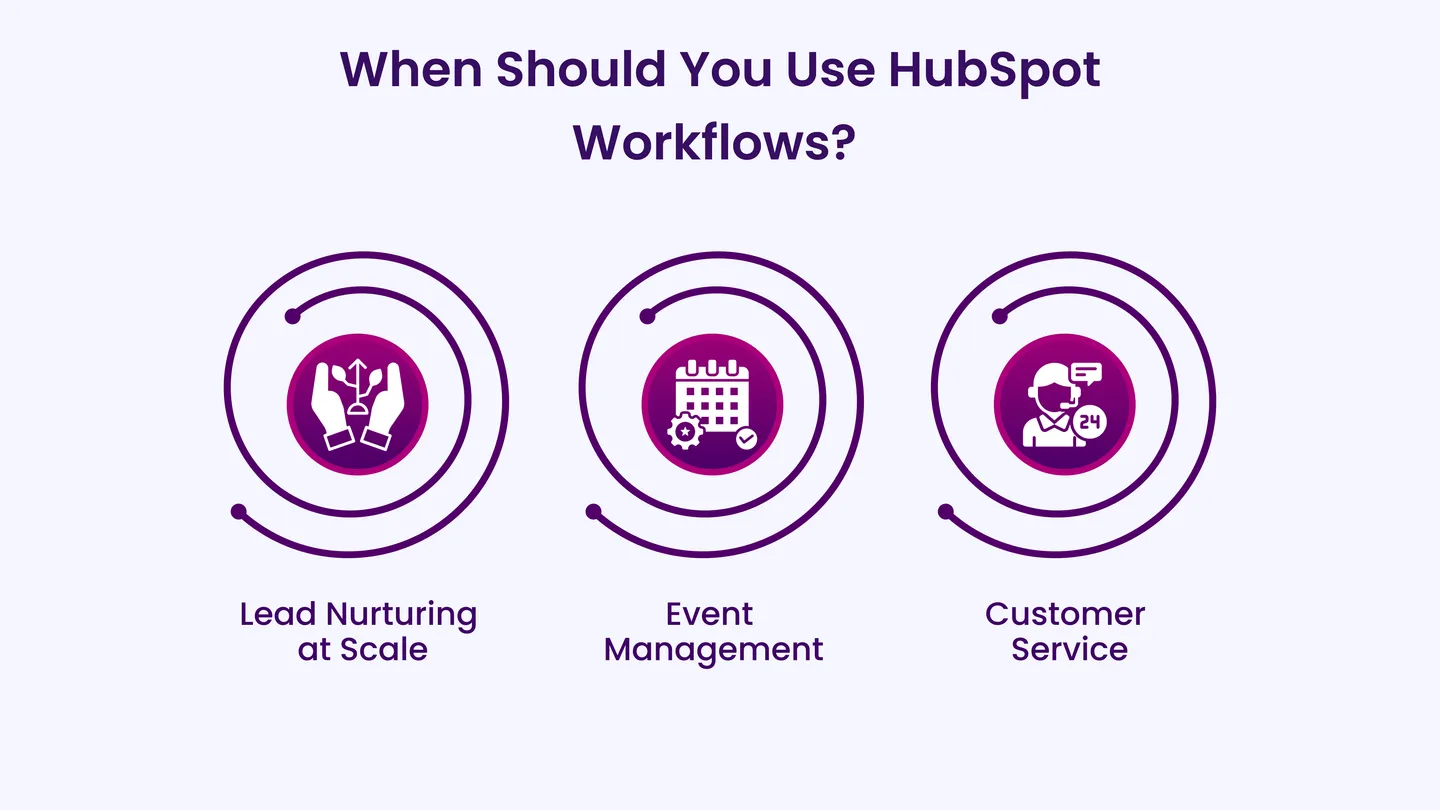
Workflows excel in managing complex marketing journeys and automating processes that involve larger groups of contacts. Marketing teams set up multi-step workflows to nurture leads, onboard customers, or automate tasks like segmenting lists or scoring leads.
Use Workflows for:
- Lead Nurturing at Scale: Automate emails based on a prospect’s behavior or lifecycle stage to move them through the buyer’s journey.
- Event Management: Automatically handle reminders, follow-ups, and post-event communications for webinars or live demos.
- Customer Service: Use workflows to automate customer service tasks like ticket creation or follow-up on support queries.
Example: A marketing campaign to promote a product demo uses workflows to send automated follow-up emails after registration, remind attendees about the event, and nurture those leads with relevant content afterward.
HubSpot Sequences vs Workflows: What Are the Similarities Between Them?
While sequences and workflows serve different purposes in HubSpot, they share important functionalities that enhance both sales and marketing efforts. These tools simplify operations, improve efficiency, and keep communication consistent, allowing teams to focus on optimizing their strategies. Recognizing where these tools overlap enables you to make the most of both, driving productivity and supporting your business goals.
Here’s the table that highlights the shared functionalities of both tools, offering a clear view of their similar capabilities:
| Feature | HubSpot Sequences | HubSpot Workflows |
| Automate Processes | ✅ | ✅ |
| Send Emails and Create Tasks | ✅ | ✅ |
| Personalization Tokens in Emails | ✅ | ✅ |
| Manual or Automatic Enrollment | Manual | Manual or Automatic |
HubSpot Sequences vs Workflows
Now that everything’s on the table, it’s time to take a closer look at HubSpot sequences vs workflows. Let’s break down these distinctions so you never have to guess which tool is the right fit for your business:
| Feature | HubSpot Sequences | HubSpot Workflows |
| Primary Focus | Sales follow-up, outreach | Marketing automation, lead nurturing |
| Enrollment | Manual | Automatic or manual |
| Automation Triggers | Based on email opens or replies | Multiple triggers (e.g., form submissions, page views) |
| Personalization | Email templates with tokens | Highly personalized email content |
| Re-enrollment | Stops after a reply or meeting | Can re-enroll based on set conditions |
| Reporting | Simple engagement metrics | Advanced reporting and segmentation |
| Complexity | Simple step-by-step sequences | Advanced, multi-step branching logic |
| Integration | Limited integrations, and therefore, it is best suited for small startups or individual sales reps.
|
It offers extensive integration options (Slack, Google Sheets, etc.) and is best suited for large enterprises or teams that handle complex marketing tasks. |
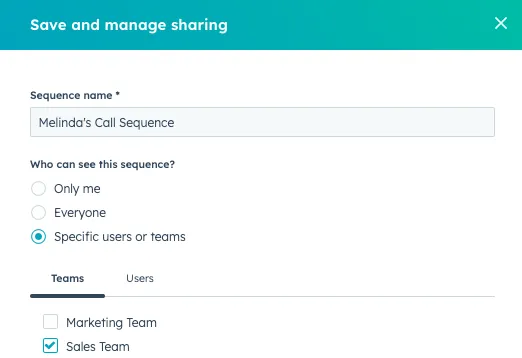
1. Primary Focus
HubSpot Sequences helps sales teams automate personalized, one-on-one communication. Sales reps use them to handle follow-ups and tasks, keeping outreach timely and personal. Sequences are ideal for engaging directly with prospects and nurturing leads individually.
HubSpot Workflows automate larger processes for marketing teams. They manage tasks like lead nurturing, contact segmentation, and customer journeys. Workflows ensure consistency across a wider audience and guide leads through more complex marketing paths.
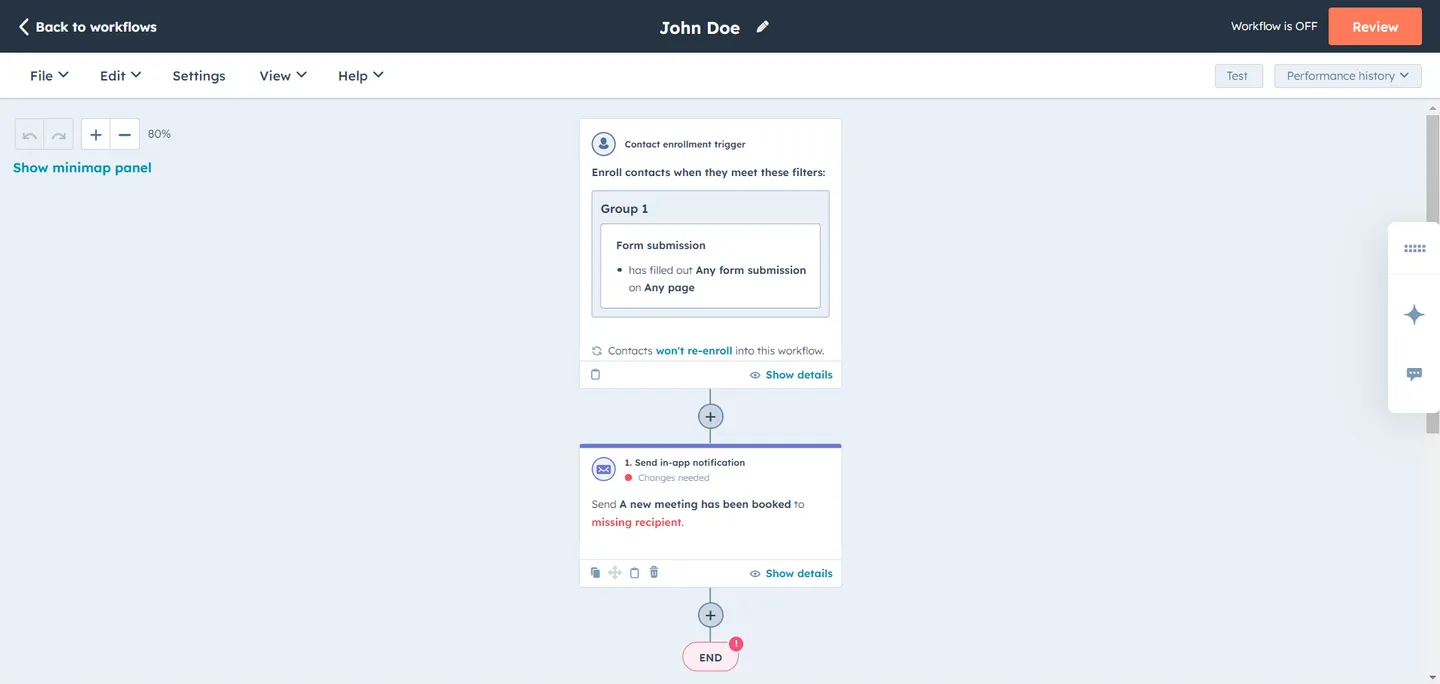
When deciding between HubSpot sequences vs workflows, consider sequences best for personalized one-on-one interactions, while workflows automate broader marketing processes and manage customer journeys.
2. Enrollment
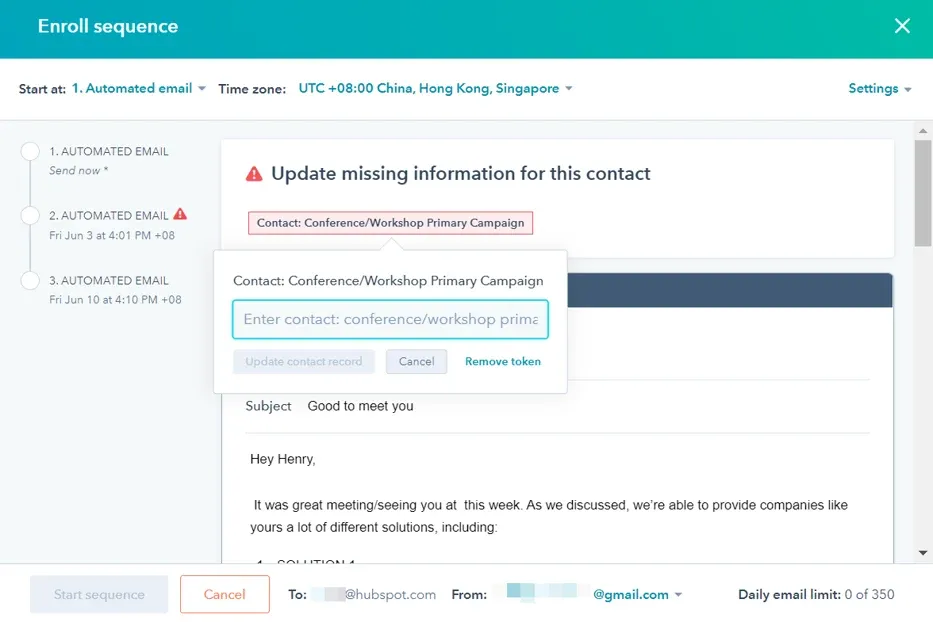
HubSpot sequences require manual enrollment. Sales reps add prospects into a sequence based on their interaction or stage in the sales process. This ensures a personal touch, as each lead is carefully selected for follow-up based on individual circumstances.
HubSpot workflows offer automatic enrollment. Contacts enter a workflow based on triggers like form submissions, email opens, or page visits. This allows marketing teams to automate lead nurturing and other processes on a larger scale without needing manual input.
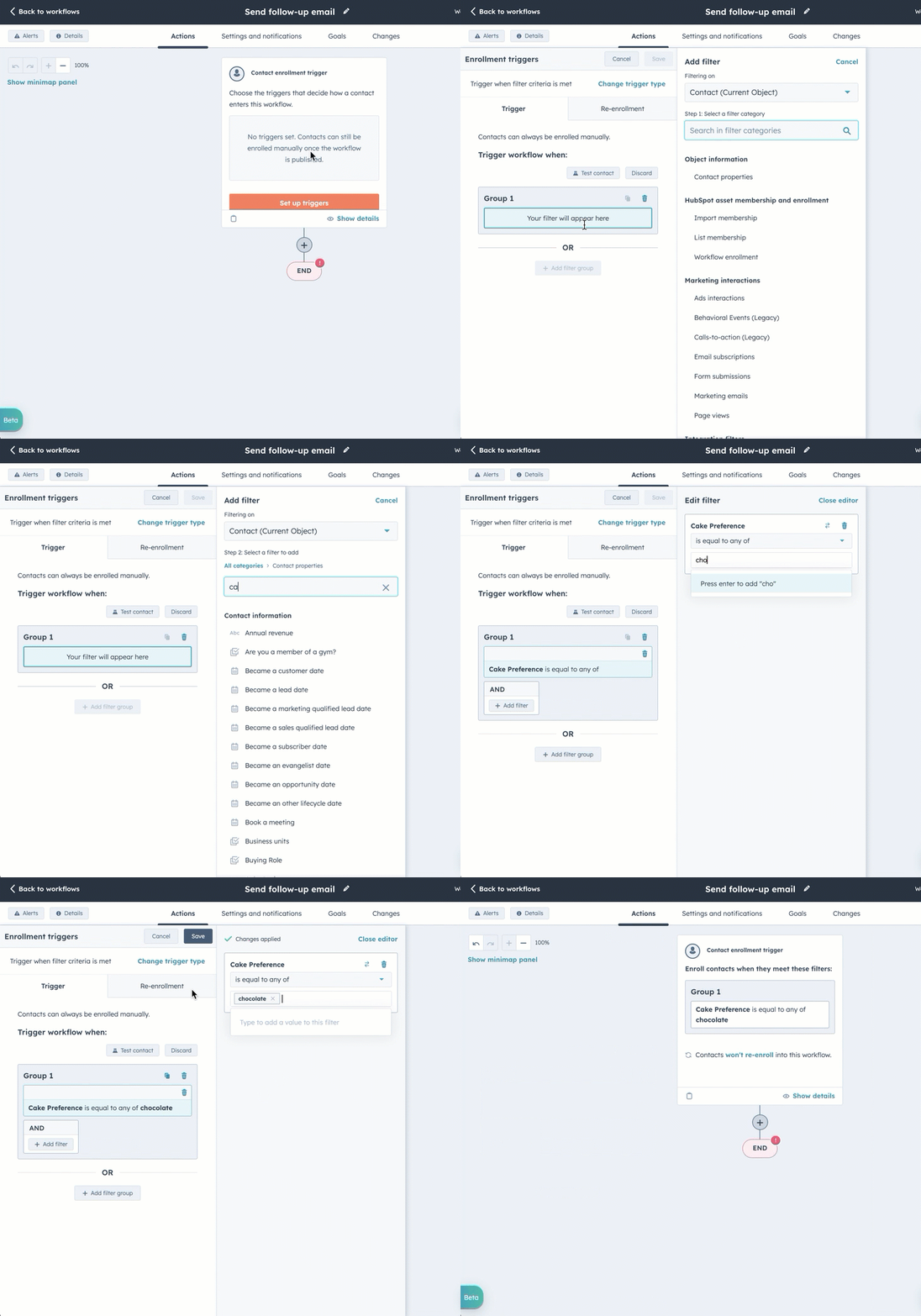
HubSpot sequences vs workflows differ primarily in enrollment: sequences need manual input for direct, personalized communication, while workflows automate this process, supporting large-scale marketing automation and customer journey management.
3. Automation Triggers
HubSpot Sequences uses simple triggers based on contact actions, such as email opens or replies. Once triggered, the Sequence continues with the next step, ensuring timely and personalized follow-ups in the sales process.
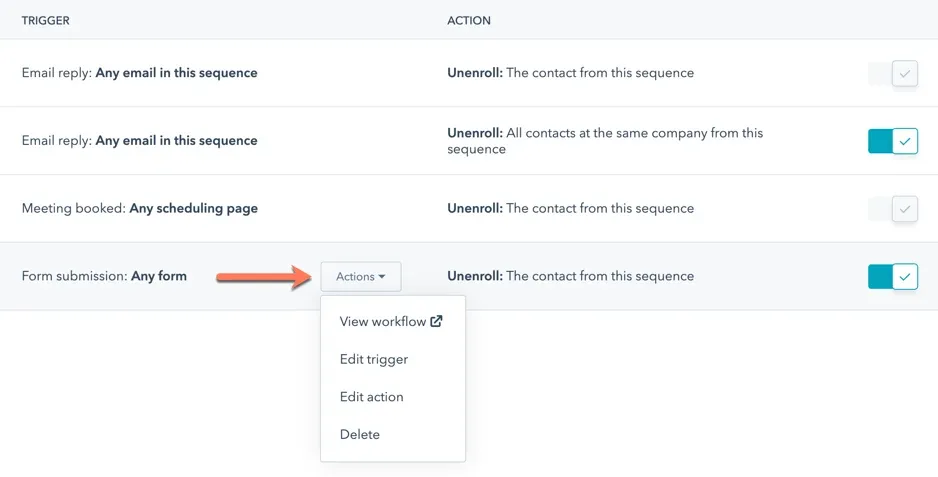
HubSpot workflows rely on a broader range of triggers. Contacts can enter a workflow based on actions like form submissions, page visits, or reaching a certain lifecycle stage. These triggers allow for more complex, large-scale automation, guiding leads through multiple touchpoints in the marketing funnel.
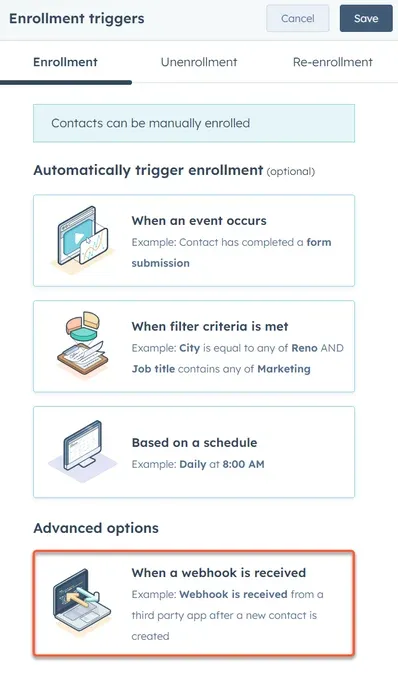
HubSpot sequences vs workflows differ in their automation triggers: sequences use simpler triggers as email opens for immediate, personalized follow-ups, while workflows utilize a broader array of triggers to orchestrate complex, multi-step marketing processes across various customer stages.
4. Personalization
HubSpot sequences allow for essential personalization through email templates and tokens. Sales reps customize follow-up emails with details like the prospect’s name, company, or recent interactions, ensuring each message feels personal and relevant to the recipient.
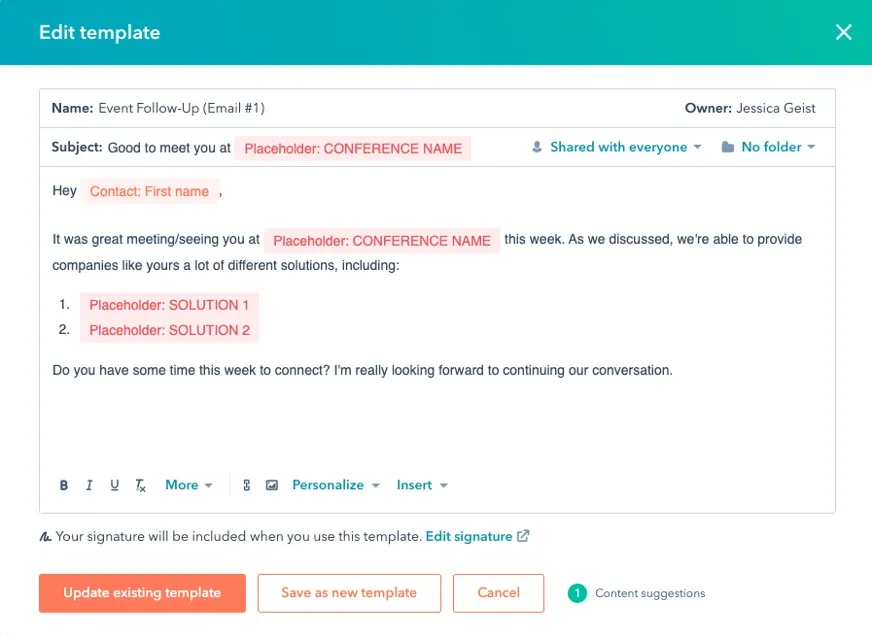
HubSpot Workflows offer advanced personalization. Marketers customize emails and actions based on a contact’s behavior, demographics, or specific interactions. This level of personalization allows marketing teams to deliver more targeted, relevant content to larger groups while maintaining a sense of individual engagement.
HubSpot sequences vs workflows differ in personalization: sequences offer basic customization with templates, while workflows allow for more advanced, behavior-based personalization for targeted engagement.
5. Re-enrollment
HubSpot sequences stop once the recipient replies or completes the desired action, such as scheduling a meeting. Re-enrollment isn’t automatic, meaning sales reps must manually re-enroll a prospect if further follow-up is needed after the sequence ends. HubSpot workflows allow automatic re-enrollment based on predefined conditions. If a contact meets specific criteria again, such as filling out another form or reaching a new lifecycle stage, they can automatically re-enter the workflow. This makes workflows more flexible for managing long-term, ongoing interactions.
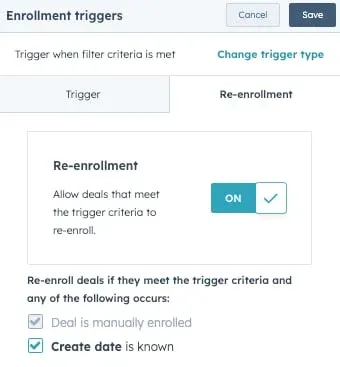
HubSpot sequences vs workflows differ in re-enrollment: sequences need manual re-entry, while workflows allow automatic re-enrollment based on set criteria, enhancing long-term interaction management.
6. Reporting
HubSpot sequencesprovide basic reporting, showing engagement metrics such as email opens, clicks, and replies. This helps sales reps track the effectiveness of their outreach and make adjustments based on prospects’ responses.
HubSpot workflowsoffer more advanced reporting features. Marketing teams can access detailed analytics, including conversion rates, engagement across multiple touchpoints, and how contacts progress through the funnel. This level of reporting helps teams refine strategies and optimize larger campaigns.
Reporting capabilities differ between HubSpot sequences vs workflows: Sequences track basic metrics like email opens and replies, ideal for sales optimizations, while workflows offer detailed analytics on conversions and customer journeys, crucial for refining marketing strategies.
7. Complexity
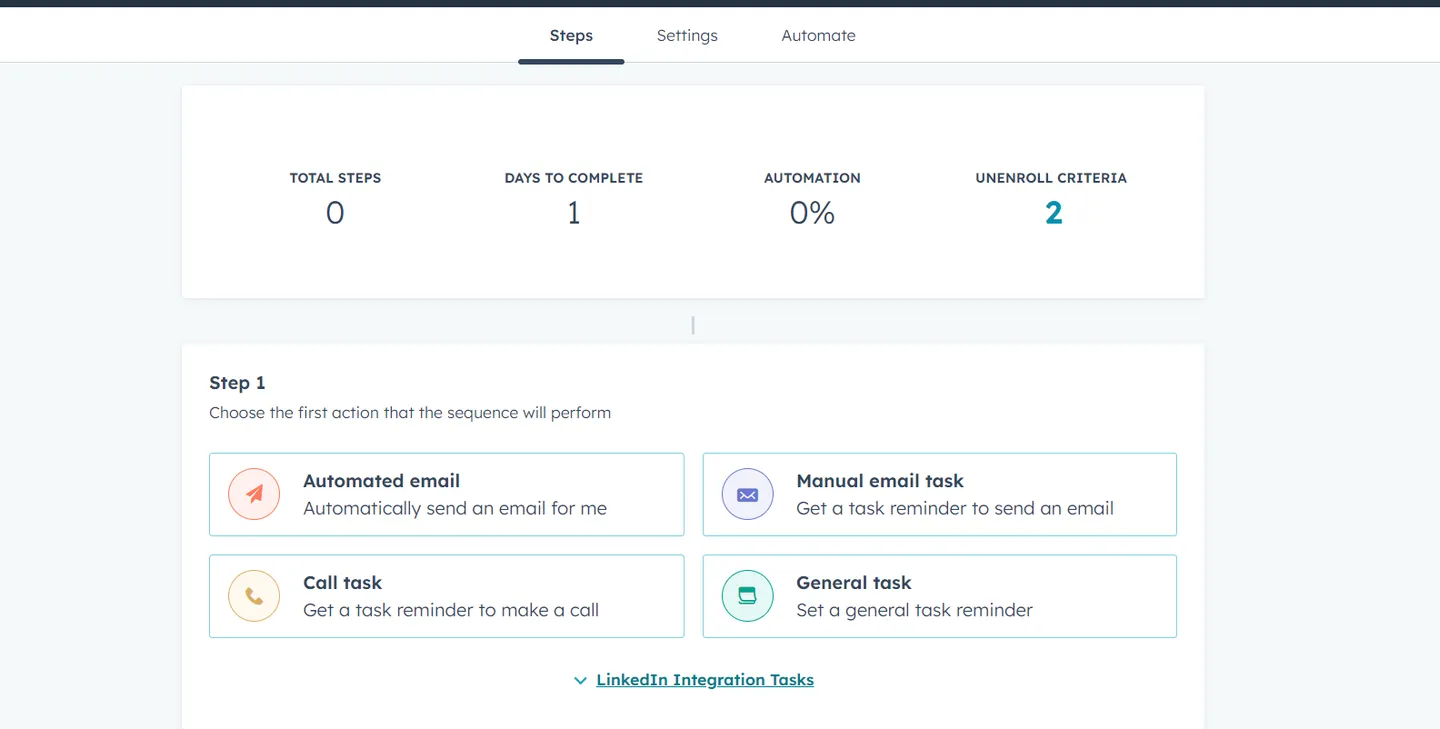
HubSpot sequences are direct to set up. They follow a simple, linear path, making them ideal for managing individual follow-ups and tasks without requiring advanced technical knowledge.
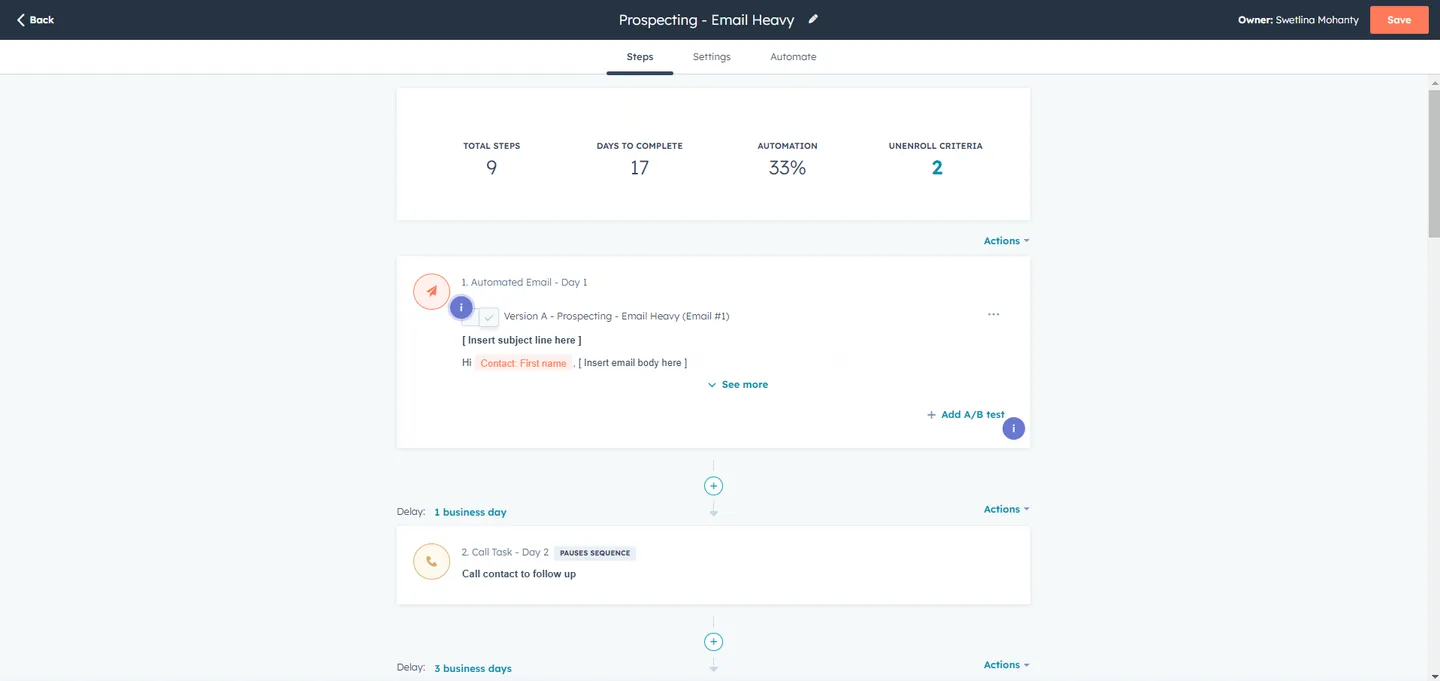
HubSpot workflows are more complex and designed to handle multi-step processes with branching logic. Workflows can accommodate a wide range of triggers, conditions, and actions, allowing for greater flexibility but requiring more setup and planning to execute effectively.
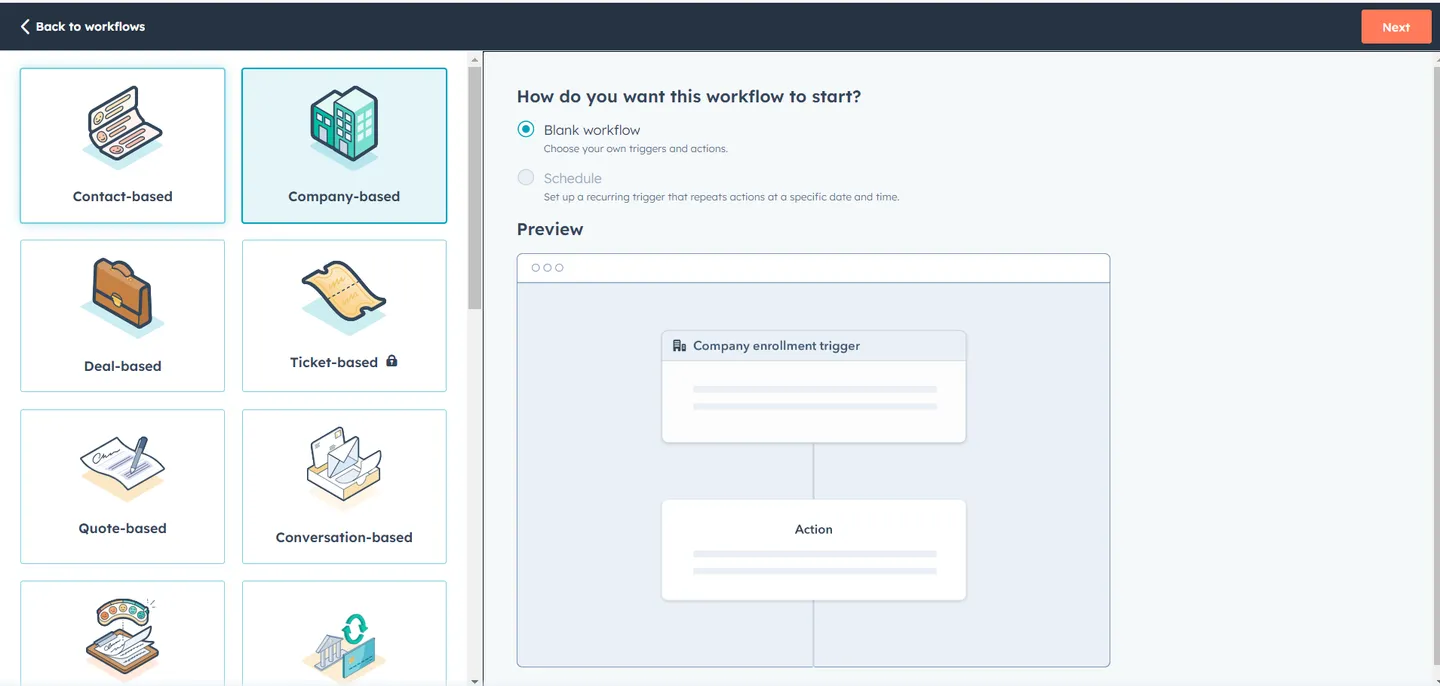
The complexity between HubSpot sequences vs workflows highlights their distinct uses: Sequences are simple and linear, perfect for direct follow-ups, whereas workflows handle complex, multi-step processes with branching logic, offering flexibility but demanding a more detailed setup.
8. Integration
HubSpot sequences offer limited integration with external tools. They primarily work within HubSpot’s CRM and email system, making them direct but somewhat restricted when connecting with other platforms. Sequences are best suited for small startups or individual sales reps looking for simple, direct automation.
HubSpot workflows provide extensive integration options. Through HubSpot’s integrations, workflows connect with various third-party tools like Slack, Google Sheets, and other apps, allowing marketing teams to automate actions across multiple platforms. Workflows are best suited for large enterprises or teams handling complex marketing tasks.
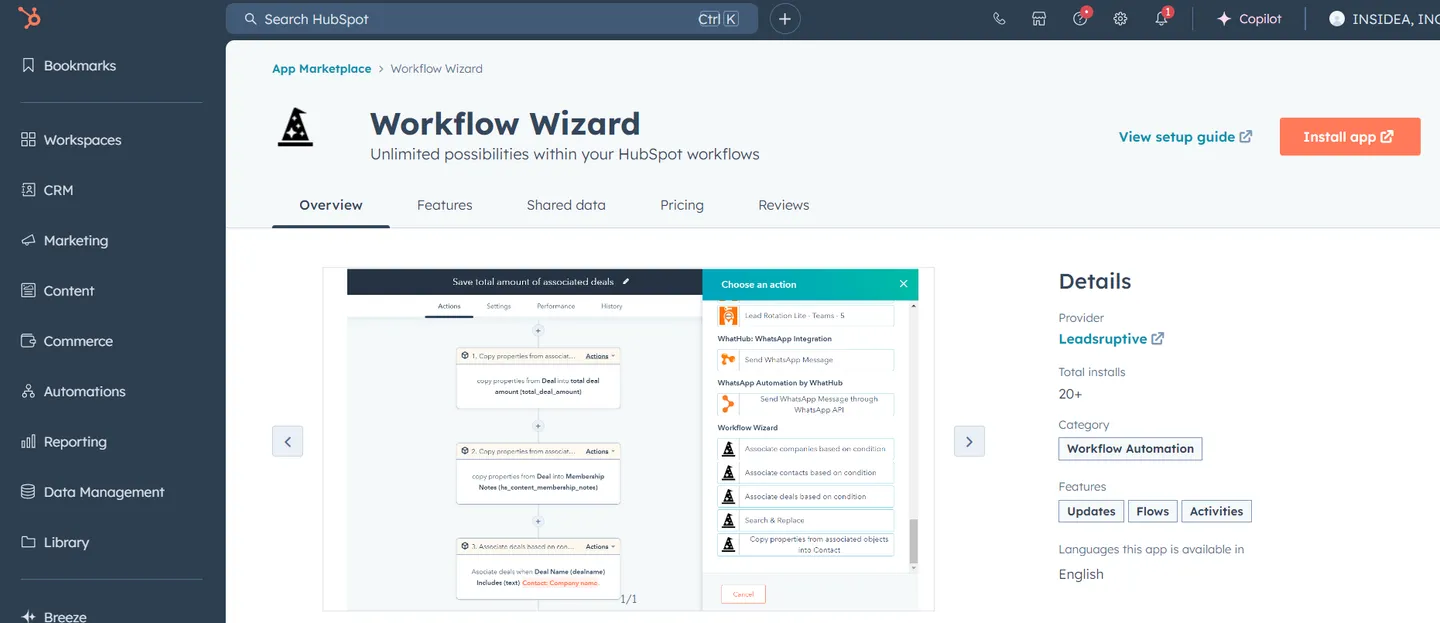
When considering HubSpot sequences vs workflows, it’s clear that while workflows offer advanced integrations and automation for marketing teams, sequences are more apt for personalized sales follow-ups.
HubSpot Sequences vs Workflows: Pros and Cons for Each Tool
After exploring the features, similarities, and differences, you likely know when to use sequences and workflows. But each tool has its pros and cons. Let’s take a closer look at each of them. It’s best believed that having a 360-degree view of a tool makes your team more proficient in handling it and utilizing its capabilities.
HubSpot Sequences
Pros
- Easy to set up and manage for sales teams.
- Focused on personalized, one-on-one communication with prospects.
Cons
- Requires manual enrollment of contacts.
- Limited to simpler sales processes, lacking the complexity for more advanced needs.
HubSpot Workflows
Pros
- Highly customizable and fully automated.
- Perfect for managing large-scale marketing campaigns and complex customer journeys.
Cons
- More complex to set up compared to simpler tools.
- Requires ongoing maintenance as processes and workflows expand.
Can You Use HubSpot Sequences and Workflows Together?
Absolutely!
Sequences and workflows aren’t an “either/or” situation, they work together to build a powerhouse automation strategy. When your marketing team implements a workflow to nurture leads through automated emails and content offers, it drives engagement and keeps potential customers interested. As soon as a lead shows clear interest, such as clicking a link to schedule a demo, the sales team steps in and enrolls that lead into a sequence for personalized follow-up. This smooth transition from workflow to sequence ensures continuous engagement and prevents any missed opportunities, all while adding a human touch precisely when it’s needed most.
Whenevaluating HubSpot sequences vs workflows, it’s important to understand that while they have different purposes, combining them creates a smooth customer experience. Using both tools together enables marketing and sales to work in harmony, making the HubSpot sequences vs workflows debate more about how they complement each other rather than choosing between them.
HubSpot Sequences vs Workflows: Why Choose When You Can Have Both?
You don’t have to choose between sequences and workflows, they each serve unique, complementary roles. Sequences are perfect for sales reps to follow up with prospects personally and consistently, while workflows are a marketing automation engine, nurturing leads and keeping them engaged. They create a dynamic, results-driven system bridging the marketing and sales gap. The comparison of HubSpot sequences vs workflows highlights how both tools excel in their respective areas, but the real power comes from using them in unison. So, why settle for HubSpot sequences vs workflows when you can combine both for a flawless automation strategy? Evaluate your business needs, try out HubSpot sequences and workflows, and see how they can work together to drive better results. The true advantage lies in leveraging both tools for the ultimate boost in efficiency and effectiveness!
Ready to unlock the full potential of HubSpot? Sign up for HubSpot’s free CRM today and start exploring its powerful tools for marketing, sales, and customer success. As a HubSpot Implementation and CRM Partner, INSIDEA can help you set it up the right way, so you don’t just adopt HubSpot, you actually make it work for your business.
INSIDEA
Ready to get more out of HubSpot?
We are an Elite HubSpot Partner rated 4.99 across 500+ verified reviews. Let's make your portal work harder.



 How INSIDEA works




