

Success in SaaS relies on understanding what customers really want.
According to HubSpot, 97% of B2B buyers conduct online research before contacting a vendor, making tapping into buyer intent more crucial than ever.
Introducing Breeze Intelligence’s Buyer Intent, an innovative AI solution showcased at HubSpot INBOUND 2024. Breeze transforms buyer intent analysis, providing businesses with actionable insights to refine their outreach, speed up sales cycles, and close deals more efficiently.
But what is buyer intent, and how does Breeze Intelligence optimize it for your business?
Let’s explore how this newly launched innovative AI tool can transform how your business approaches sales and prospecting.
What Is Buyer Intent?
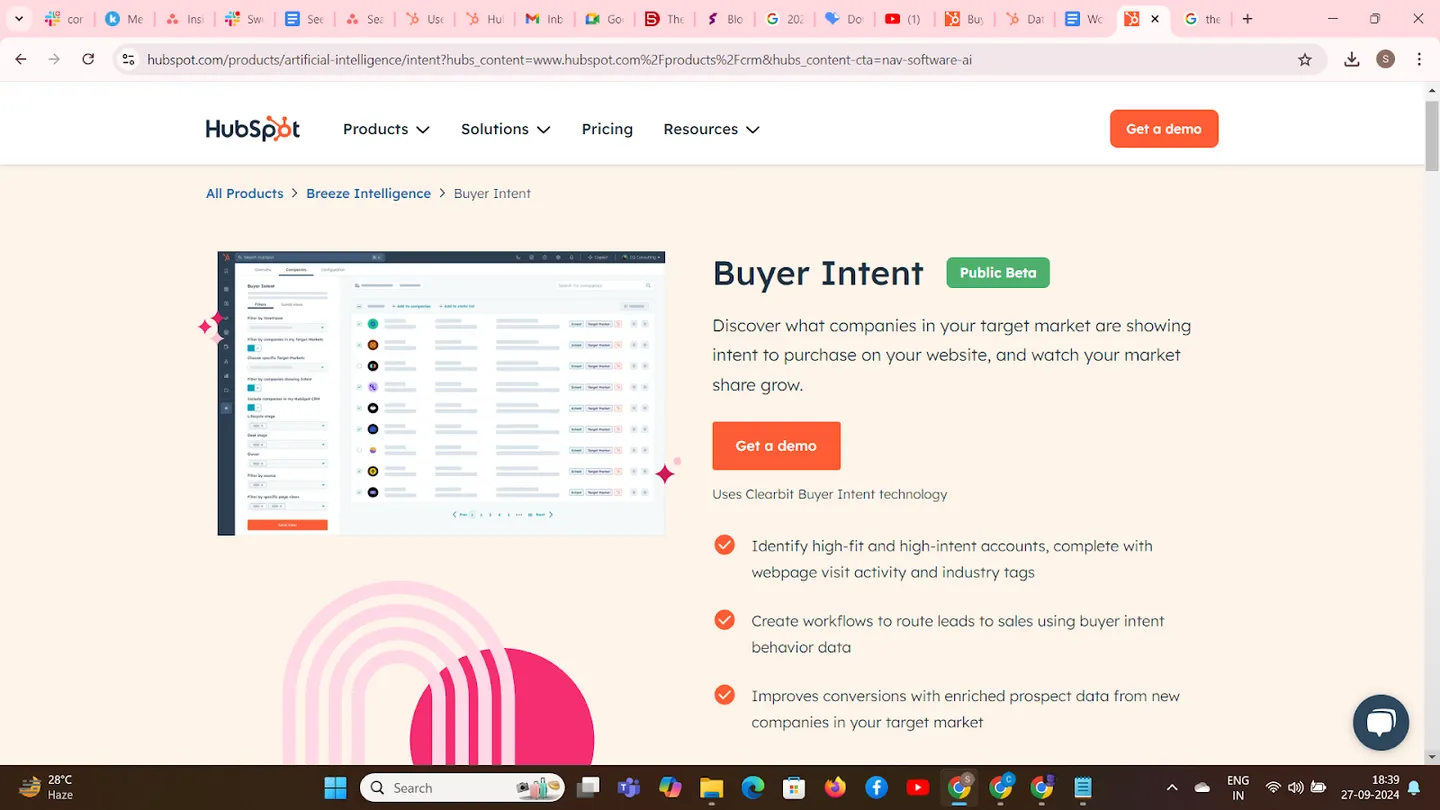
Buyer Intent refers to data that signals a potential customer’s likelihood to purchase based on their online behavior.
When a prospect visits your pricing page or product feature sections multiple times, it shows heightened interest. With this data, sales teams can focus on high-intent prospects, improving conversion rates and shortening the sales cycle.
But here’s where Breeze Intelligence takes things up a notch.
A big headache for B2B marketers is anonymous visitors who check out your site but leave without a trace. In fact, according to HubSpot, a whopping 97% of website visitors disappear without filling out a form.
Breeze Intelligence turns the tables by using clever tech like reverse IP lookup and enriched data to identify which companies are browsing your website, even if you don’t know the individual visitor’s name. So, you can reach out to these hidden prospects and turn silent interest into active engagement!
1. High-Intent Account Identification
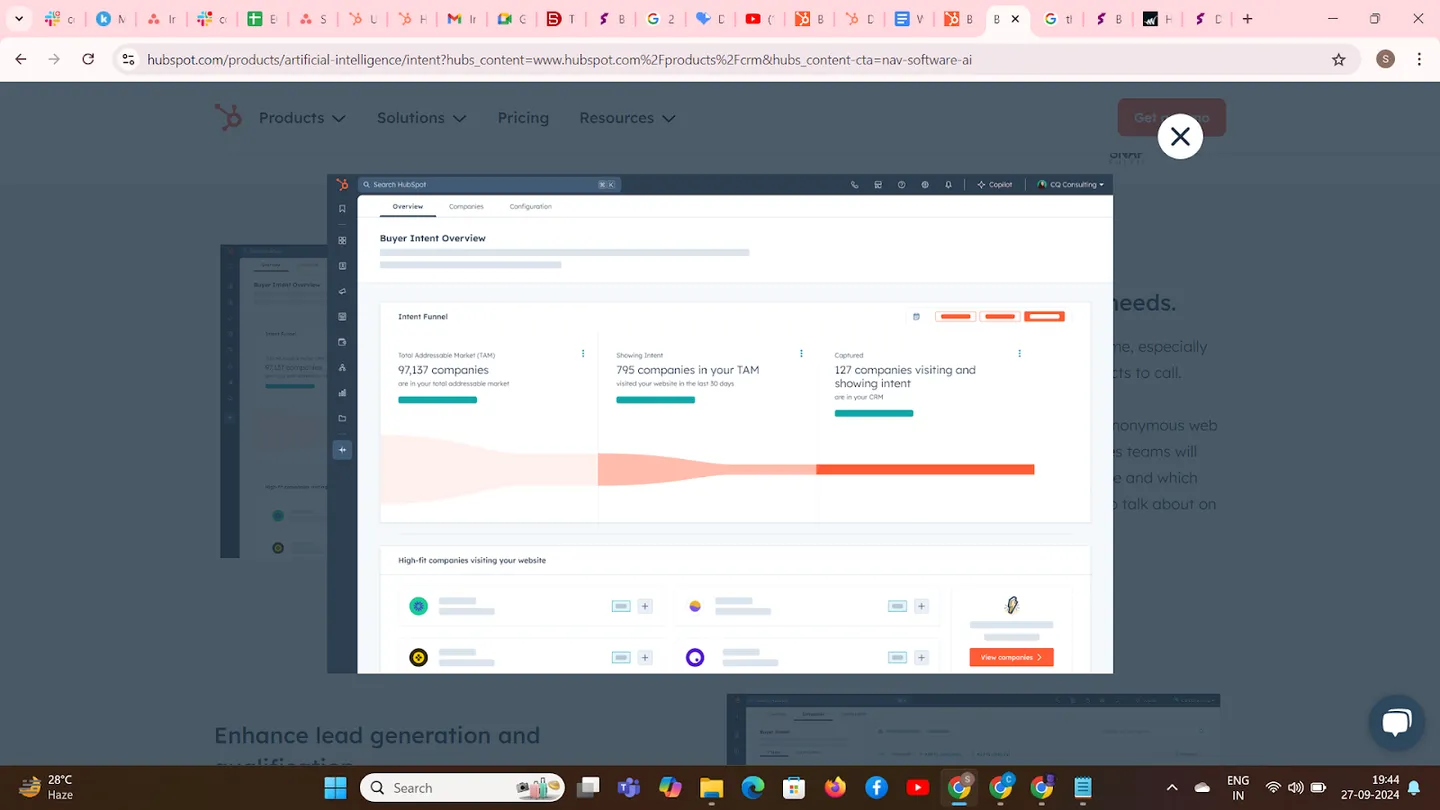
Identifying high-fit and high-intent accounts is crucial in a B2B setting where lead qualification can make or break your pipeline. With Breeze Intelligence, businesses can pinpoint which companies are showing serious intent to buy by analyzing their digital footprint. This includes tracking webpage visits, understanding which industry tags align with the visitor, and connecting this data to your CRM.
For example, imagine your company is targeting healthcare firms. Breeze Intelligence reveals that several healthcare organizations have visited your pricing page multiple times in the past week. With this data, sales teams can prioritize outreach to these accounts, ensuring they strike while the iron is hot. Companies that integrate intent-based insights into their sales process see a significant improvement in lead-to-customer conversion rates.
2. Enhanced Lead Generation and Qualification with Breeze’s Buyer Intent
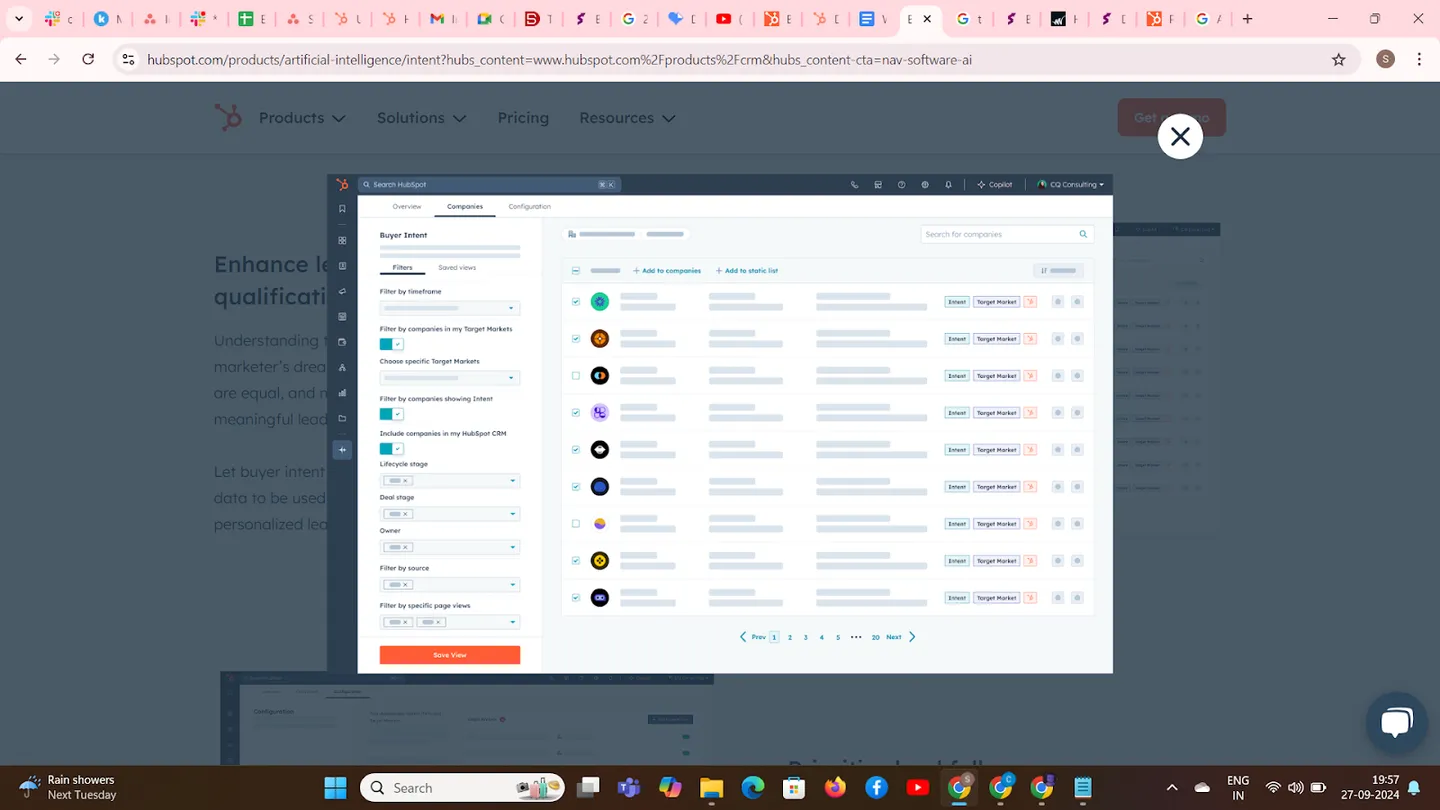
Lead generation often casts a wide net, but not every lead will be valuable. Understanding which visitors have genuine buying intent allows marketers and sales teams to work together more effectively. Breeze Intelligence’s Buyer Intent enriches prospect data, turning web visits into actionable insights.
Consider a scenario where a visitor browses your website but doesn’t fill out a contact form. The sale’s team tracks their activity with the help of Breeze Intelligence’s Buyer Intent tool and categorizes that visitor as high-intent based on the pages the visitor viewed. The Marketing team then nurtures this lead through time-based follow-up emails and ensures no potential opportunity is missed.
Moreover, integrating Buyer Intent data into marketing workflows allows businesses to send more personalized follow-up emails, increasing open and click-through rates. Personalized emails deliver higher transaction rates than generic ones, according to a report by HubSpot.
3. Prioritizing Lead Follow-Ups for Maximum Efficiency
Sales teams often face the dilemma of which leads to prioritization, especially when dealing with long lists of prospects. Without clear intent signals, they may waste time on leads that are unlikely to convert. Buyer Intent solves this by assigning scores to prospects based on their website behavior, intent, and lifecycle stage.
A 2023 study by Globenewswire found that companies that use intent data see an average 28% improvement in sales productivity. For businesses using Breeze Intelligence, this translates into faster deal closures and higher revenue.
4. Personalizing Outreach with Buyer Intent Data
One of the most powerful aspects of Buyer Intent is the ability to create personalized outreach campaigns. Breeze Intelligence enables sales and marketing teams to tailor their messaging based on a prospect’s specific activity on your website.
If a visitor spends considerable time on your blog about enterprise software solutions, your outreach can focus on that particular topic. Alternatively, if someone frequently visits your pricing page, your follow-up email could address pricing concerns or offer a demo.
This level of personalization boosts engagement.
Personalized marketing emails tend to perform significantly better than generic ones. With Breeze Intelligence, businesses can create hyper-targeted campaigns that resonate with their audience, leading to higher conversion rates and stronger customer relationships.
5. Improved Campaigns with Enriched Data
Accurate data is the backbone of successful marketing, and Buyer Intent provides invaluable insights for optimizing campaigns. Breeze Intelligence offers enriched data, allowing marketers to segment prospects into targeted workflows.
By knowing which companies are browsing specific pages, marketing teams create ads, emails, and outreach campaigns that directly address these prospects’ needs.
For instance, a company interested in outsourcing solutions might browse your case studies. Breeze Intelligence adds this visitor to a lead nurturing campaign focused on customer success stories, increasing the likelihood that they’ll engage further and move down the sales funnel.
Additionally, knowing which companies are actively hiring or downsizing (based on their browsing behavior) allows for more nuanced targeting. If a visitor looks at job listings, marketing teams exclude them from sales campaigns and focus on more relevant prospects.
How Does Buyer Intent Work?
Step 1: Identify Interested Companies Breeze Intelligence tracks anonymous visitors to your website using reverse-IP technology. This means it can identify which companies are visiting important pages like product features or pricing, even if the visitors haven’t filled out any forms.
Step 2: Detect Intent Signals Once the companies are identified, Breeze analyzes their website behavior. It looks for key intent signals, such as repeated visits to certain pages. For example, if a company frequently returns to the pricing page, it clearly shows interest in purchasing.
Step 3: Enrich Contact Data Breeze automatically adds valuable data about these companies, such as industry, size, and location. This enriched data helps to build a more complete picture of the lead, allowing better targeting for future outreach.
Step 4: Score and Prioritize Leads Each lead is scored based on its intent signals and website activity. Higher scores indicate stronger interest, allowing your sales team to focus on the most promising leads first.
Step 5: Automate Lead Routing Breeze integrates with your CRM to automatically route high-intent leads to the right sales team. It can also trigger workflows, ensuring each lead gets the right follow-up based on their engagement level.
Step 6: Create Personalized Outreach With the enriched data and intent signals, Breeze crafts personalized emails and messages for each lead. These messages are tailored to the prospect’s specific behavior, like mentioning the exact product or service they’ve shown interest in.
Step 7: Monitor and Improve Engagement Breeze tracks how prospects respond to the outreach. This data can help refine your approach, ensuring that future interactions are even more effective at moving leads through the sales funnel.
A Step-By-Step Guide to Getting Started with Buyer Intent in Breeze AI
Let me walk you through the step-by-step process to get started with the Buyer Intent feature in Breeze AI:
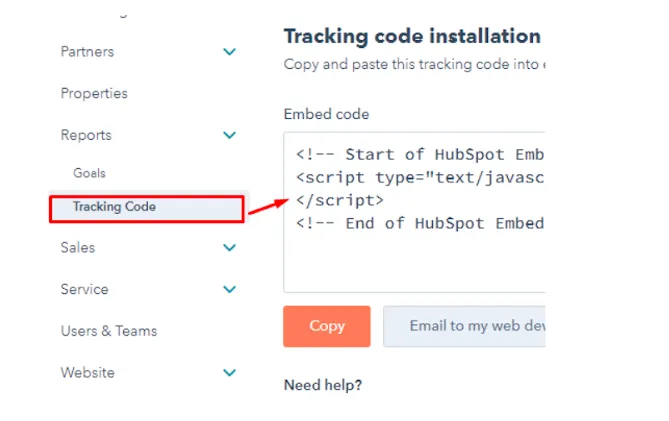
1. Install HubSpot Tracking Code: Install the HubSpot tracking code on your website, add the domains you wish to track, and consider implementing a cookie consent banner to comply with data protection laws.
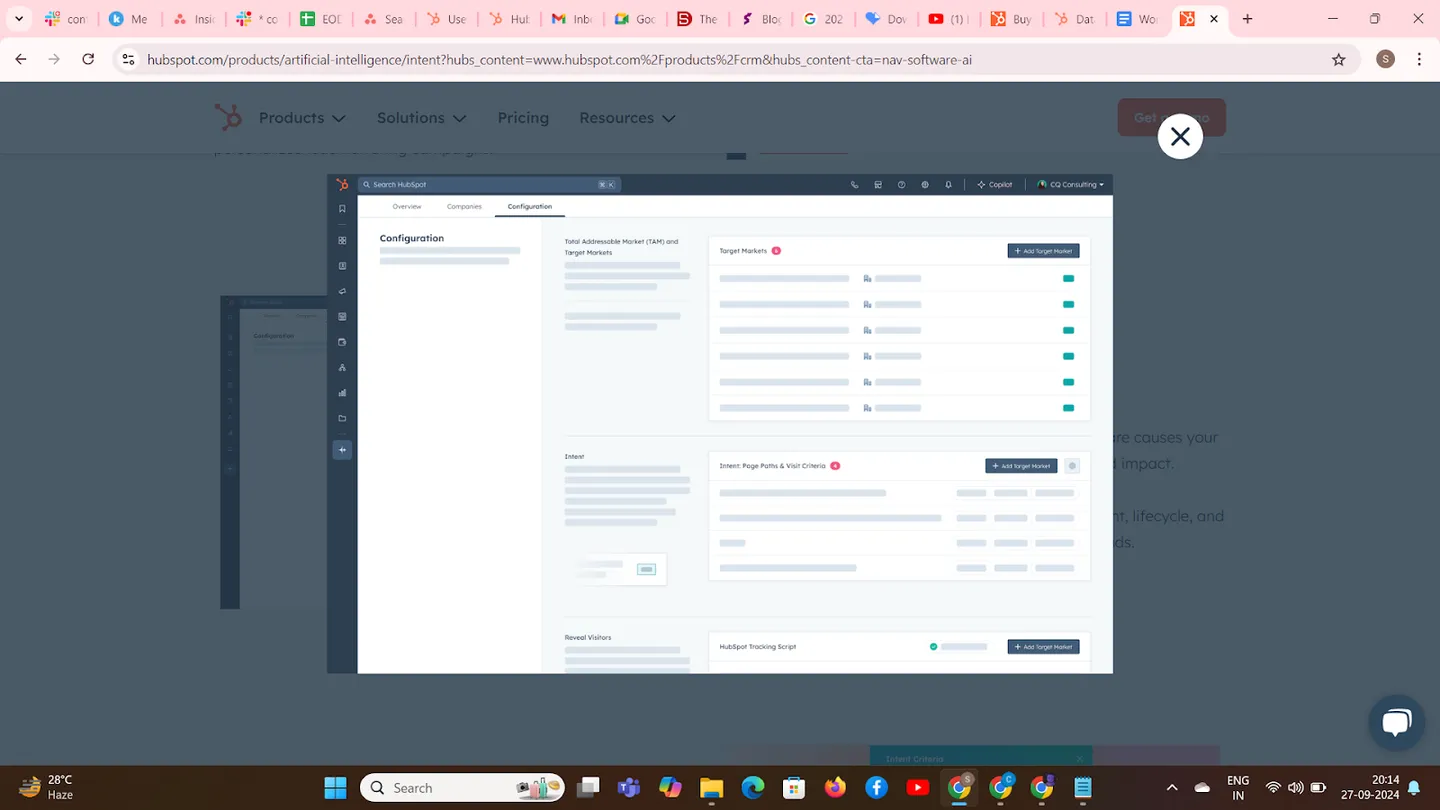
2. Set Up Target Markets: In your HubSpot account, navigate to Marketing > Buyer Intent > Configuration, click “Add Target Market,” define your target market by selecting criteria such as industries, company keywords, employee range, location, web technologies, and revenue, exclude specific criteria if needed, and click “Create Target Market” to save.
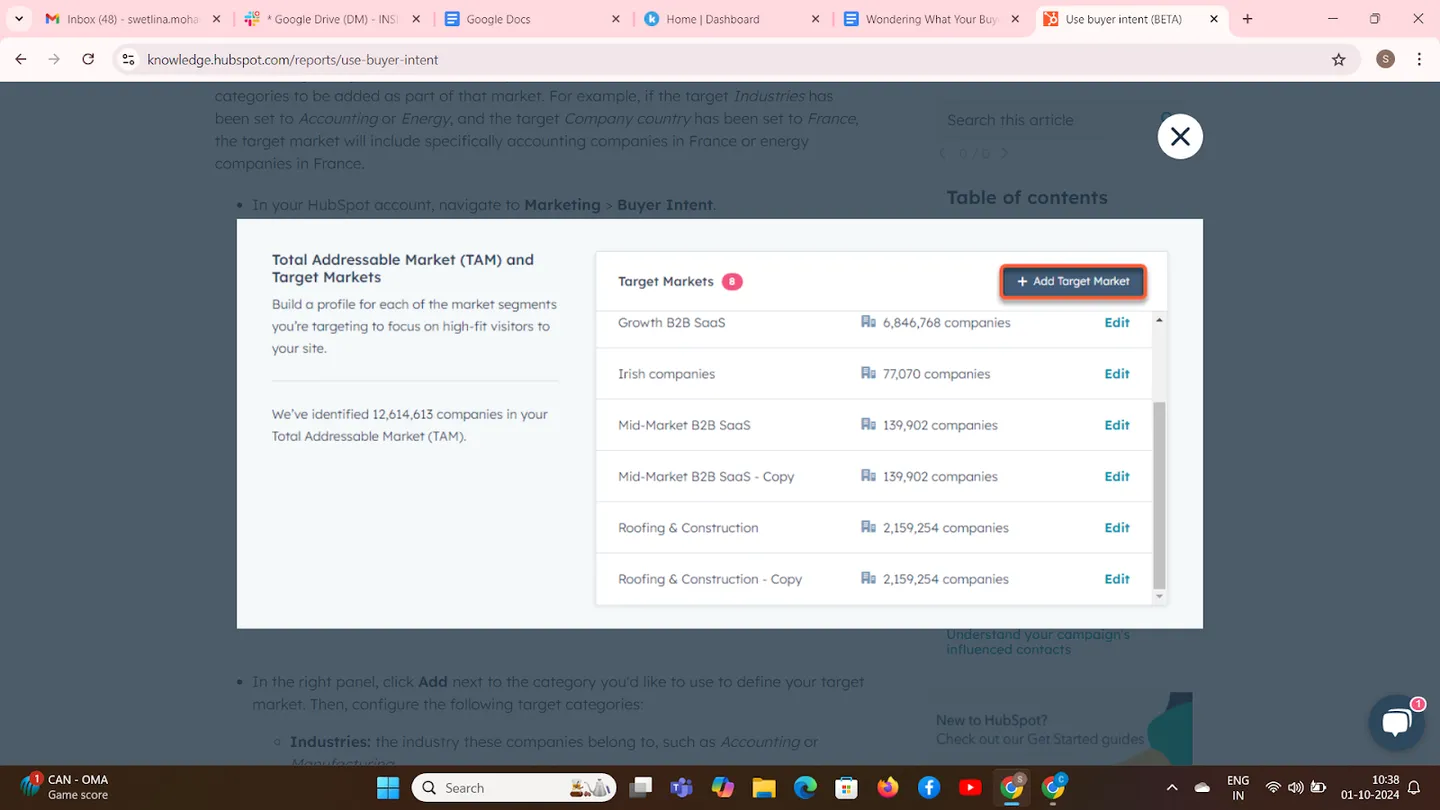
3. Manage Target Markets: To edit a target market, click “Edit” next to it, make the necessary changes, and click “Save changes”; to rename, clone, or delete a target market, use the “More” menu within the target market settings.
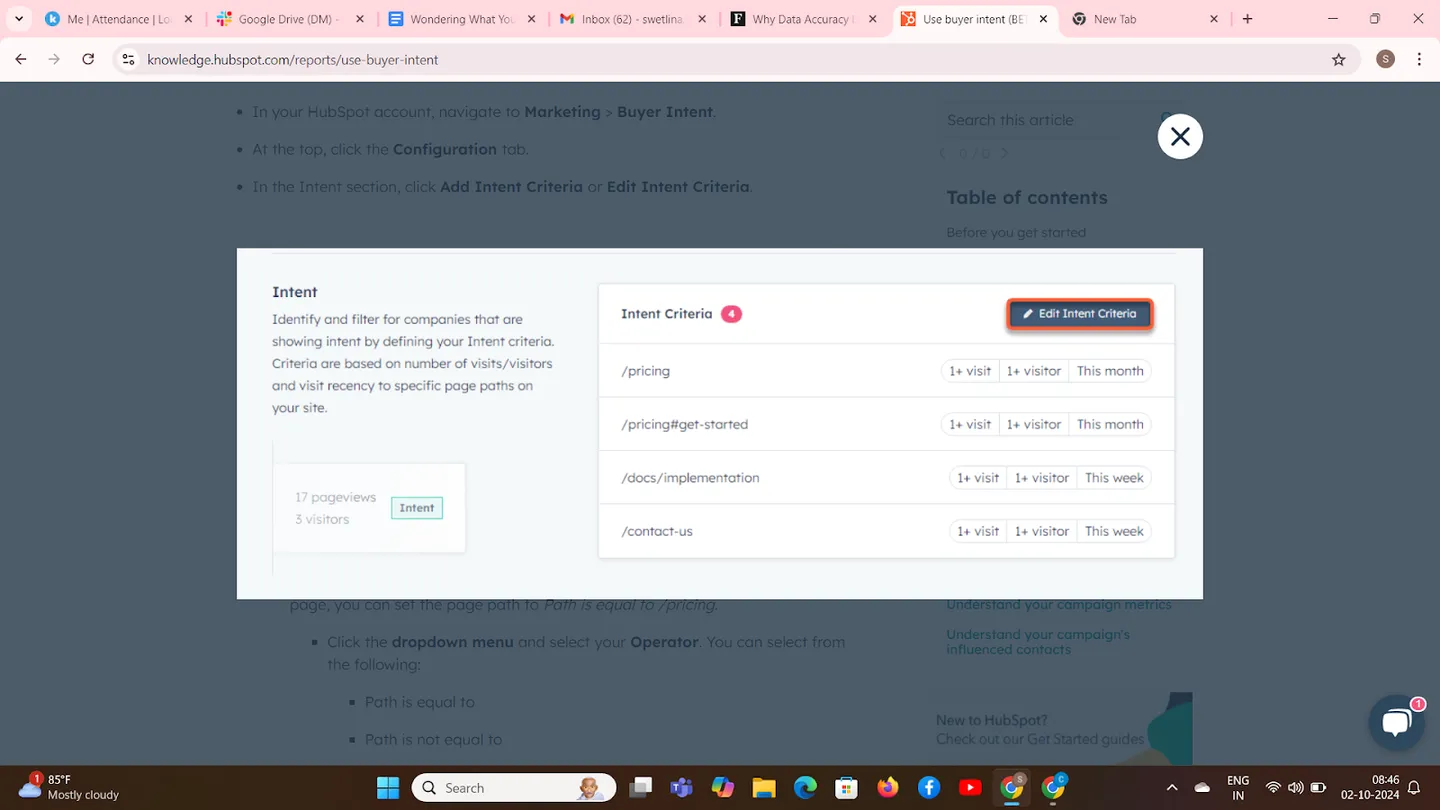
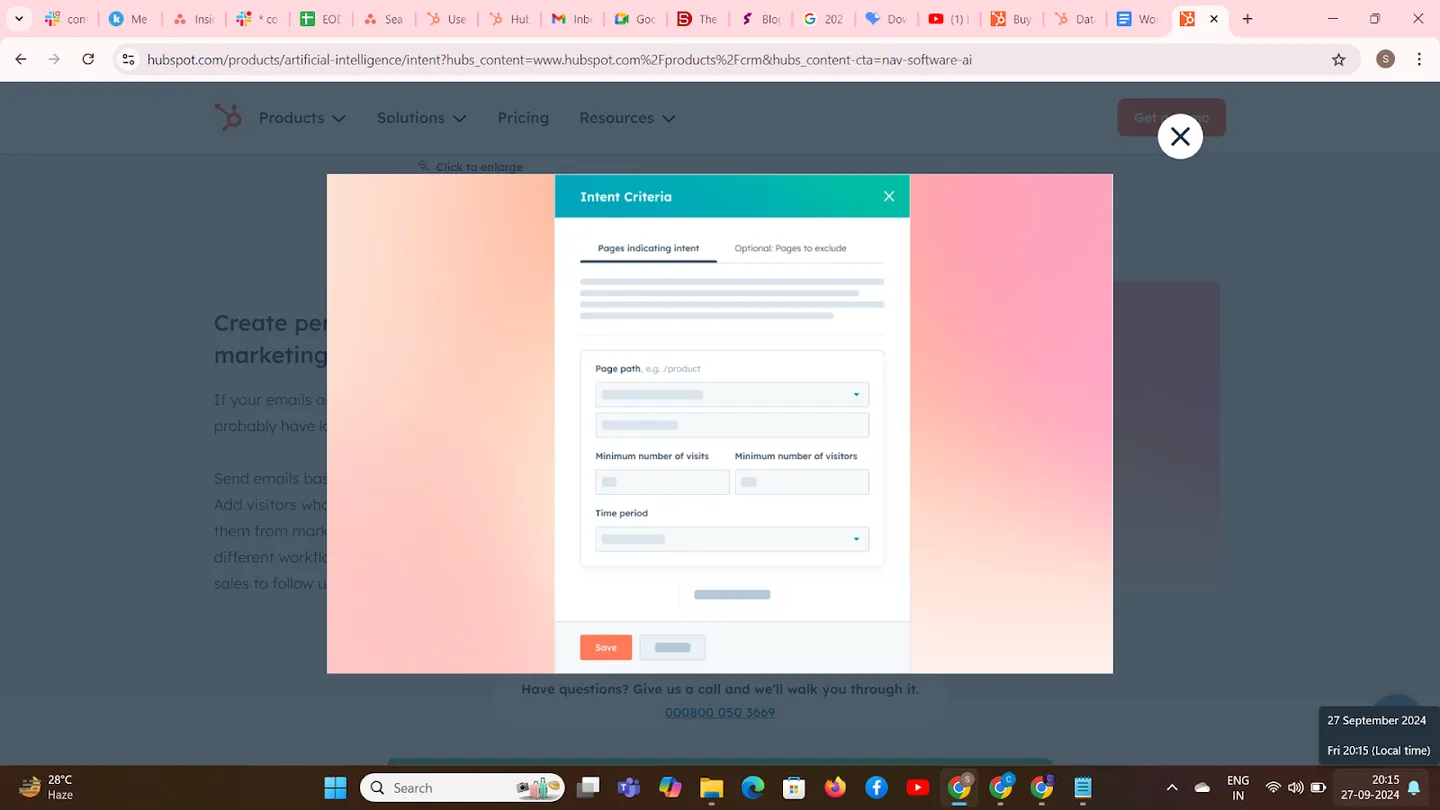
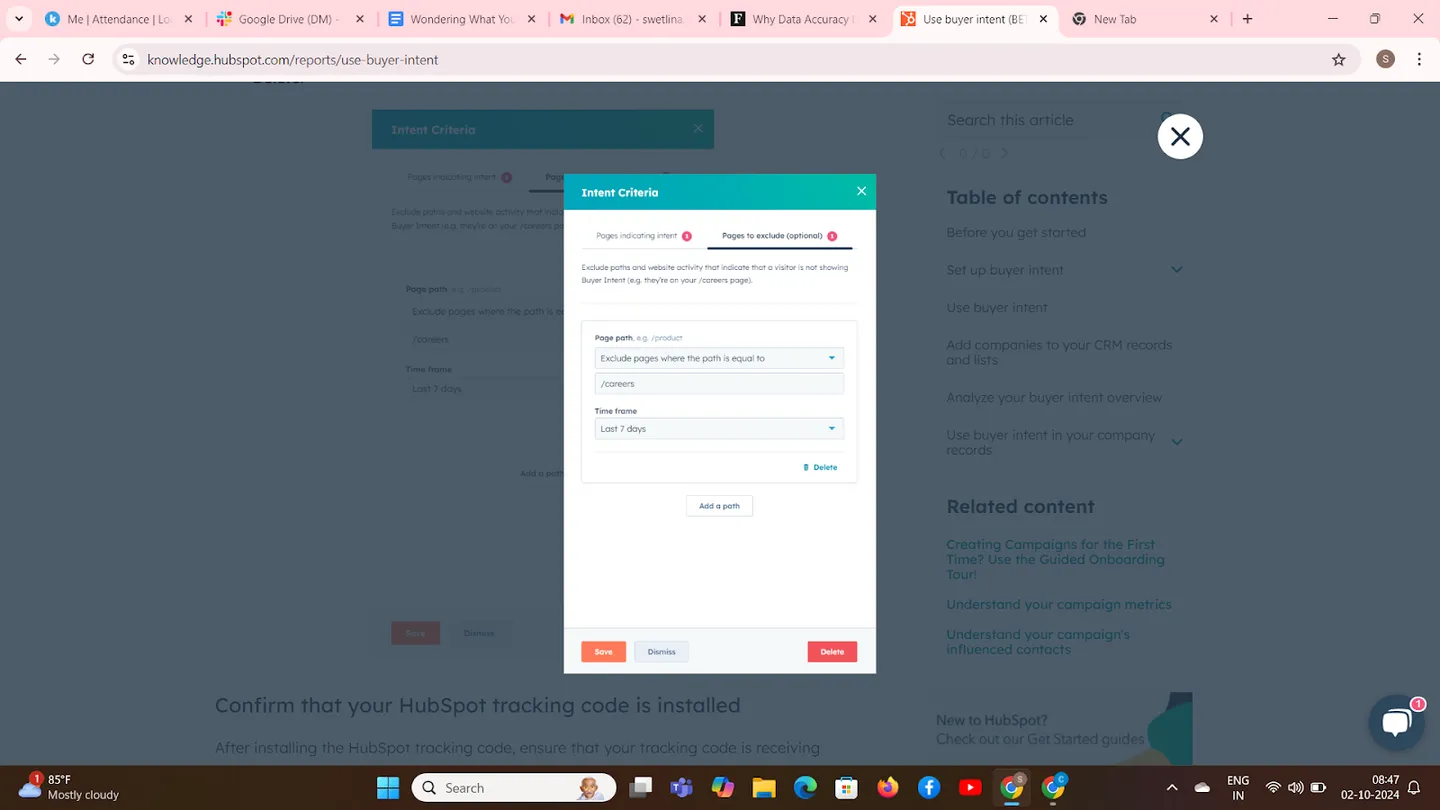
4. Set Intent Criteria: Go to Marketing > Buyer Intent > Configuration; under the “Intent” section, click “Add Intent Criteria” or “Edit Intent Criteria.” Then, define pages indicating intent by specifying page paths and operators (e.g., equals, contains), set minimum numbers for visits and unique visitors, choose a time frame, optionally exclude certain pages, and click “Save” to apply the criteria.
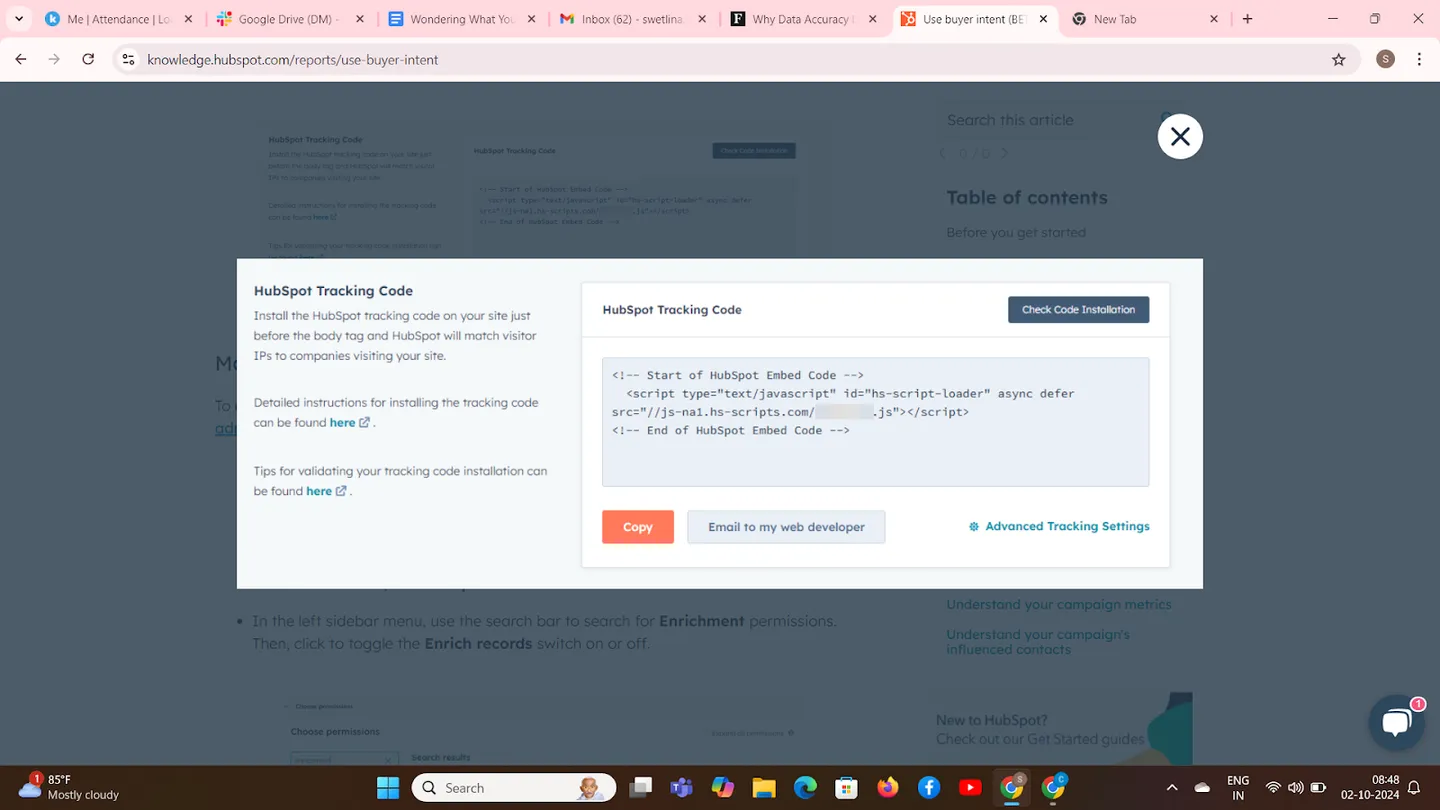
5. Confirm Tracking Code Installation: In Marketing > Buyer Intent > Configuration, under the “HubSpot tracking code” section, click “Check Code Installation” and verify that a “Receiving events” message appears.
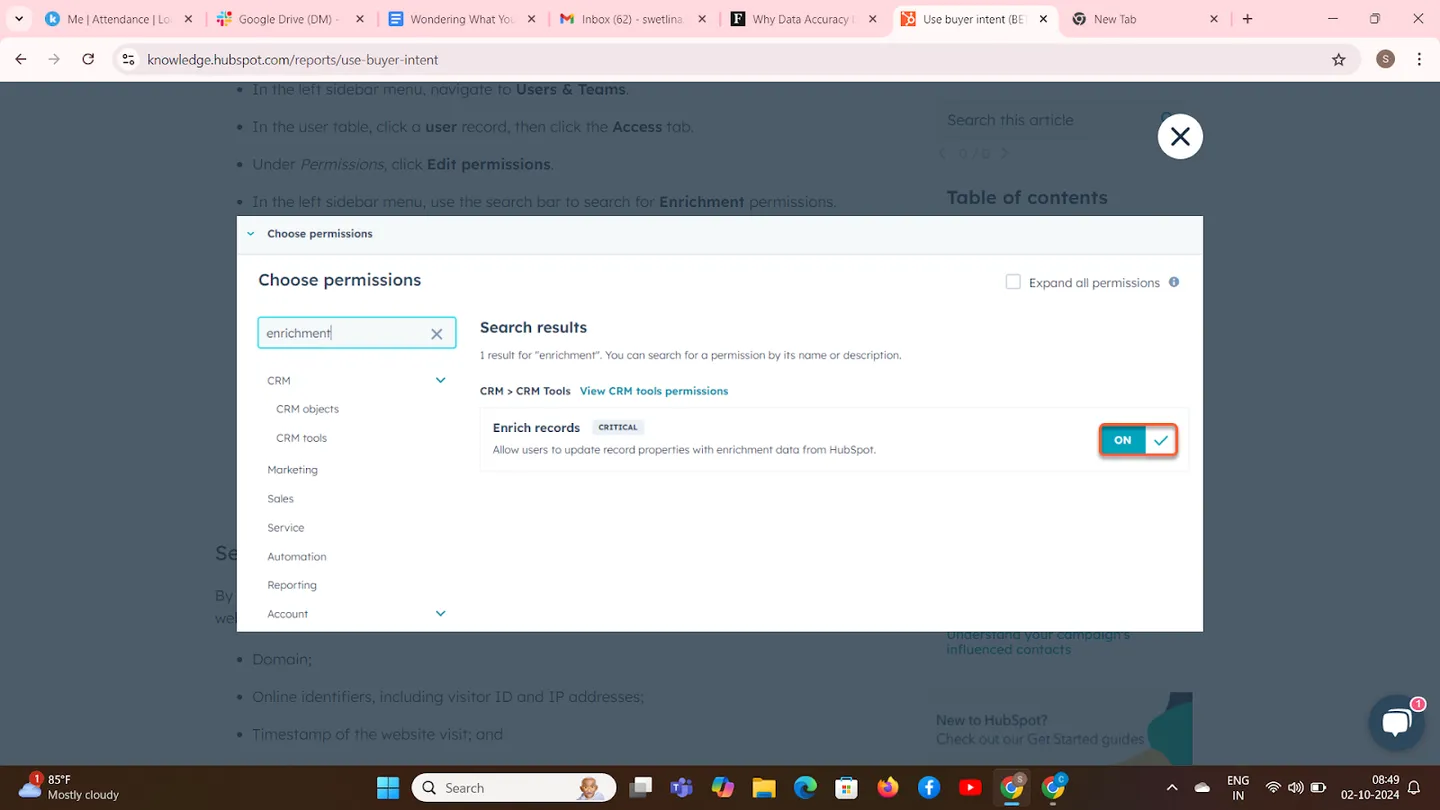
6. Manage User Permissions: Click the settings icon in HubSpot’s top navigation, navigate to Users & Teams, select a user, click the “Access” tab, then “Edit permissions,” search for “Enrichment permissions,” and enable “Enrich records” as needed.
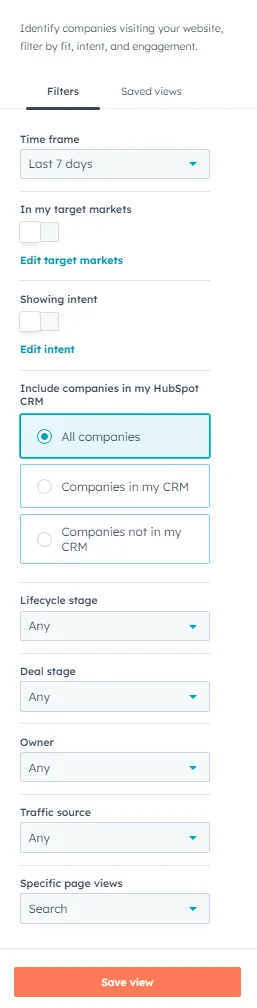
7. Use Buyer Intent Data: Navigate to Marketing > Buyer Intent. Use the filters on the left panel to narrow down companies by time frame, target markets, intent criteria, CRM inclusion, lifecycle stage, deal stage, owner, source, and specific page views. Save filter settings as views for quick access.
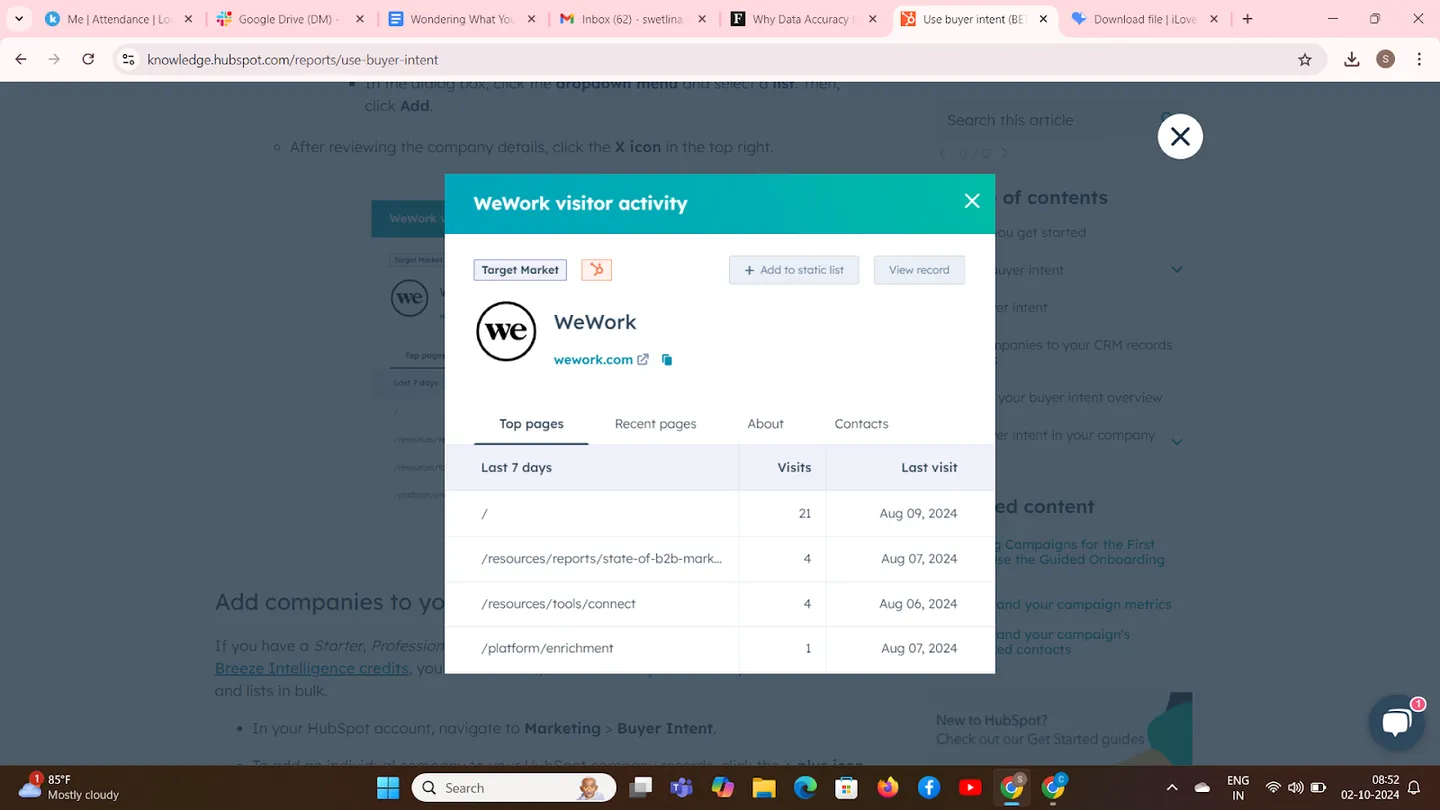
8. Review Company Details: Click on the “View company” icon next to a company to view detailed information. Explore tabs like “Top page views,” “Recent page views,” “About,” and “Contacts.” To add the company to your CRM, click “+ Add to companies.” To add it to a static list, click “+ Add to static list” and select the desired list.
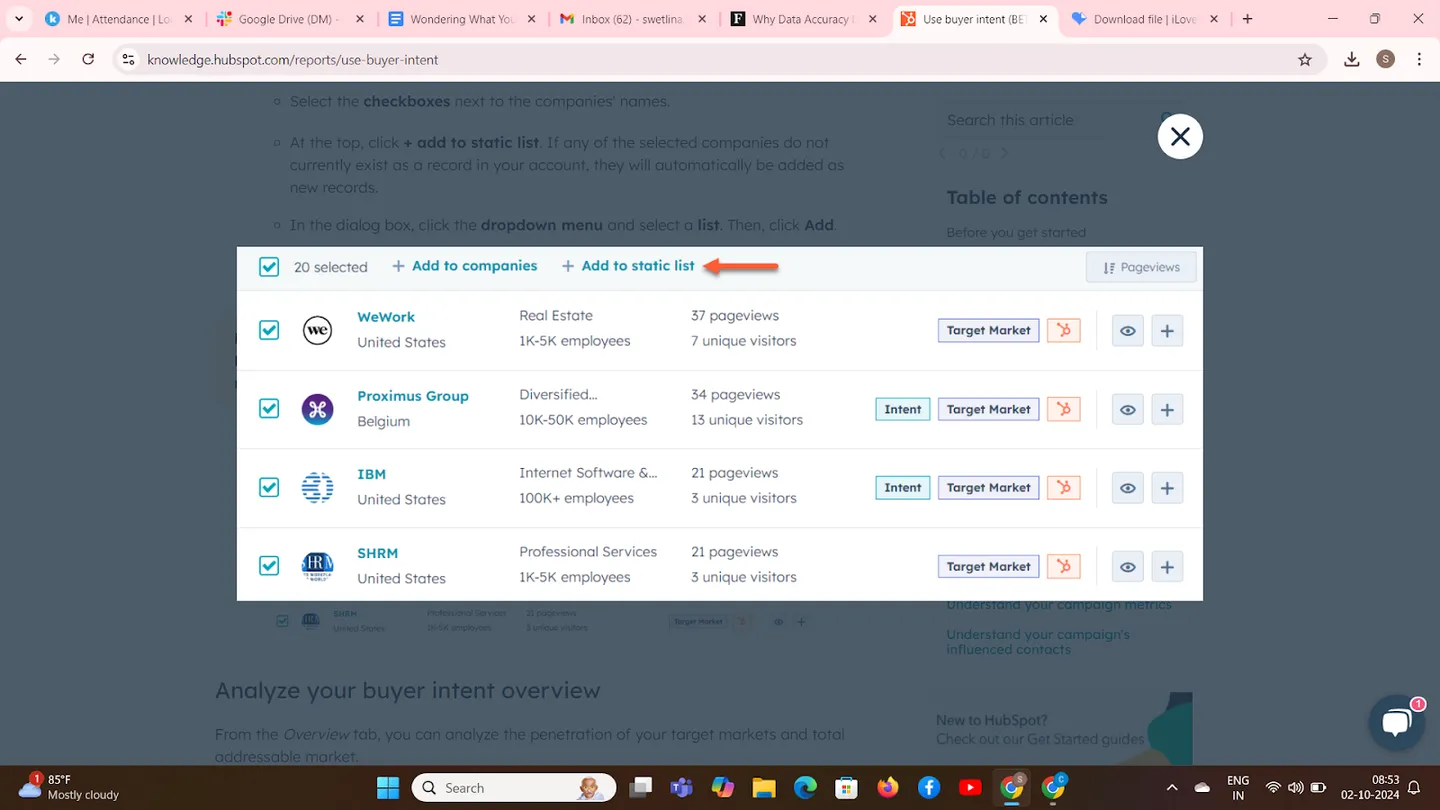
9. Add Companies in Bulk: Use the checkboxes next to each company’s name to select multiple companies. Click “+ Add to companies” to add them to your CRM records, or click “+ Add to static list” to choose a list. Then, confirm by clicking “Add enriched records.”
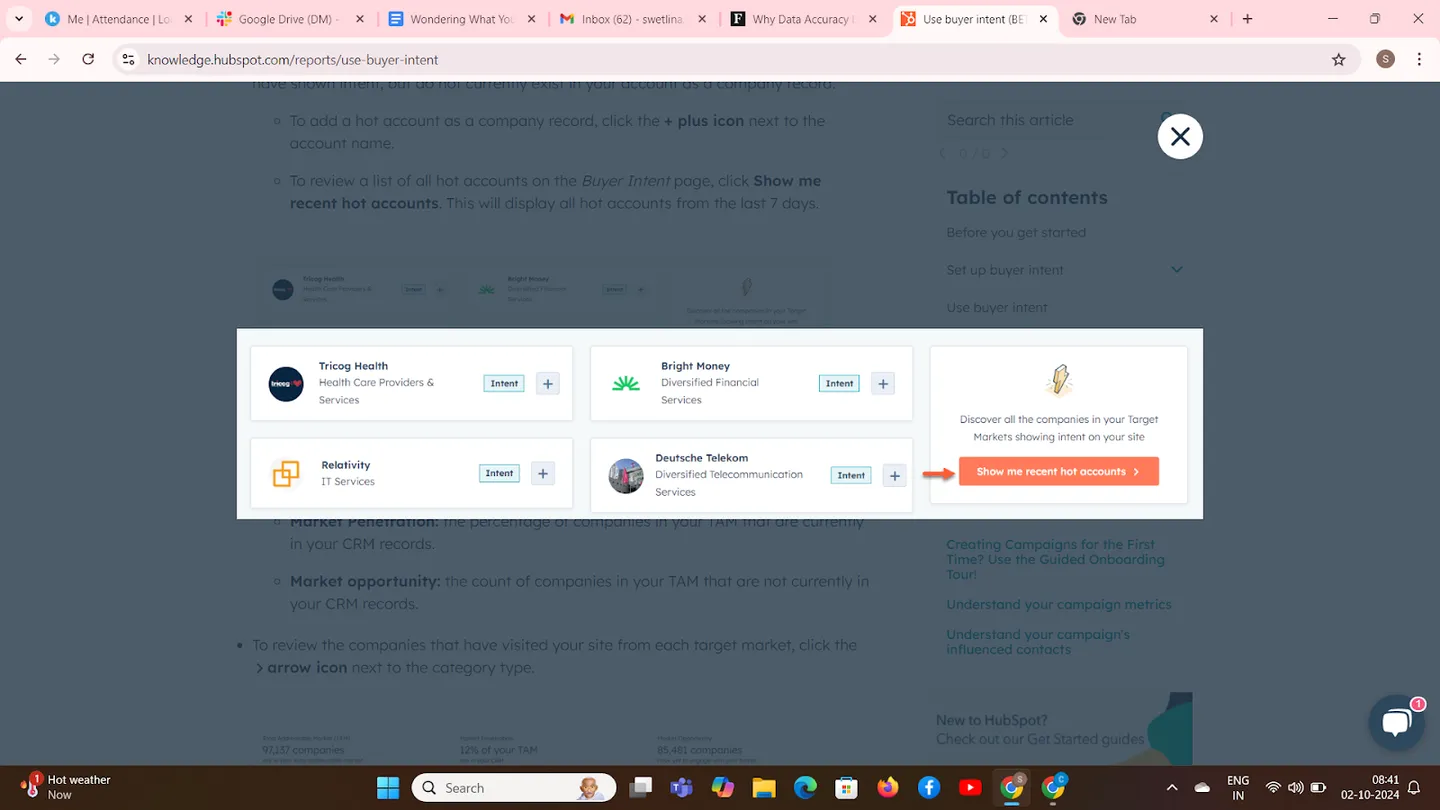
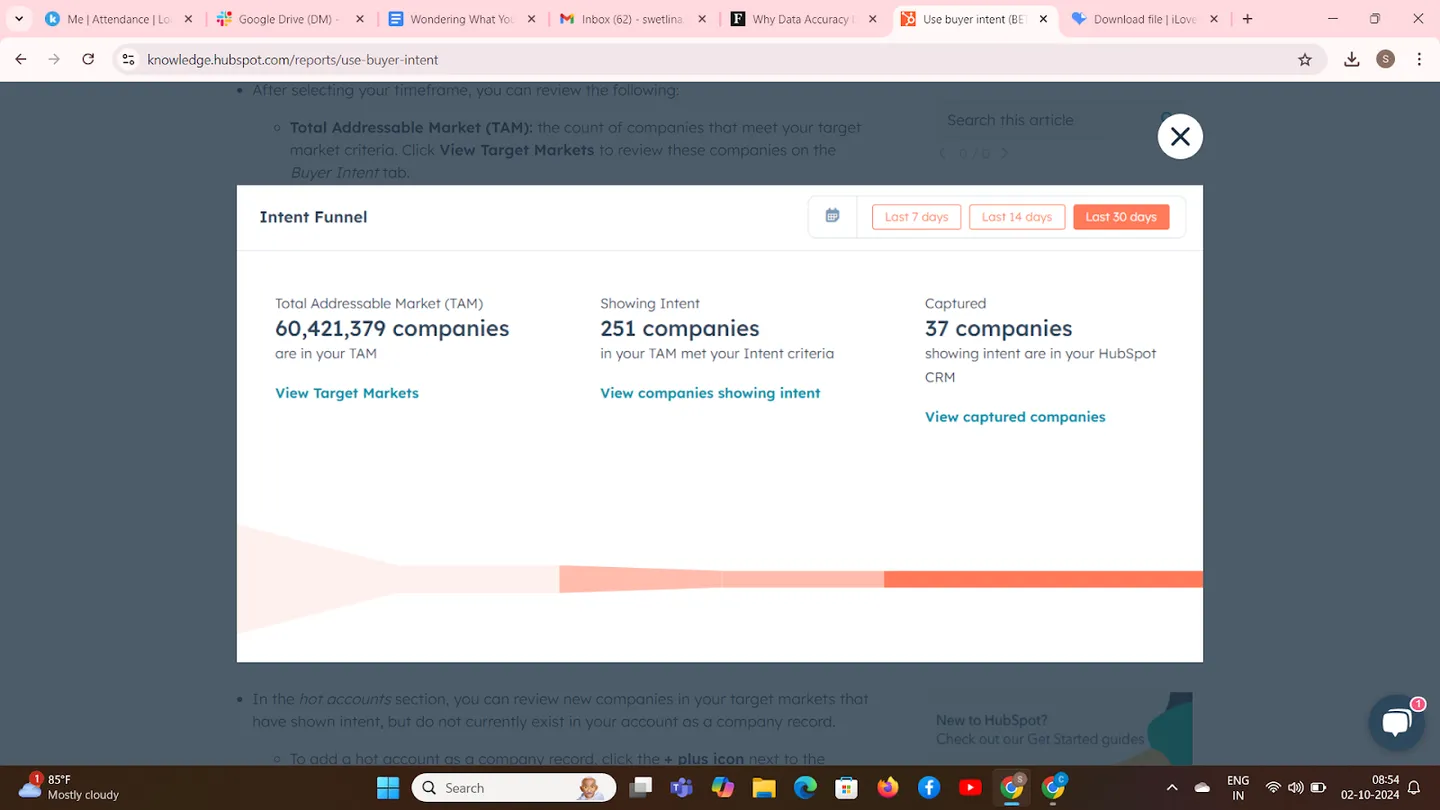
10. Analyze Buyer Intent Overview: Go to Marketing > Buyer Intent > Overview, adjust the time frame using options like “Last 7 days”, review metrics such as Total Addressable Market (TAM), companies showing intent, and engaged companies, examine hot accounts by adding them to your CRM if desired, and review market penetration data for insights.
11. Add Buyer Intent Card to Company Records: In HubSpot settings, navigate to Objects > Companies > Record Customization, select “Default view” or a team view, click “Add cards” in the left or right column, select the “Buyer Intent” card, and click “Save and exit” to add it to your company records.
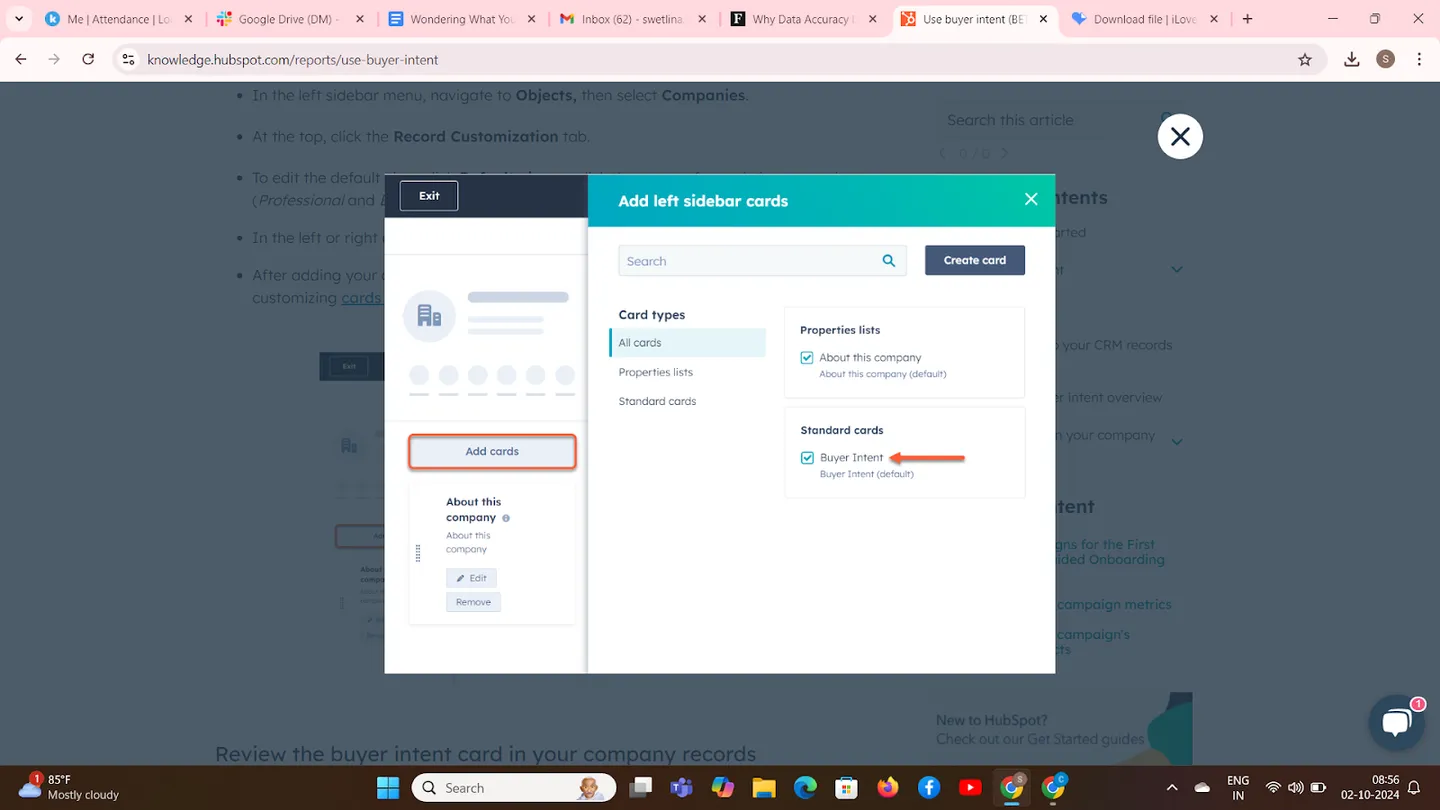
12. Review Buyer Intent on Company Records: Open a company record from CRM > Companies, view the “Buyer Intent” card to see data on website visits, unique visitors, last seen date and time, and top pageviews; click “View full visit activity” for detailed insights into buyer intent activity.
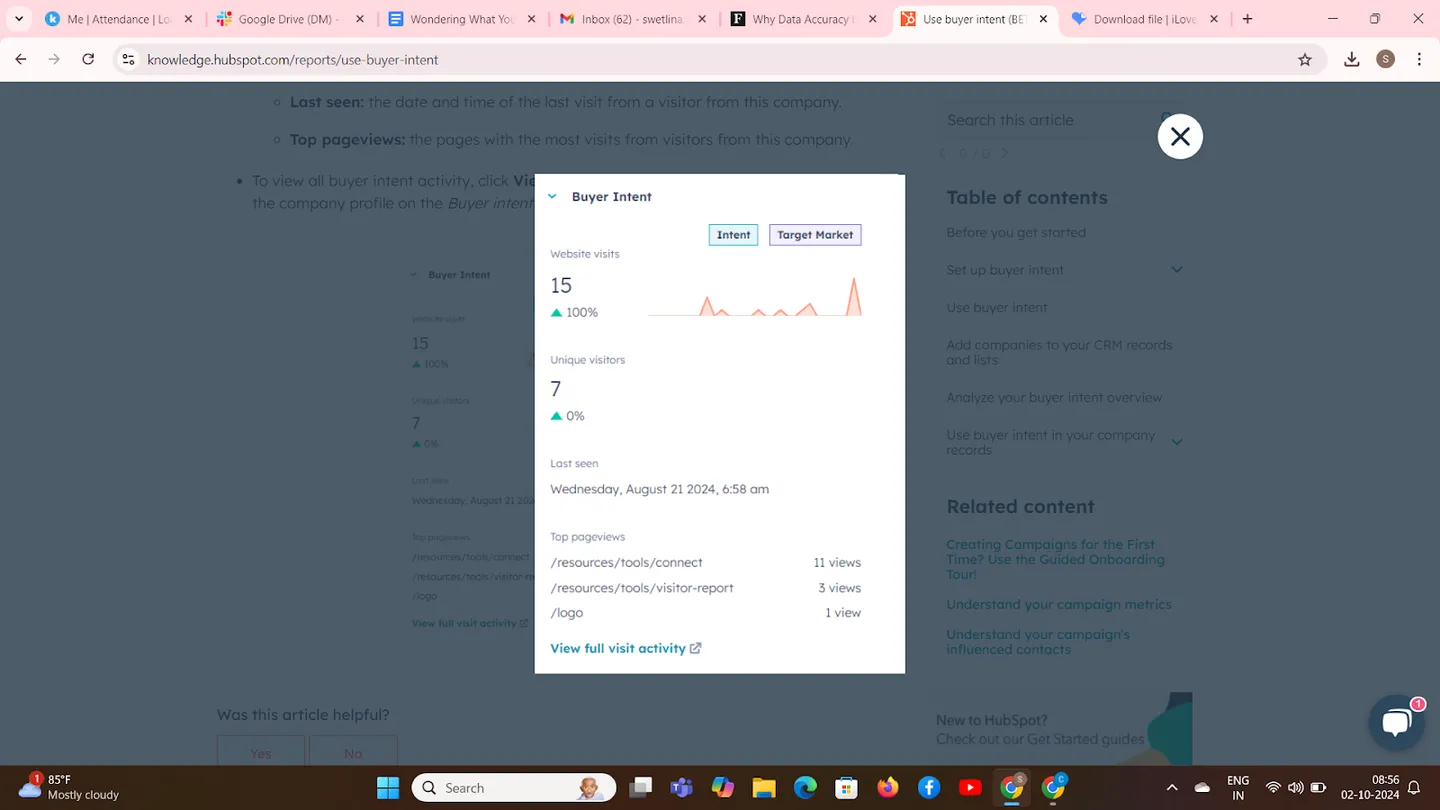
Note: If a company lacks buyer intent data, the Buyer Intent card will display empty fields.
Can Breeze Intelligence’s Buyer Intent Drive Your B2B Success?
Absolutely!
Breeze Intelligence’s Buyer Intent doesn’t just collect visitor data, it pinpoints which companies are ready to make a purchase, enabling you to focus on the leads that matter most. It shifts the sales approach from reactive to proactive by providing actionable insights on high-intent prospects.
The advantage lies in its ability to integrate directly with your CRM, making Buyer Intent data a core part of your sales process. You aren’t waiting for prospects to act; you’re anticipating their needs and engaging them with precision.
In 2024’s B2B arena, guesswork is obsolete.
Breeze Intelligence gives you the power to act decisively, close deals faster, and drive growth.
Ready to turn HubSpot into an AI-powered growth engine? Sign up for HubSpot’s free CRM today and start exploring its powerful tools for marketing, sales, and customer success.
With AI-powered features and Breeze Intelligence built right in, you’ll have smarter insights and automation at your fingertips. As a HubSpot Implementation and CRM Partner, INSIDEA can help you set it up the right way, so you don’t just adopt HubSpot, you actually make it work for your business.
INSIDEA
Ready to get more out of HubSpot?
We are an Elite HubSpot Partner rated 4.99 across 500+ verified reviews. Let's make your portal work harder.



 How INSIDEA works




