

Creating fresh and engaging content that resonates with your customers across multiple platforms can boost your business’s engagement by 250%.
However, creating high-quality content takes time, effort, and resources. Marketers spend about 15 hours a week on content creation alone. This time investment can quickly lead to tiredness, diminishing creativity, and missed deadlines. According to recent studies, 70% of marketers report that their biggest challenge is producing enough content to meet their marketing goals.
Introducing Content RemixBreeze AI’s feature for the content hub that enhances your marketing strategy with content repurposing that adapts existing assets across various channels. Why create from scratch when you can repurpose high-performing assets into new formats? This strategy enhances your content’s value, broadens your reach, and saves time.
| What is Content Remix?
Content Remix is an advanced tool of the Breeze AI suite that helps marketers and businesses efficiently repurpose existing content across various platforms. It uses artificial intelligence to analyze high-performing content and transform it into new formats, making reaching and engaging diverse audiences easier. |
How Content Remix Transforms Your Content?
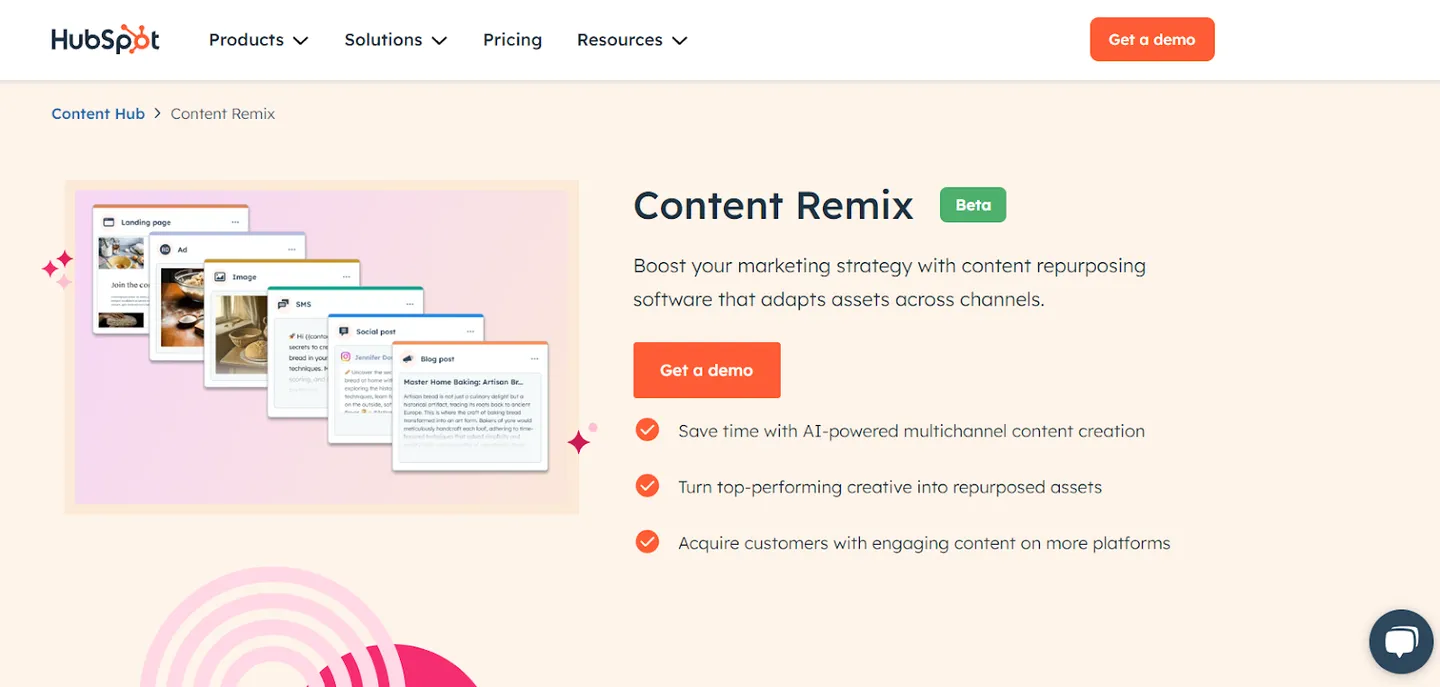
Content Remix uses advanced artificial intelligence algorithms that analyze existing content to generate new, relevant assets. Here’s a closer look at how it functions:
Content Analysis and Insights
Content Remix starts by analyzing high-performing content within your existing library. It identifies main themes, topics, and messages that resonate with your audience. This analysis helps you understand which pieces of content are the most impactful and worth repurposing.
Content Transformation
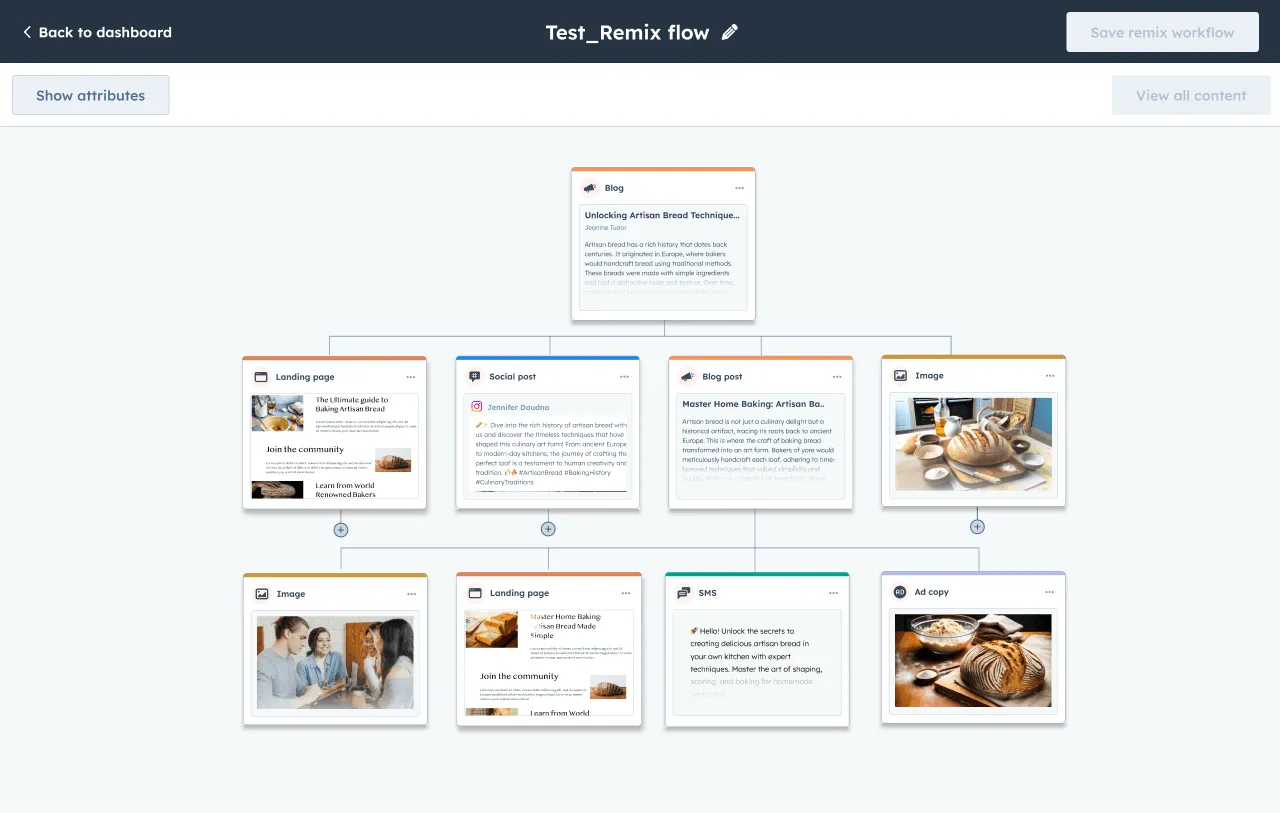
Once the analysis is complete, Content Remix can help you transform these insights into new formats.
| Original Content Type | Transformed Content Types |
| Blog Post | Social Media Posts, Infographics, Videos, Podcasts |
| Webinar Video | Landing Pages, Email Campaigns, Social Media Clips |
| Podcast | Blog Summaries, Quote Graphics, Audiograms |
| E-books | Infographics, Webinars, Blog Posts |
Optimization for Platforms
It optimizes each piece of content for the specific platform on which it’s published. To ensure maximum engagement, it actively considers audience behavior, best posting times, and platform algorithms.
Performance Tracking
In addition to content creation, Content Remix also includes strong analytics features that track the performance of each repurposed asset. By analyzing engagement metrics such as likes, shares, and comments, you can gain valuable insights into what works and what doesn’t, enabling continuous optimization.
A Step-by-Step Guide to Using Content Remix
By following the steps below, you can easily repurpose content and boost your marketing strategy with minimal effort using Content Remix.
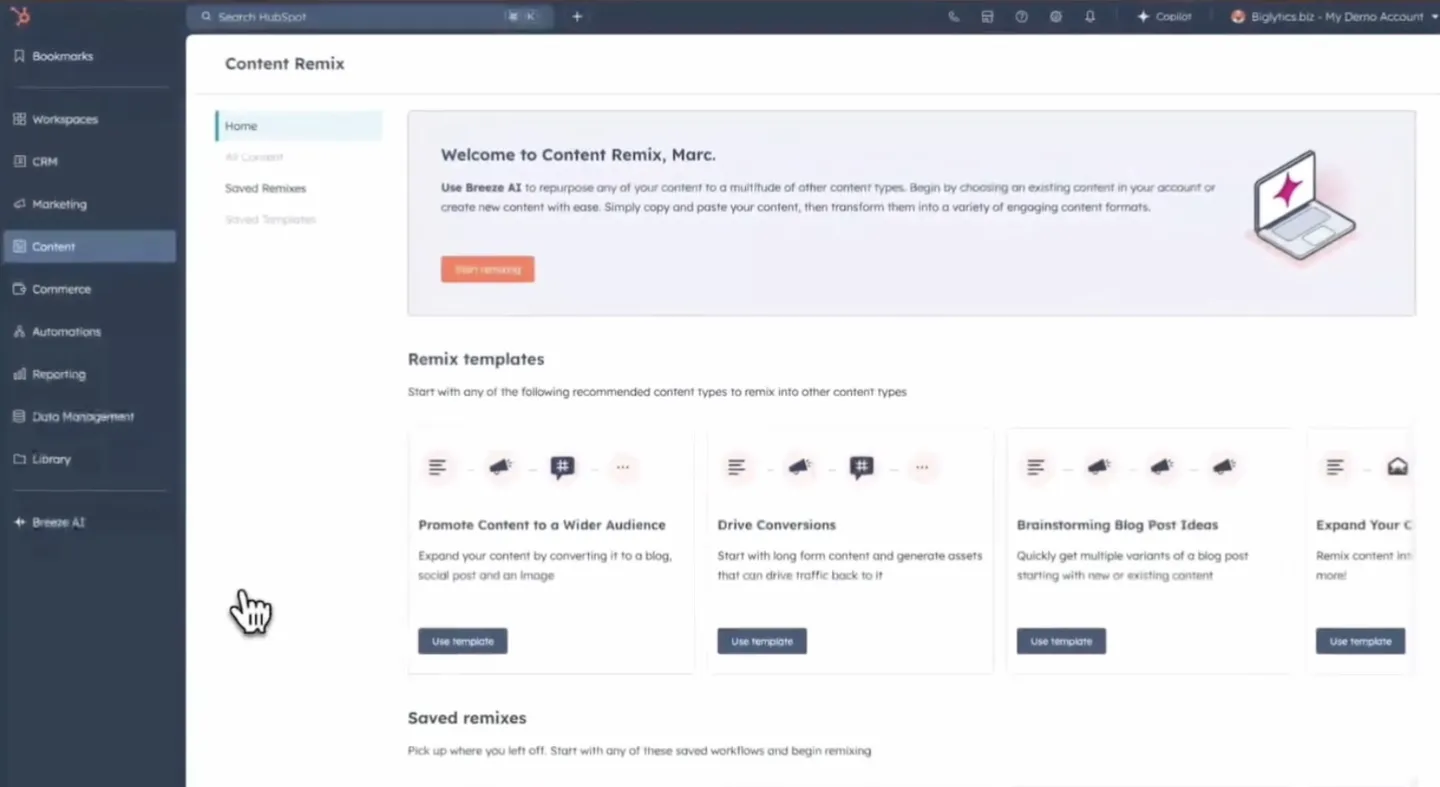
Step 1: Start Remixing
- Log into your HubSpot account.
- Navigate to Content and select Remix. This will bring you to the Content Remix home.
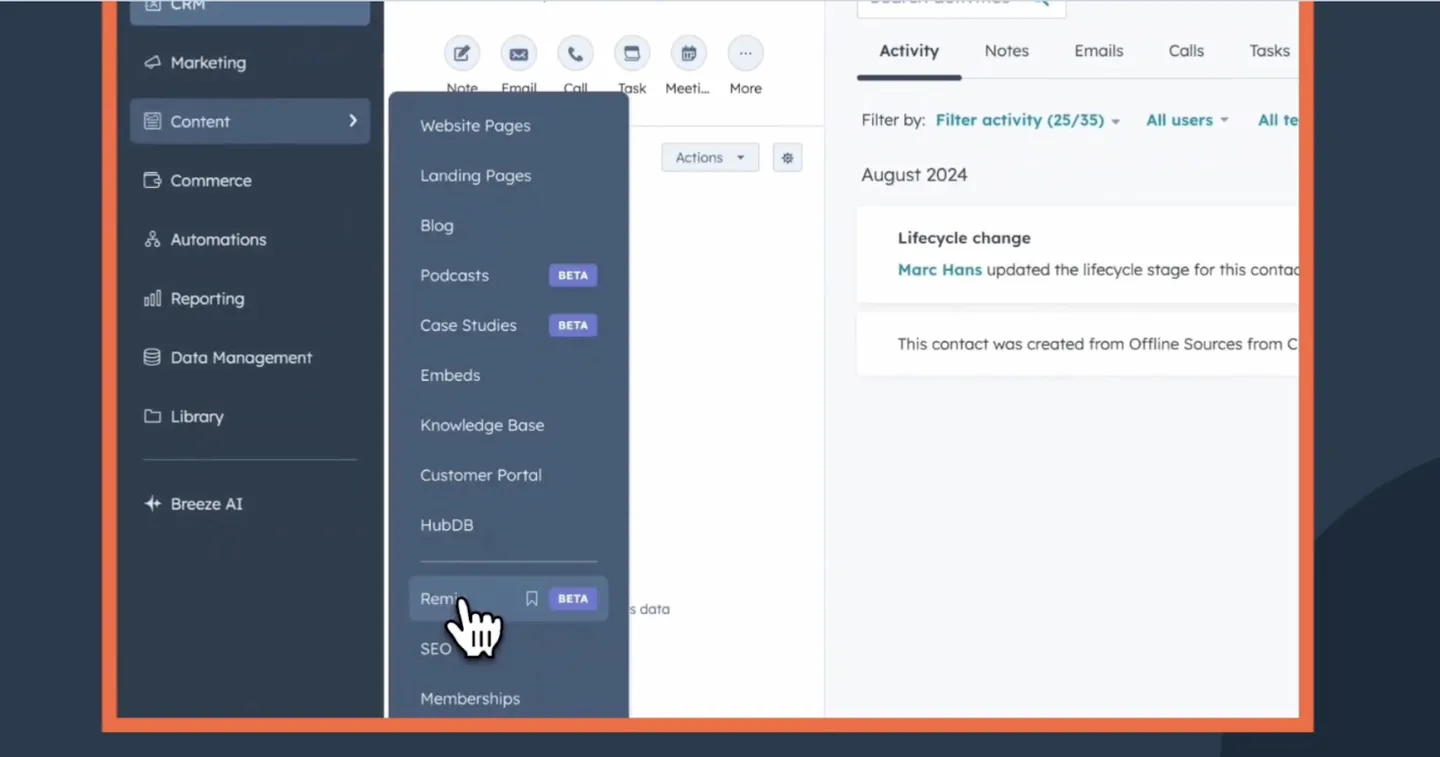
- On the left panel, click Start Remixing to begin.
- You’ll enter the Content Remix home.
Step 2: Add Your Content
- Once in the editor, click Add Content in the center box.
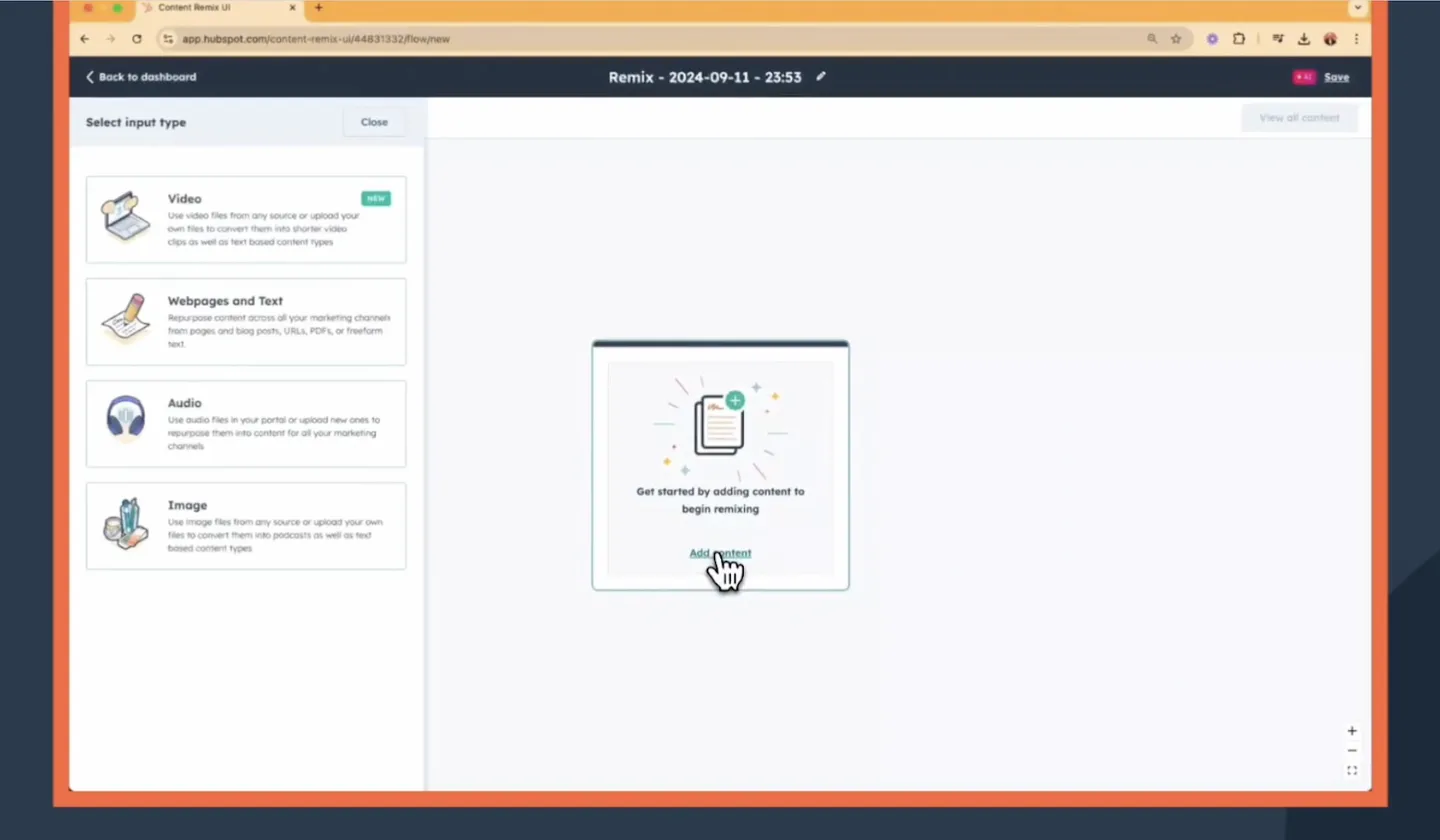
- In the left panel, choose the type of content you want to remix (e.g., video, audio, webpages, text, or images).
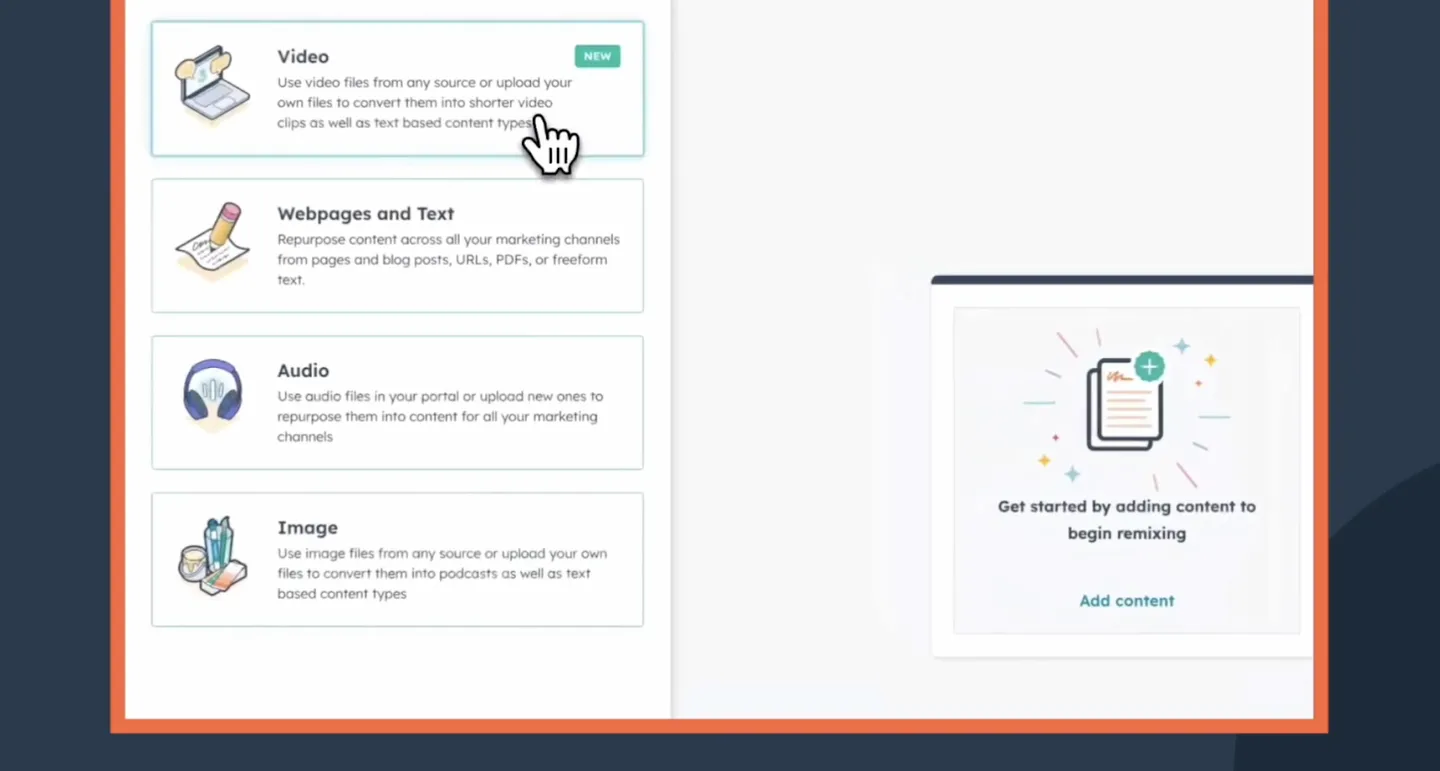
- For videos, select Video.
- For podcasts, select Audio.
- For written content, choose Web Pages and Text.
- For images, select Image.
- You can also upload a PDF, provide a URL, or select a blog, web, or landing page directly from HubSpot.
Step 3: Upload or Select Content
- After selecting your input type, upload or choose the content you wish to remix.
- In this example, you could select a webinar video to remix into a new campaign.
- Click Add Content after making your selection.
Step 4: Select Content Types for Remix
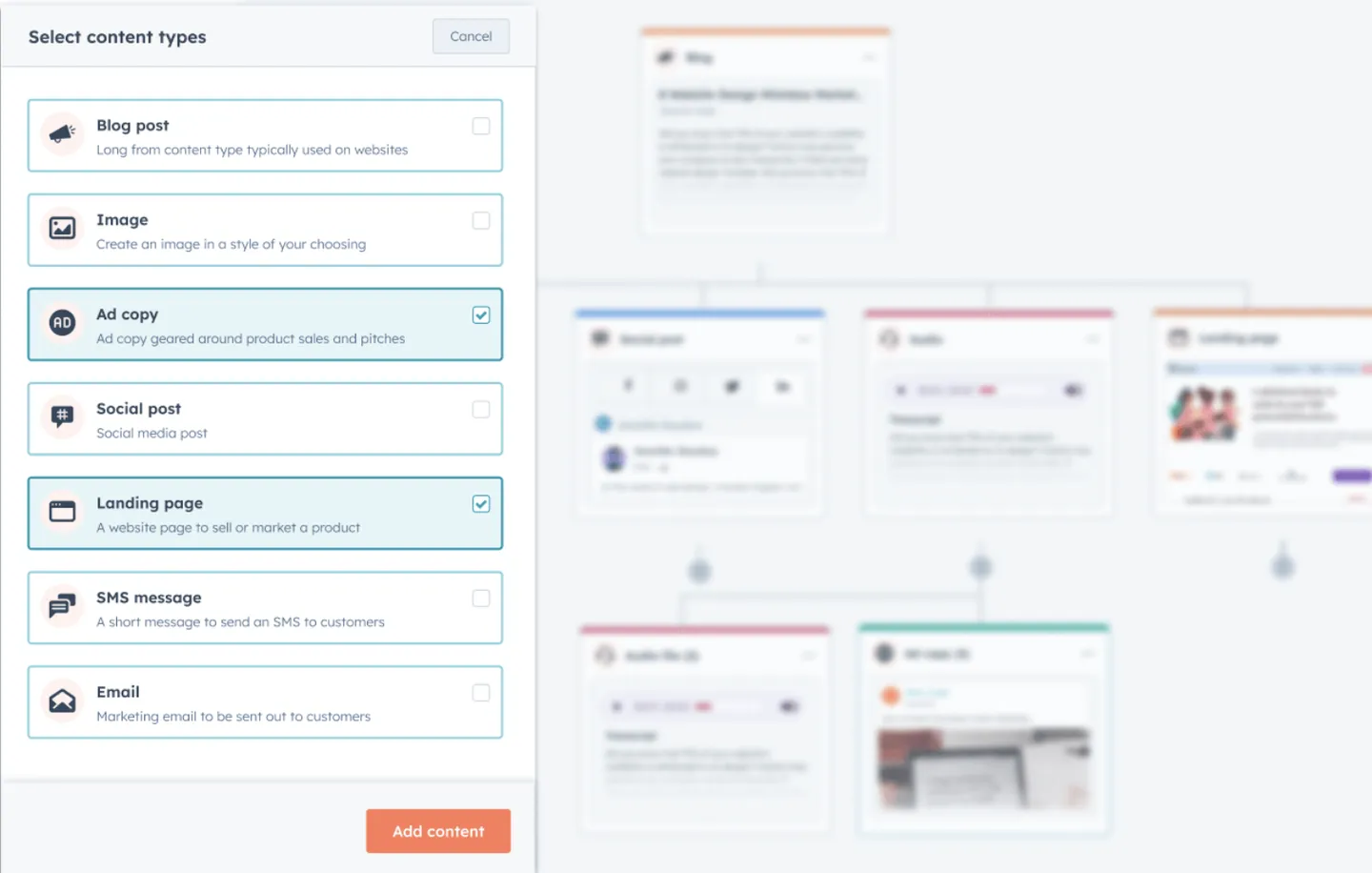
- In the left panel, choose the types of content you want to generate from the original material. You can select up to 10 content types. Example: Remix a webinar into a landing page, email, blog post, and social media video clips.
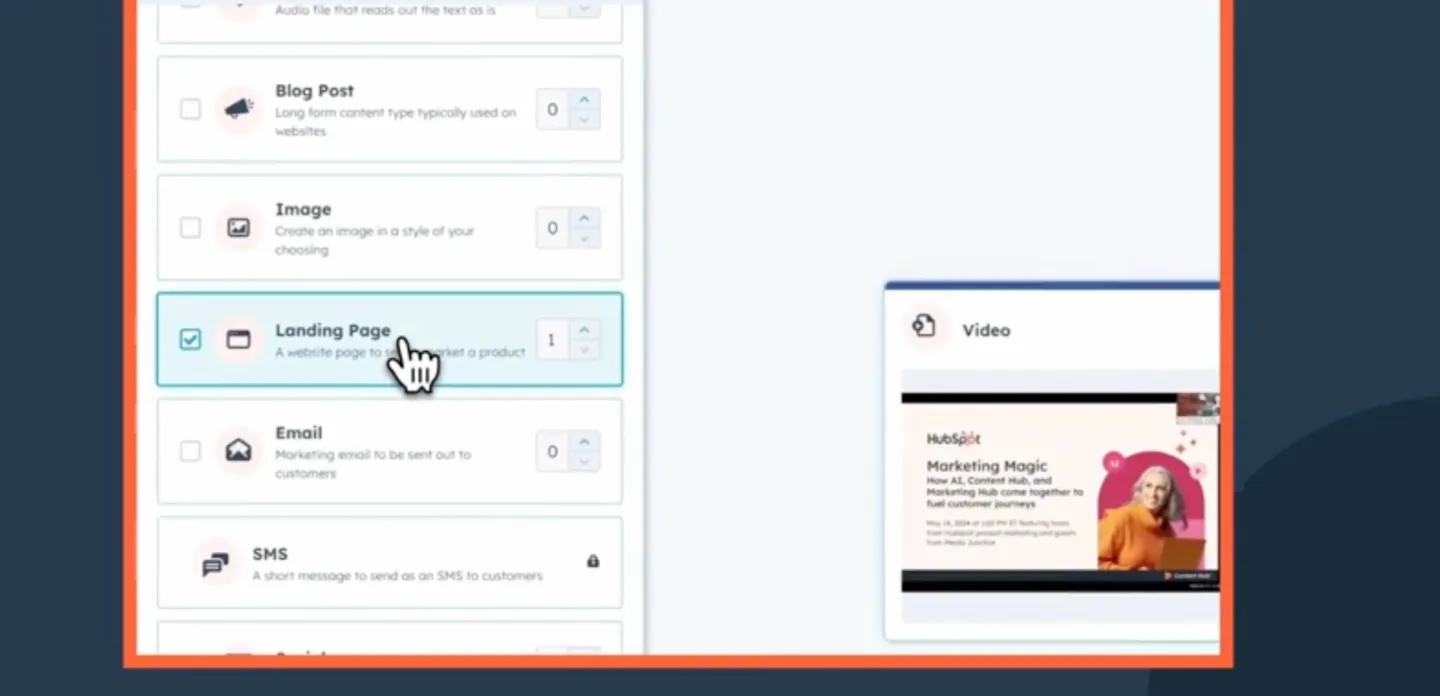
- Once you’ve made your selections, click Next.
Step 5: Customize Your Content
- The system may take a few minutes to process if you upload large files (e.g., audio or video). To save time, upload assets to the File Manager beforehand for pre-processing.
- In the left panel, customize fields for your selected content types. Provide specifics on what you want the tool to generate, the more detailed the input, the better the output.
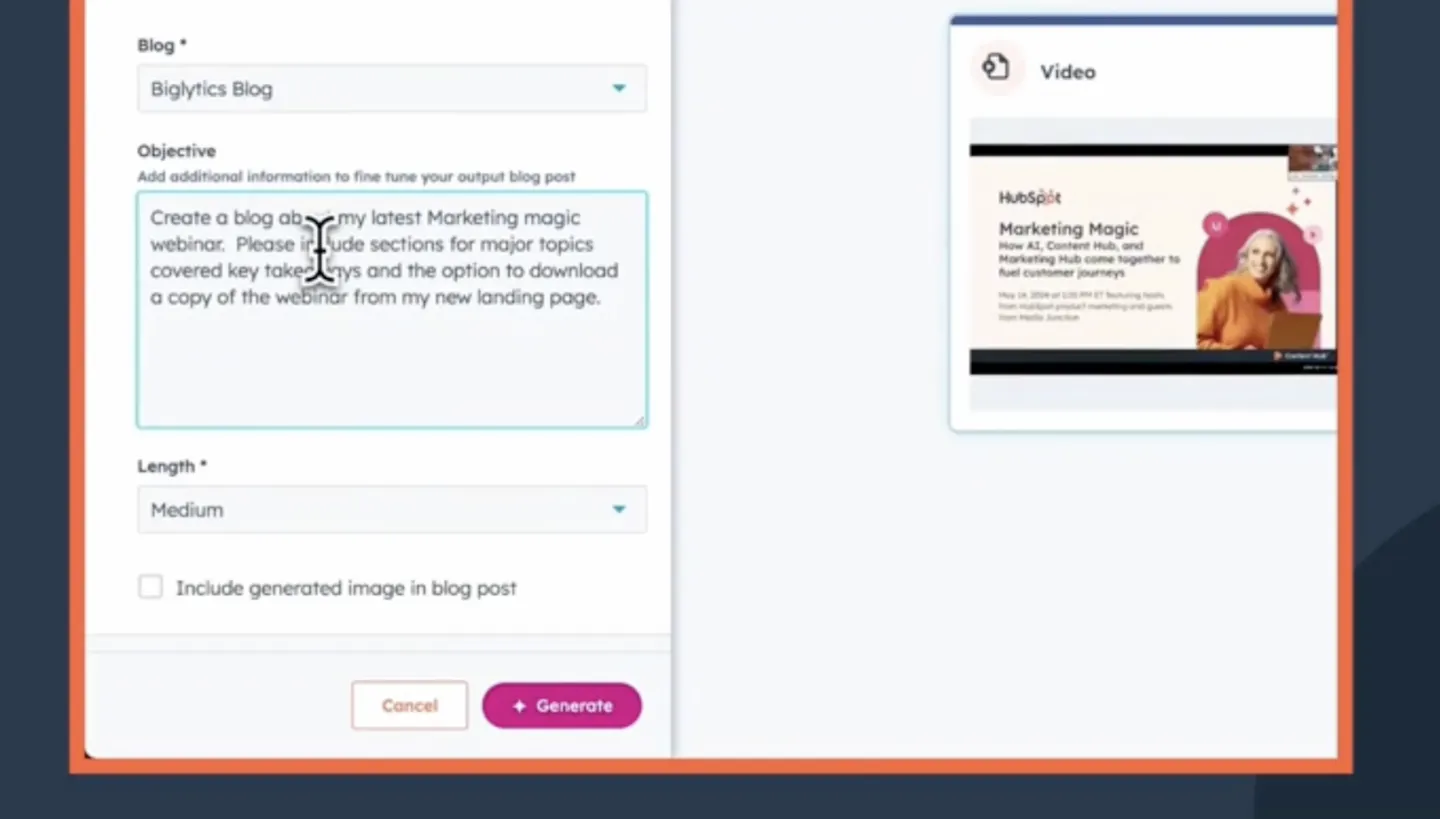
Step 6: Generate and Review
- Click Generate after customizing your content.
- Once generated, click on the preview text of any piece to review the remixed content.
- If satisfied, click Save and Edit In-App to move the generated content into its related tool for further editing. If not, adjust the directives and regenerate the content.
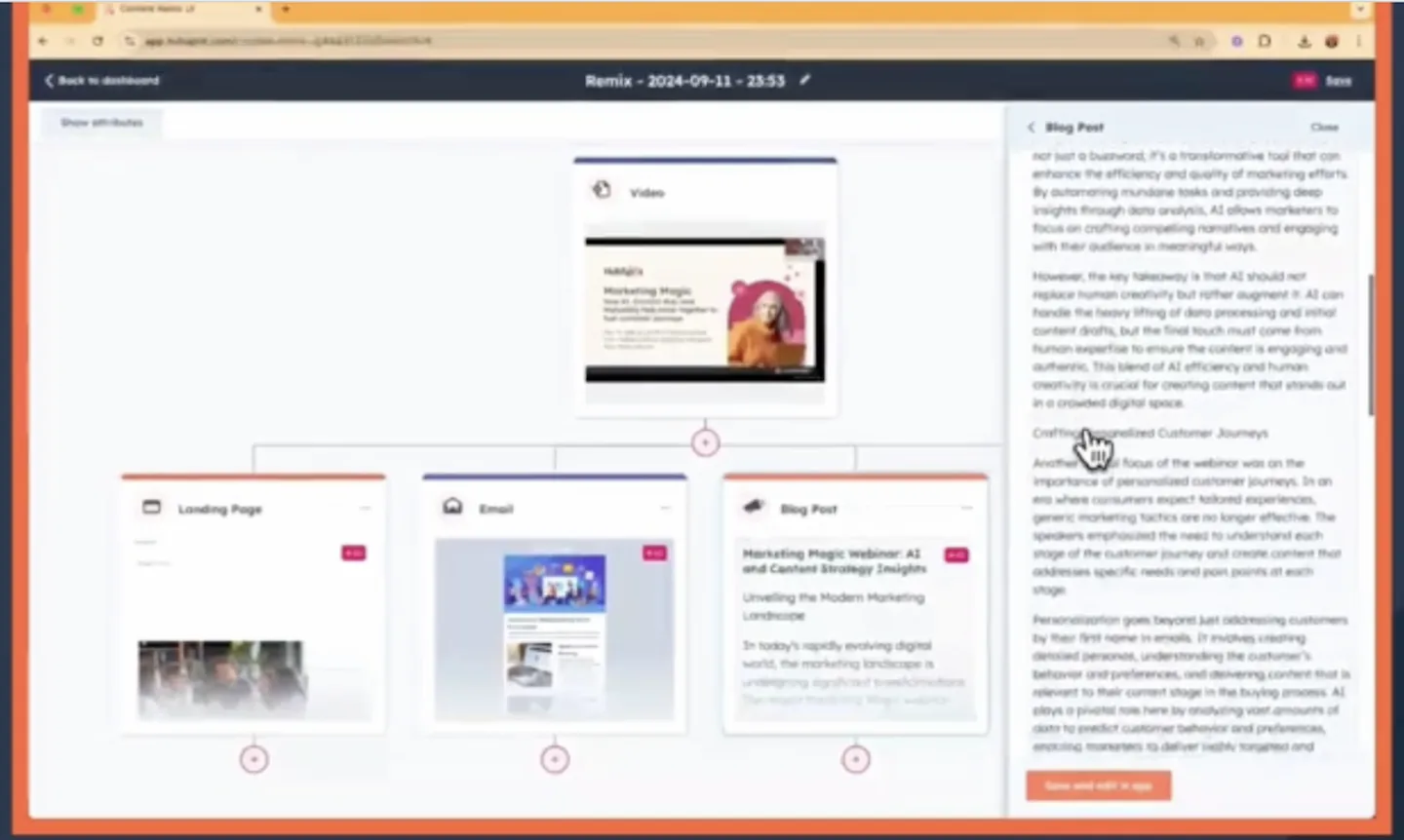
Step 7: Edit Video Clips (Optional)
- You’ll be directed to the Video Editor if you’re remixing video content.
- Add, choose, refine, or edit clips from the video.
- You can also add captions and export the clips to the File Manager for use on social media or other platforms.
Step 8: Add More Content to the Remix
- To expand or add to your remix, click the Add button beneath a piece of generated content and repeat the process for additional assets.
Step 9: Save and Reuse Your Remix
- After saving your remix, you can reuse it by adding new content at the top or using remix templates provided by Breeze AI.
- You can also repurpose past remixes for future content needs.
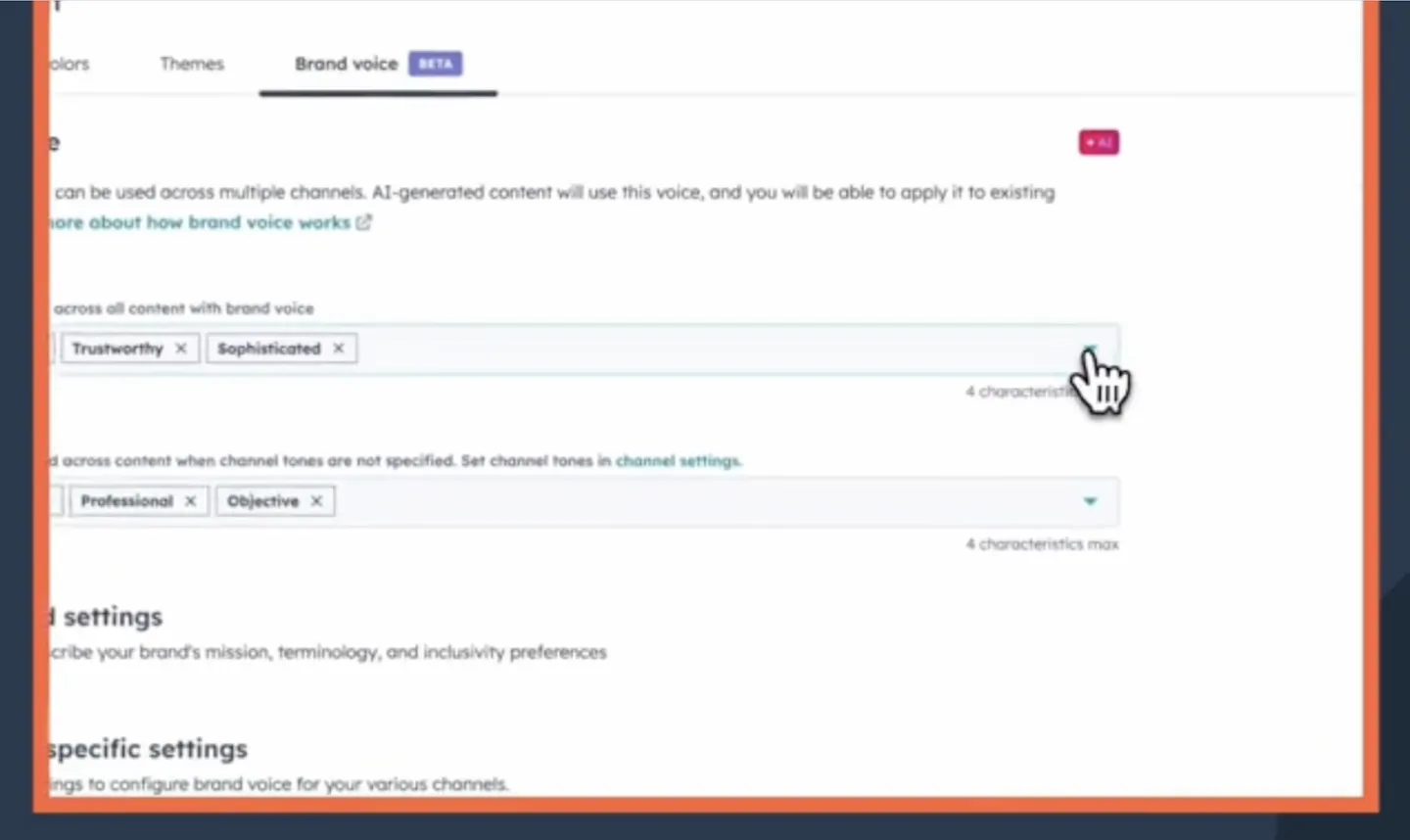
Step 10: Maintain Brand Consistency
- Use the Brand Voice feature to ensure all content generated through Breeze AI maintains a consistent tone and style, aligned with your brand across different channels.
Why Do You Need Content Remix?
1. Saves Time and Resources
Content Remix offers a solution to streamline the content creation process. Automating content repurposing allows you to focus on strategic initiatives rather than spending countless hours on manual content adjustments. This efficiency is especially crucial if you’re a small team or a business with limited resources.
2. Boosts Audience Engagement
Creating high-quality content is only half the battle; getting that content seen is equally important. Content Remix customizes content to different audiences’ specific preferences and behaviors. Your business can establish deeper connections with its audience by maximizing engagement opportunities.
3. Improves Brand Visibility
The more platforms your content reaches, the greater your brand’s visibility. By repurposing content for multiple channels, it allows businesses to connect with potential customers wherever they are, increasing the chances of conversion.
4. Facilitates Testing and Experimentation
Content Remix allows you to experiment with different content types and formats with minimal effort. You can refine their strategies based on real data rather than guesswork by testing what resonates best with audiences.
5. Integrates with HubSpot’s Ecosystem
As a part of HubSpot’s AI suite, Content Remix seamlessly integrates with other tools within the platform. This creates a cohesive marketing strategy that aligns social media efforts, content marketing, and customer engagement, enhancing overall effectiveness.
INSIDEA
Ready to get more out of HubSpot?
We are an Elite HubSpot Partner rated 4.99 across 450+ verified reviews. Let's make your portal work harder.

 How INSIDEA works




