Your GA4 dashboard shows referral traffic is flat. Organic is steady. Direct is rising without explanation. ChatGPT, Perplexity, and Claude are sending visitors to your site, yet the vast majority never appear where you would expect. Even though AI-driven sessions currently account for less than 1% of total traffic, their impact on conversions and high-intent pages is disproportionately large.
The cause is clear: GA4 was built before AI search existed. It has no native AI channel. Traffic from ChatGPT, Gemini, or Perplexity is buried in Referral or Direct, indistinguishable from other sessions. A traffic source you cannot see cannot be measured or optimized.
This guide provides a precise, step-by-step method to fix that and reveals what your current analytics are almost certainly missing about AI-driven traffic.
AI Traffic vs Google Organic Search
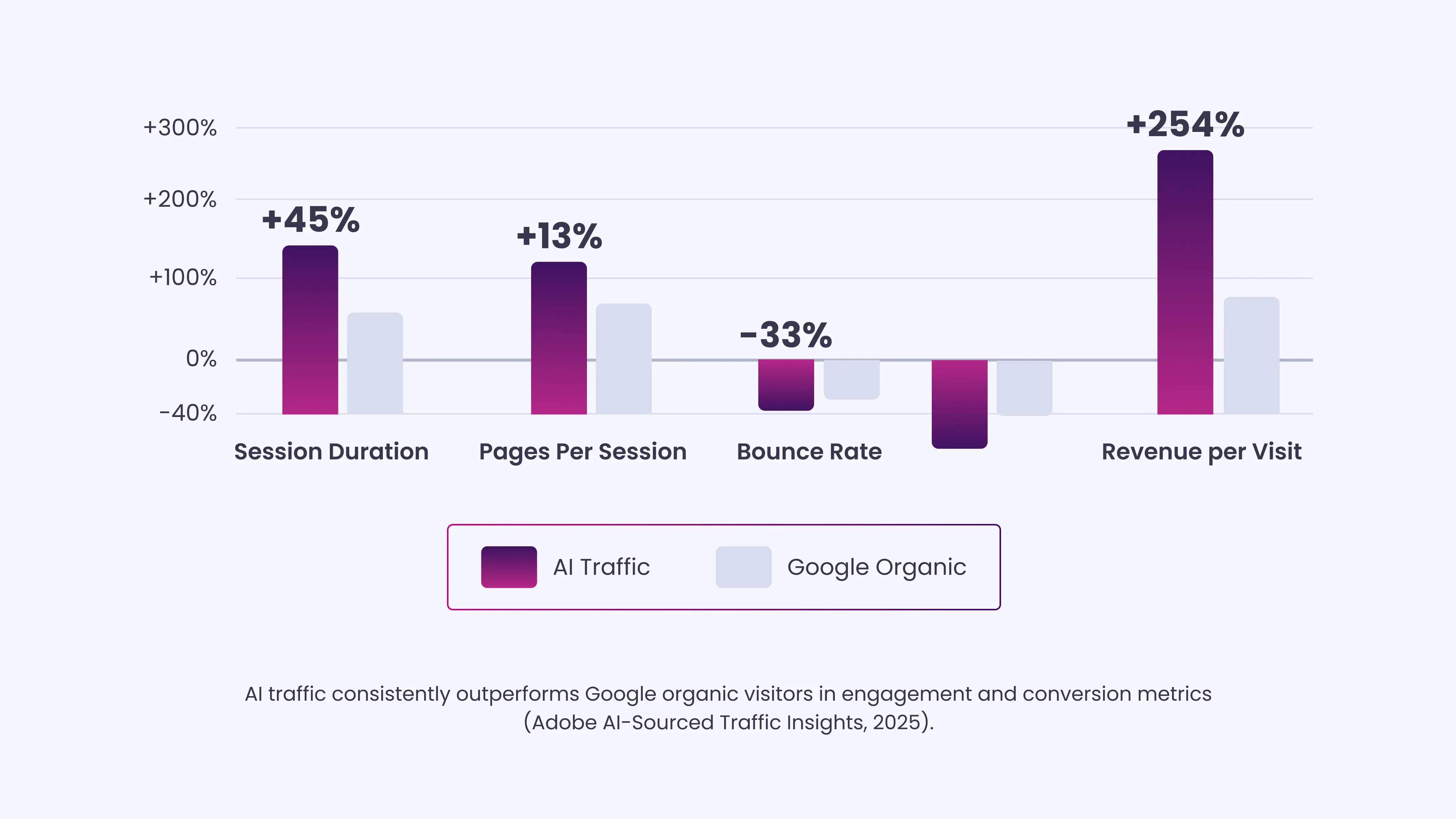
AI-sourced traffic is a distinct and increasingly valuable channel that behaves very differently from standard Google organic search visitors. Users arriving via AI assistants such as ChatGPT, Perplexity, or Claude often click links highlighted by the AI, meaning they arrive pre-qualified, engaged, and ready to act.
According to Adobe’s 2025 AI-Sourced Traffic Insights report, AI traffic consistently outperforms Google organic visitors across multiple engagement and conversion metrics:
| Metric | AI Traffic | Google Organic Search |
| Session Duration | 45% longer | Baseline |
| Pages Per Session | 13% more | Baseline |
| Bounce Rate | 33% lower | Baseline |
| Revenue per Visit | 32% higher | Baseline |
| Consumer Experience / Trust | 81% reported improved experience | N/A |
AI traffic is higher-intent and more engaged than typical Google organic visitors. Yet in GA4, these visitors are lumped into the generic “Referral” or “Direct” channels, hiding their impact. Setting up a dedicated AI traffic channel with custom regex filters lets you accurately measure this growing source and focus on the content that drives your most engaged users.
The Limits of GA4 With AI Referrals
Before setting up anything, it helps to understand why the problem exists. When someone clicks a link inside ChatGPT or Perplexity and lands on your site, GA4 looks for an HTTP referrer header, the signal that tells analytics where a visitor just came from.
Most AI platforms do not pass this cleanly, or do not pass it at all:
- Mobile apps: ChatGPT and Claude mobile apps strip referrer headers before the browser processes the click. The session looks identical to someone typing your URL directly.
- Sandboxed environments: links opened inside AI chat interfaces often run through secure sandbox layers that strip referral data for privacy reasons.
- Copy-paste behavior: users frequently copy a URL from an AI response and paste it into a new browser tab. There is no referrer signal at all.
- Zero-click AI interactions: Google AI Overviews answer the question without the user ever clicking through. GA4 never fires because no visit occurs.
Across 446,405 visits analyzed by Loamly in early 2026, 70.6% of AI traffic arrived without referrer headers and landed as “Direct” in GA4. That traffic converts at 10.21%, 4x the non-AI rate, and most teams have no idea it exists.
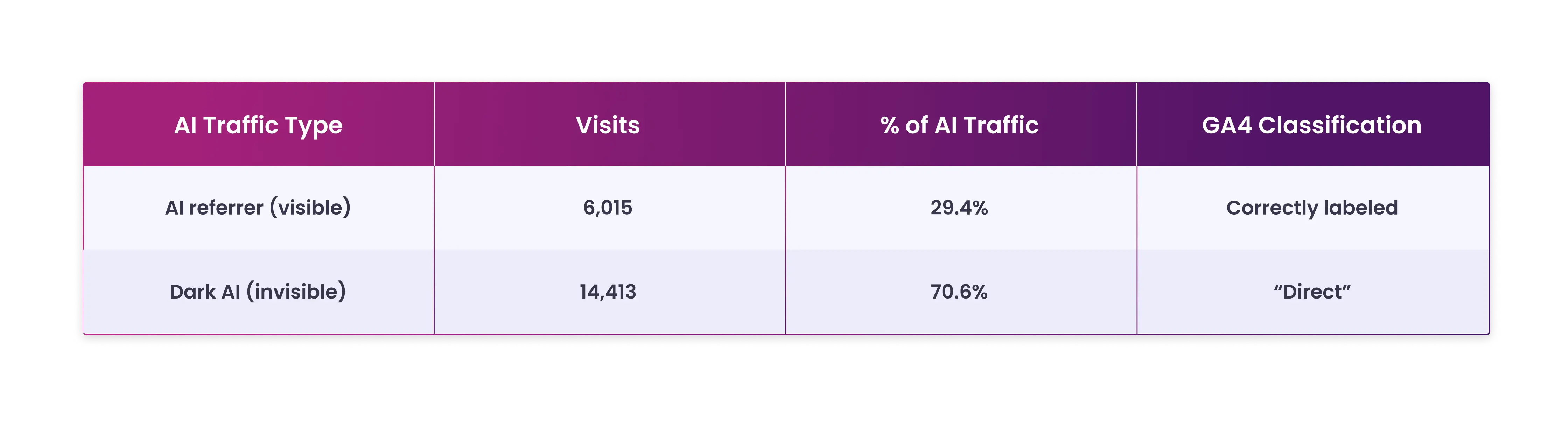
The result: the AI traffic you can see in a default GA4 report is primarily ChatGPT desktop (which began appending utm_source=chatgpt.com to citation links in June 2025) and Perplexity (which consistently passes its domain as a referrer).
Everything else, AI Overview clicks, Gemini responses, mobile ChatGPT, and Claude app traffic disappear.
What Happens to Each AI Source in Default GA4
Here is where each major platform lands in a standard, unconfigured GA4 property:
| AI Platform | Default GA4 Channel | Passes Referrer? |
| ChatGPT (desktop, post-June 2025) | Referral | Yes, chatgpt.com |
| ChatGPT (mobile app) | Direct | No |
| Perplexity | Referral | Yes, perplexity.ai |
| Google AI Overviews | Organic Search | No separation |
| Gemini (web) | Referral (sometimes) | Inconsistent |
| Claude (claude.ai) | Referral | Sometimes |
| Microsoft Copilot | Referral | Sometimes |
| DeepSeek | Referral | Sometimes |
This table clearly shows the problem. You are not missing AI traffic because you lack the right report. You are missing it because GA4 was never configured to separate it, and a significant portion of it arrives without any attribution signal whatsoever.
How to Track and Analyze AI Traffic in GA4 and Google Search Console
| Time and Effort Required Time Required: 15 Minutes Steps 1 through 3 give you a permanent AI channel in GA4. Steps 4 through 7 give you historical data, landing page insights, attribution paths, and Search Console visibility. Do all seven once, and you will not need to repeat the setup. |
Before getting started, let’s set the stage for accurately tracking and analyzing AI traffic in GA4 and Google Search Console.
Step 1: Find Your Existing AI Traffic Right Now
Before building anything permanent, do a quick check to see what AI traffic you already have.
How to do it:
- Go to Reports → Acquisition → Traffic Acquisition in GA4.
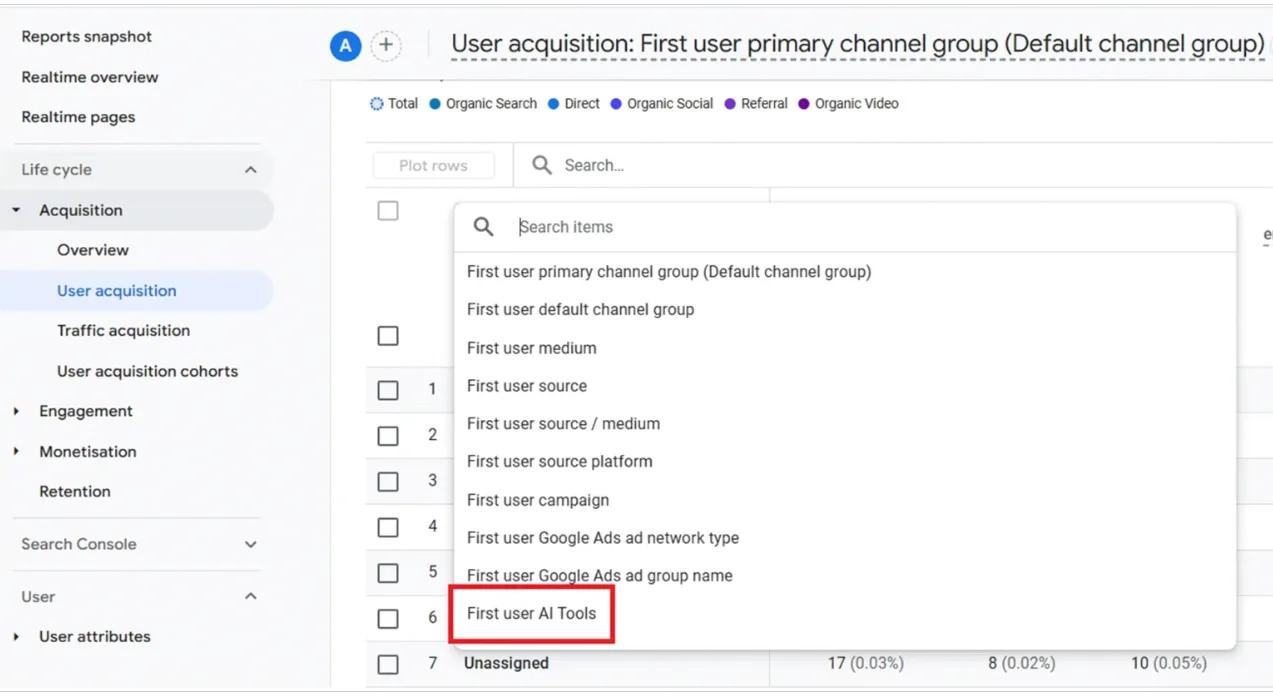
- Change the primary dimension to Session source/medium.
- In the search box above the table, type: ChatGPT
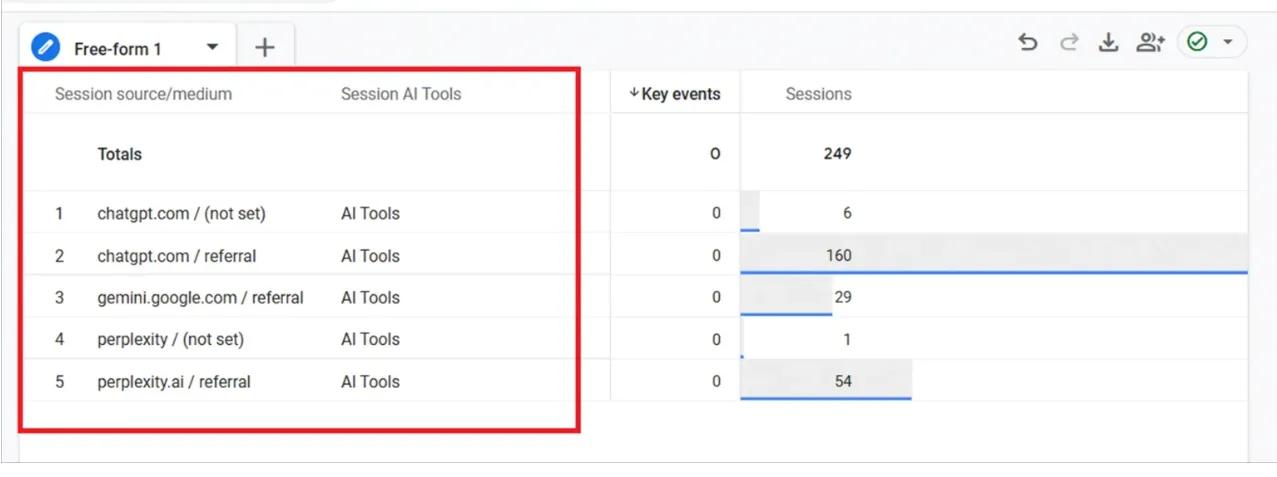
- Repeat with: perplexity, Claude, Gemini, Copilot
What you see here is your floor, the AI traffic that passed referrer data. You likely have more than you expected, especially from ChatGPT desktop and Perplexity.
| Observation: Referral data from chatgpt.com may appear understated because mobile app and copy-paste traffic are invisible in GA4. This figure reflects the minimum observed traffic. |
Step 2: Create a Custom Channel Group for AI Traffic
This is the permanent fix. A custom channel group separates AI traffic into its own row across all your GA4 reports, sitting alongside Organic, Direct, Referral, and Social, without any manual filtering each time.
Important: GA4 allows up to two custom channel groups (one slot is reserved for the default group). This is your one configurable slot; use it well.
Step-by-step setup:
- Go to Admin in GA4 (bottom left gear icon).
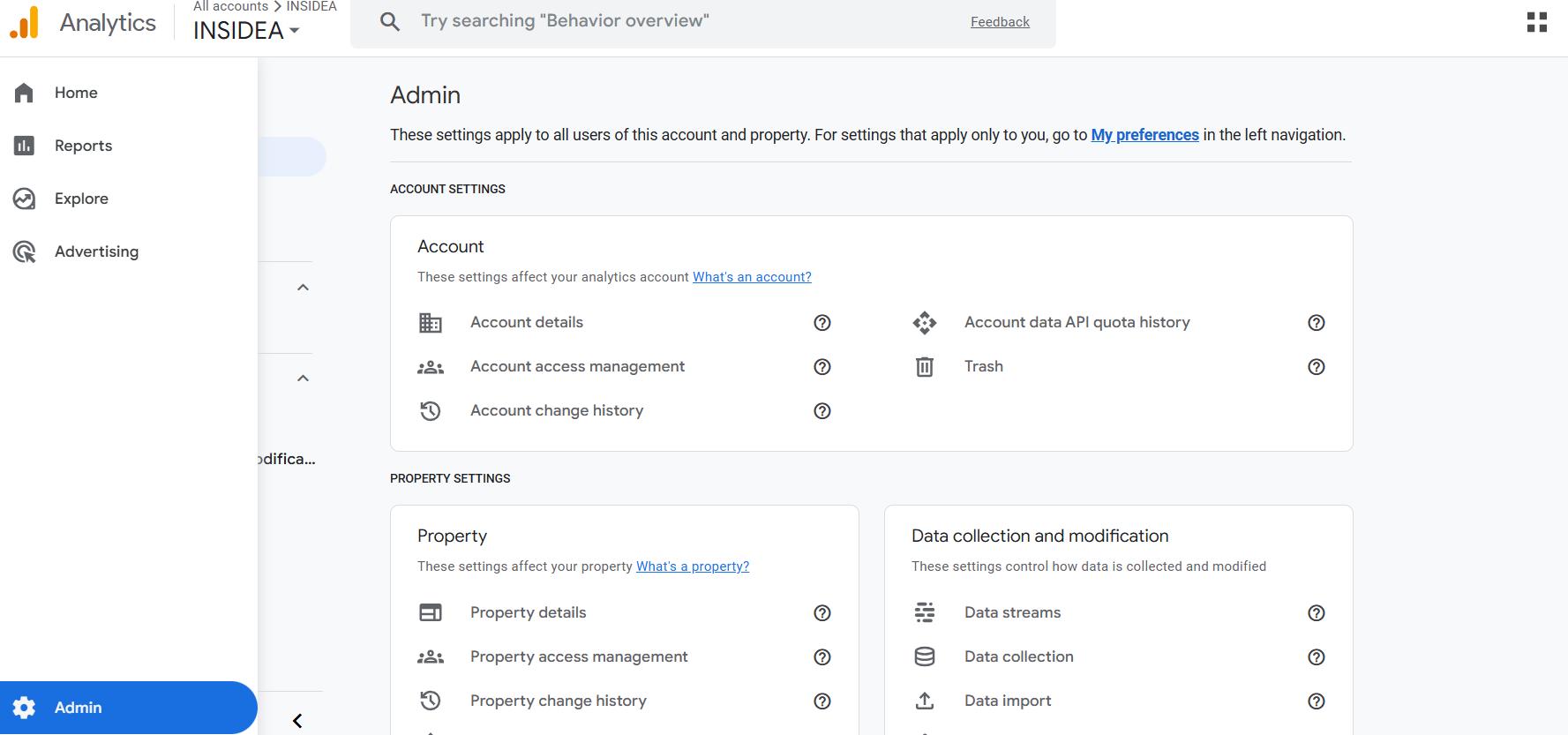
- Under Data Display, click Channel Groups.
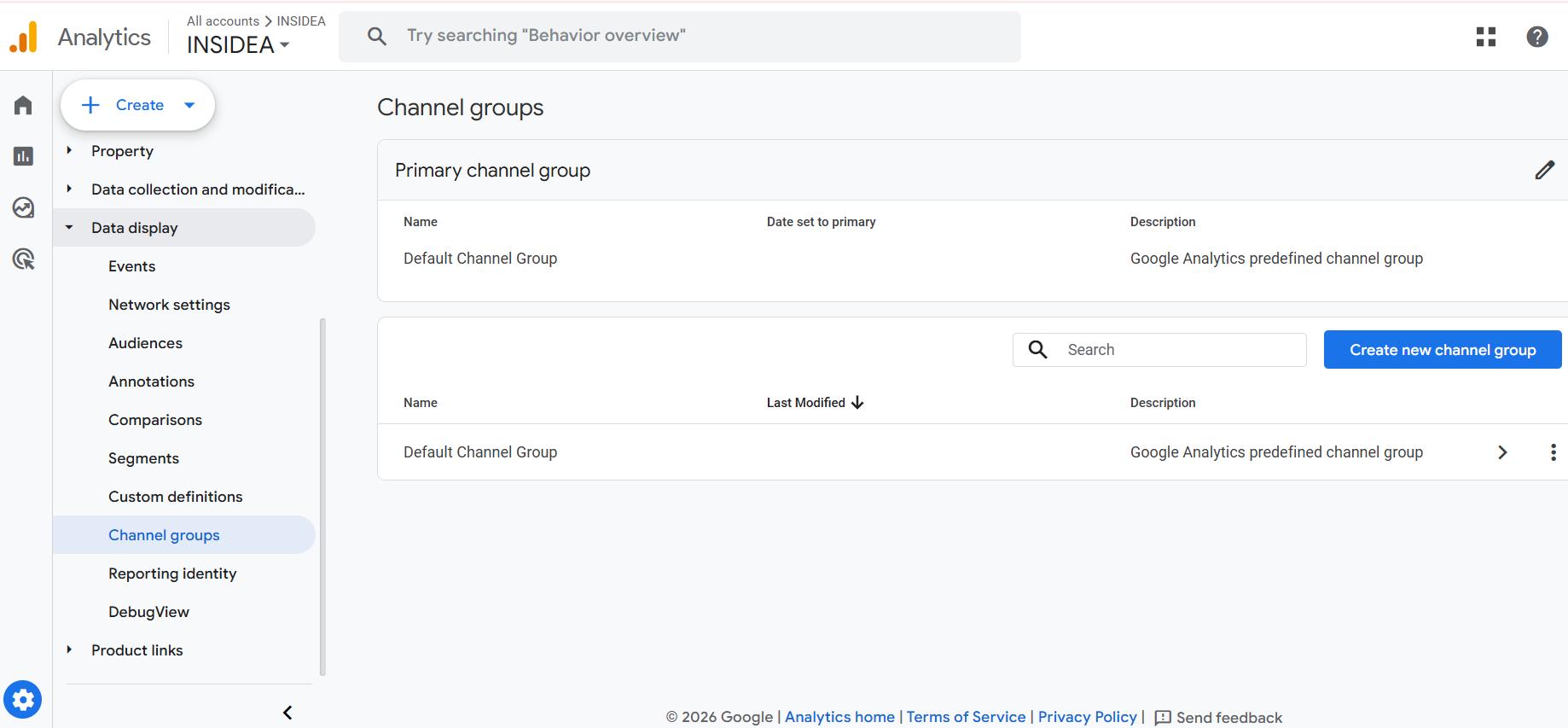
- You will see Google’s default channel group. Do not edit this. Click Create new channel group.
- Name it clearly: AI Traffic (2026), including the year, reminds you to update it as platforms evolve.
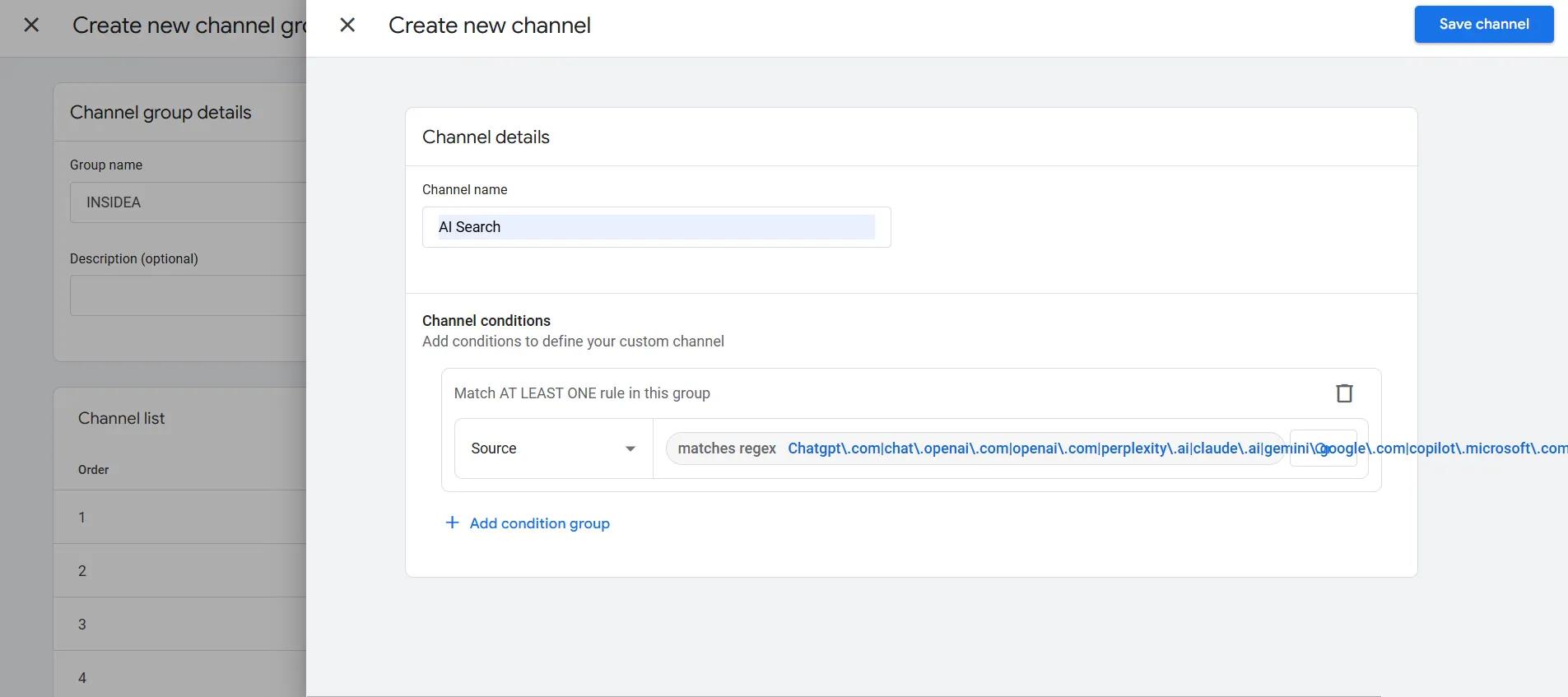
- Click Add new channel.
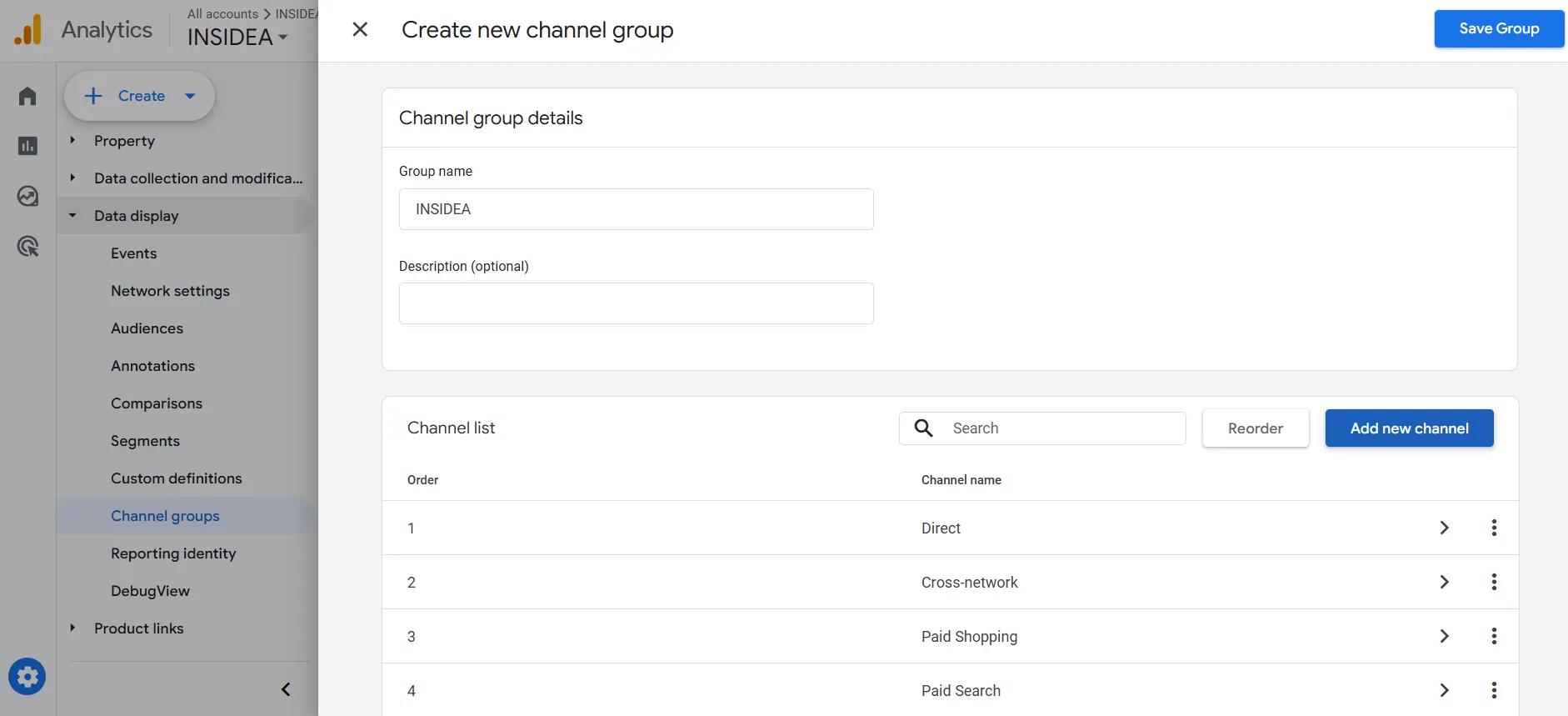
- Name the channel: AI Search (using the full name, not just “AI”, makes filtering easier later.
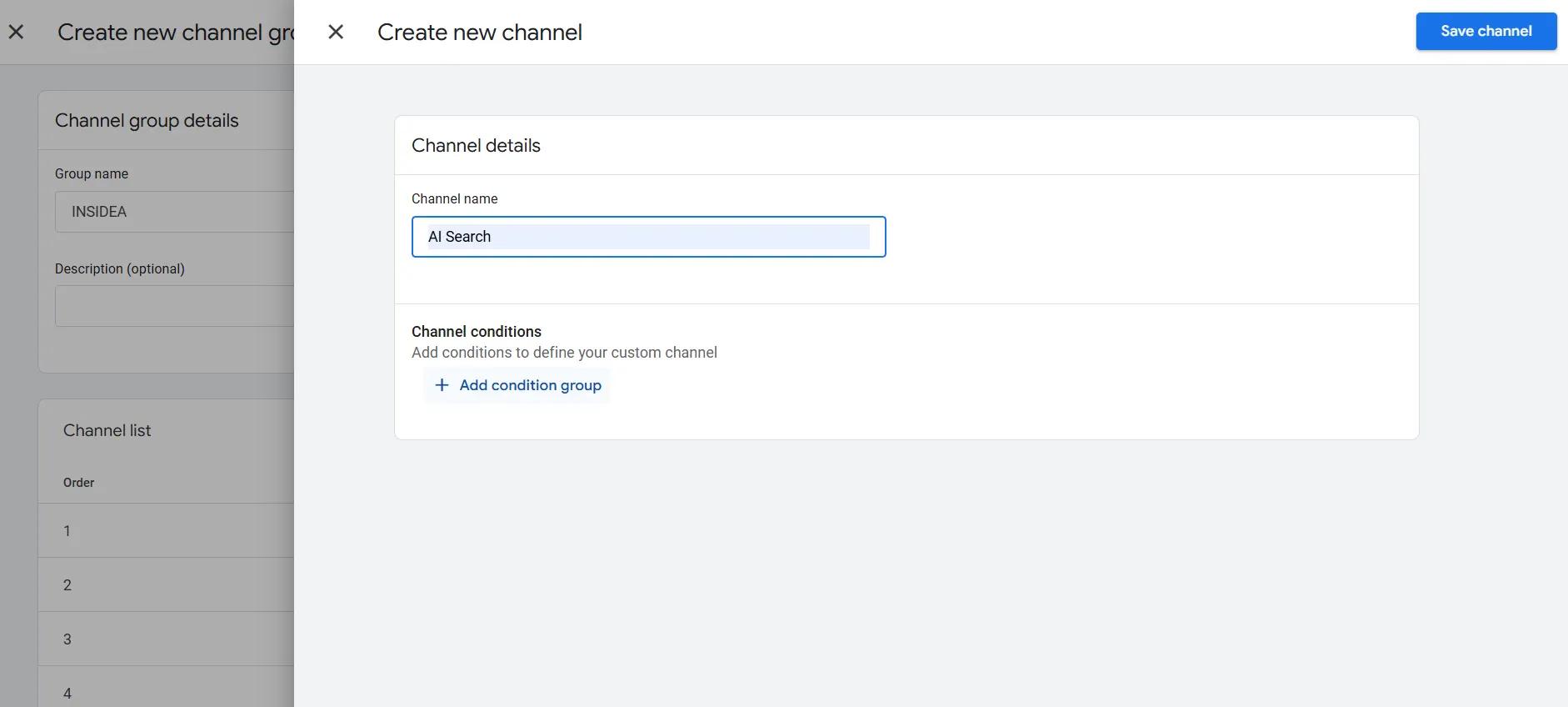
- Set the condition to Source → matches regex → paste the following pattern:
| Chatgpt\.com|chat\.openai\.com|openai\.com|perplexity\.ai|claude\.ai|gemini\.google\.com|copilot\.microsoft\.com|grok\.x\.ai|deepseek\.com |
- Position this channel above Referral in the list. GA4 assigns sessions to the first matching channel, so if AI Search sits below Referral, some traffic will never reach it.
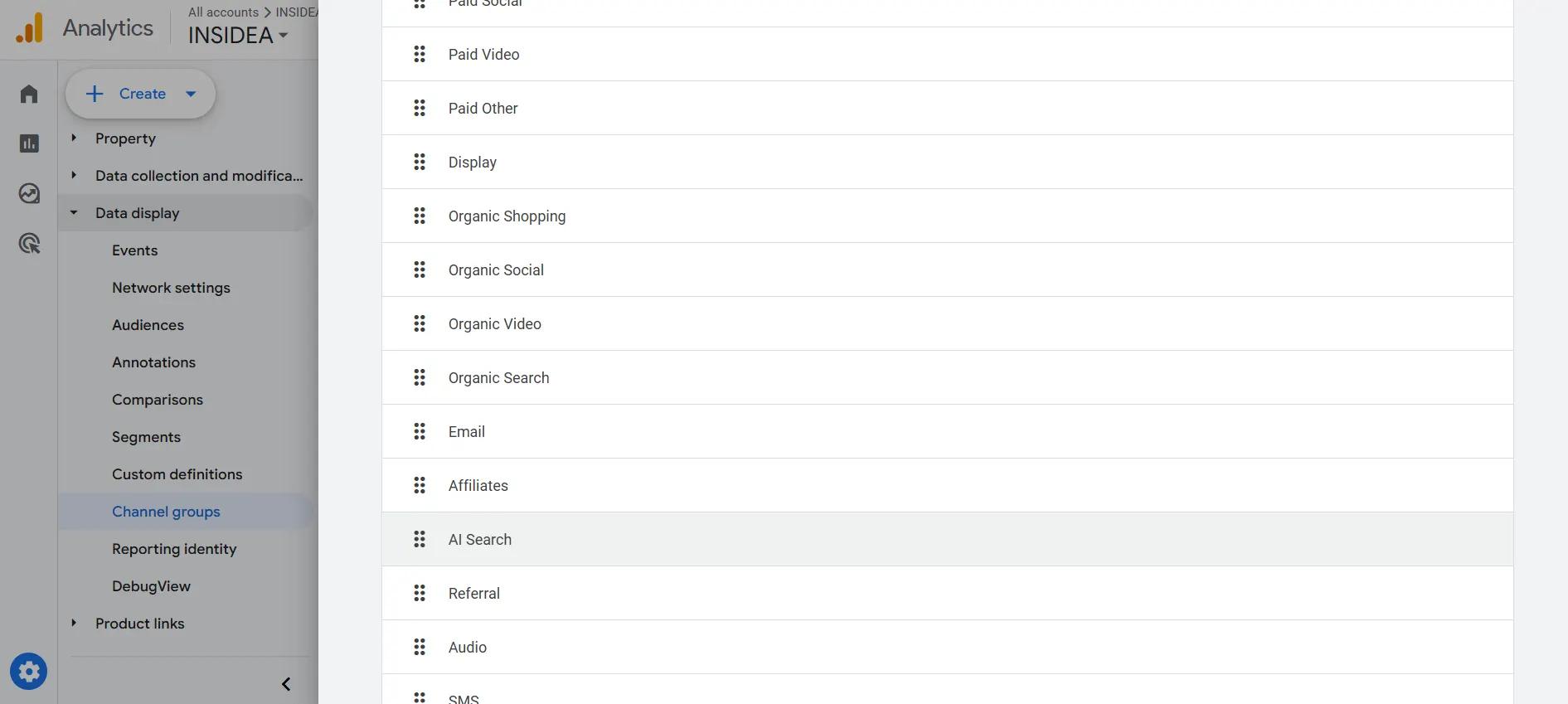
- Click Save.
Please note: Custom channel groups only apply from the date you create them. They do not backfill historical data. For anything before today, you need the Exploration method covered in Step 4.
Step 3: Verify Your Setup
After creating the channel group, confirm it is working.
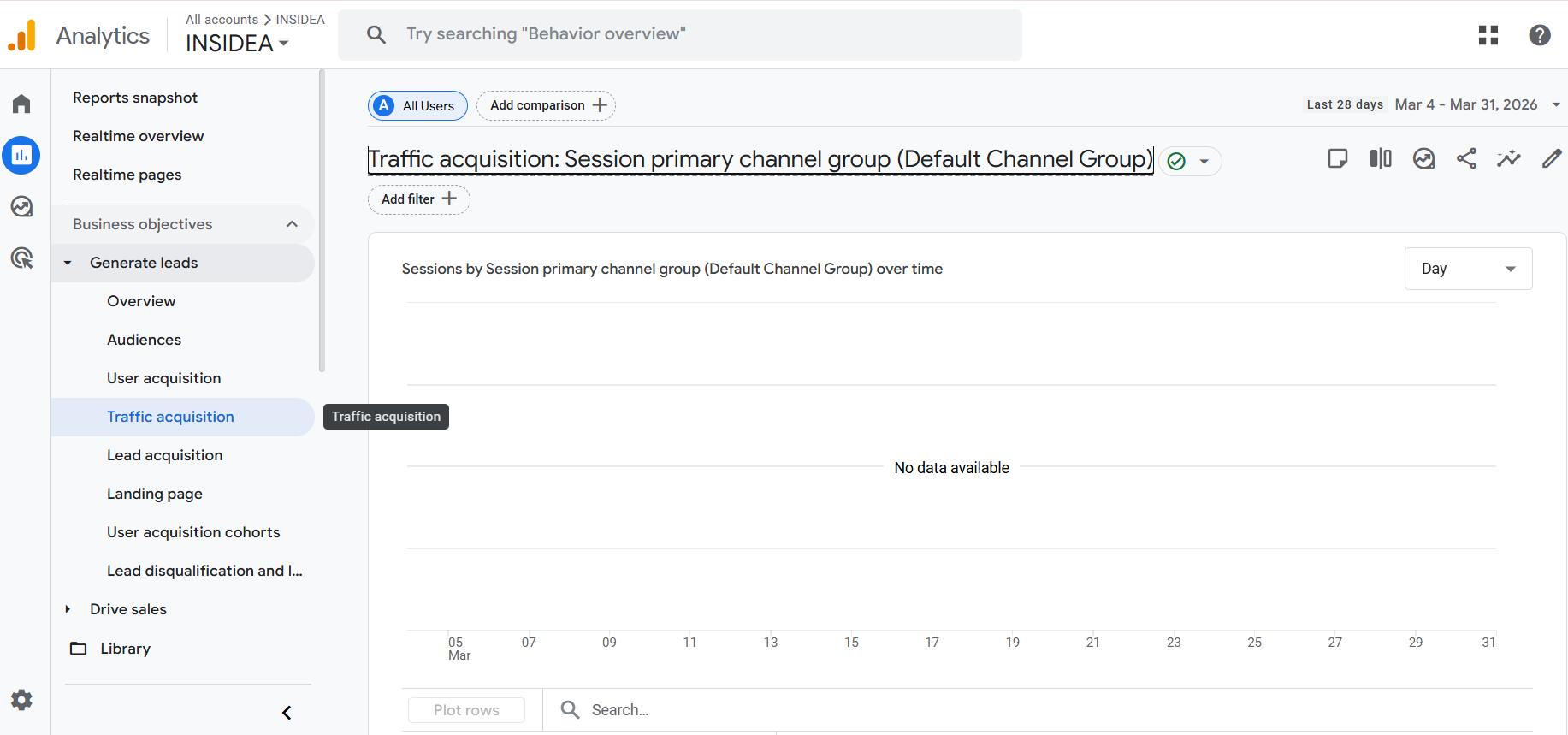
- Go to Reports → Acquisition → Traffic Acquisition.
- Look for a channel group selector at the top of the table, switch from the default group to your new AI Traffic (2026) group.
- You should now see an AI Search row with session data.
If the row is empty, that does not mean you have no AI traffic. It means no AI traffic has passed referrer data since the group was created. Check the Referral channel in your default view and search manually for chatgpt.com and perplexity.ai to confirm you do have AI visitors.
Step 4: Recover Historical AI Traffic With Exploration Reports
Since custom channel groups do not backfill, use GA4’s Exploration feature to analyze AI traffic from before your setup.
How to build the exploration:
- Go to Explore → Free-form Exploration.
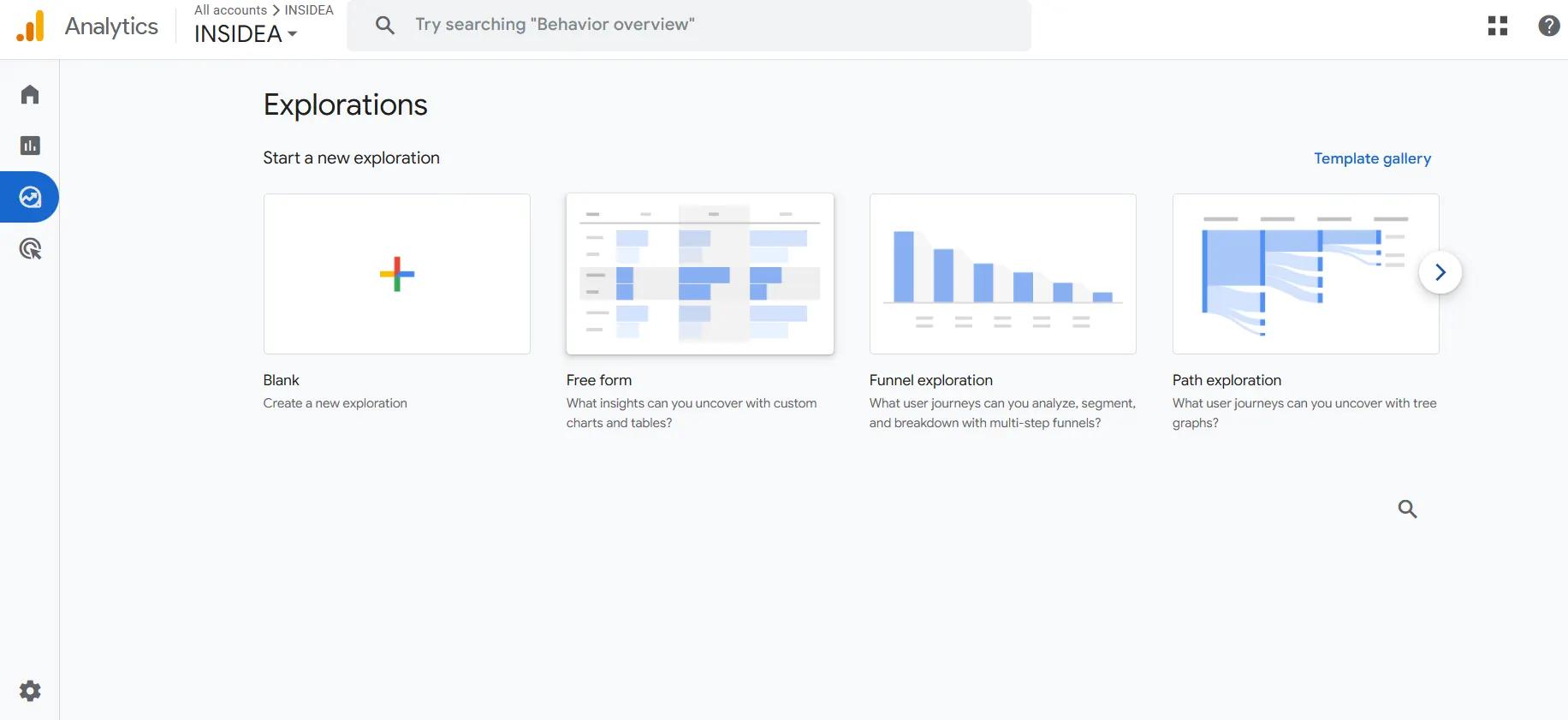
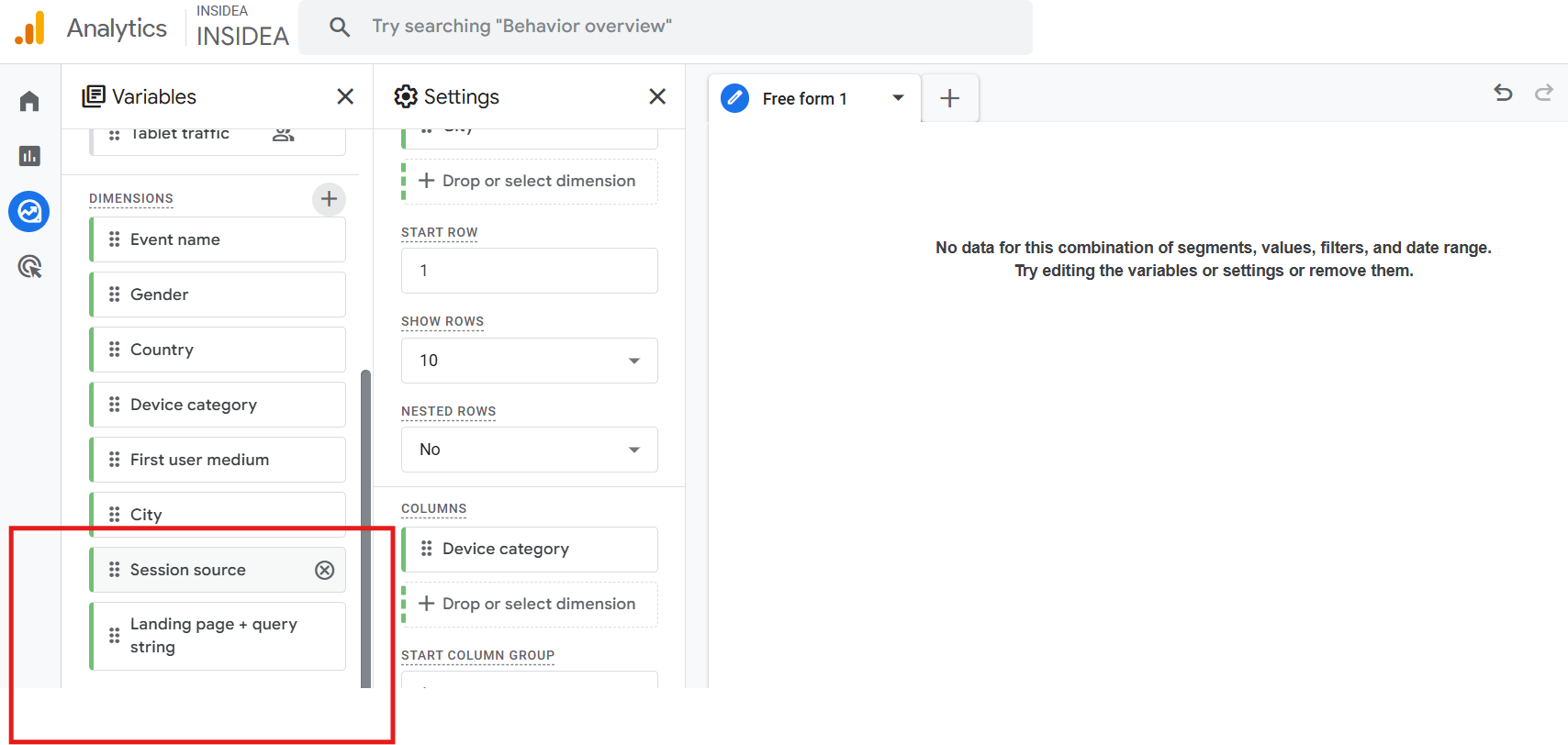
- Under Dimensions, add: Session source, Landing page + query string.
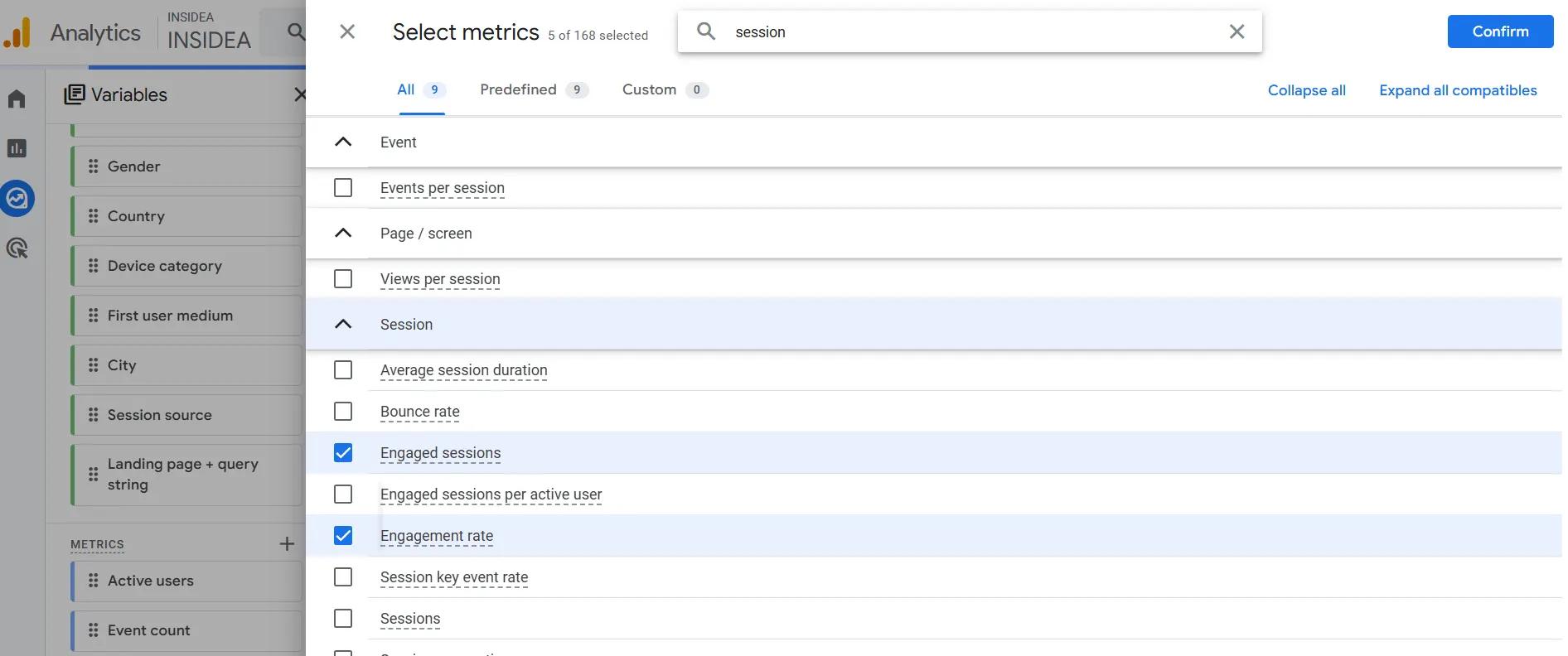
- Under Metrics, add: Sessions, Engaged sessions, Conversions, Engagement rate.
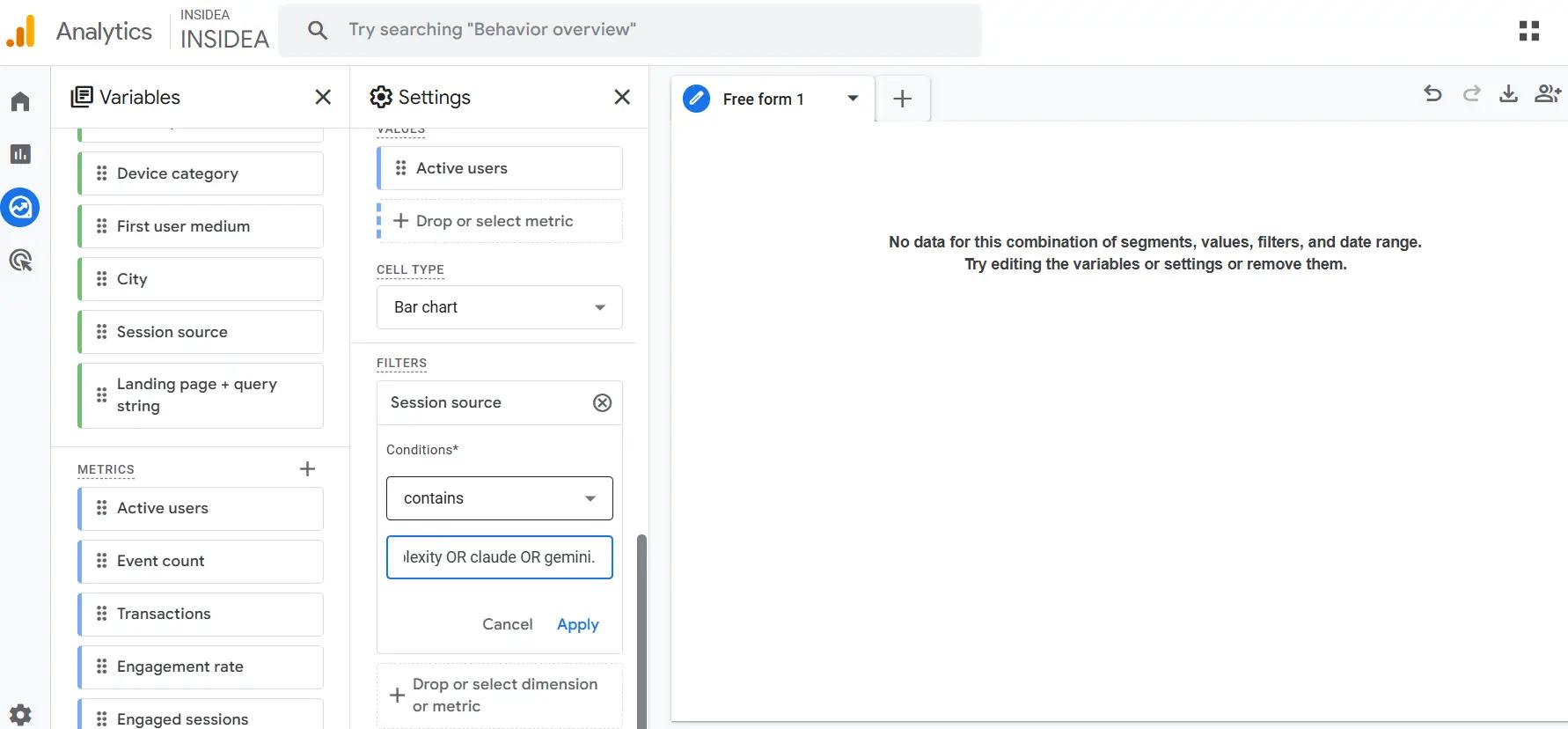
- Under Filters, set: Session source → contains → chatgpt OR perplexity OR claude OR gemini.
- Set your date range to the past 12 months.
This surfaces all historical AI referral data from any period where ChatGPT or Perplexity passed referrer information. You will likely find AI traffic going back further than you expected, especially if you published content that earned citations.
Step 5: Add Landing Page as a Secondary Dimension
This is the most actionable step in the entire setup. Once you can see your AI traffic, find out which pages AI platforms are sending visitors to.
In your Traffic Acquisition report (or your Exploration), add Landing page + query string as a secondary dimension.
What this tells you:
- Which specific pages on your site are being cited by ChatGPT and Perplexity
- Whether AI traffic clusters on your best content or on pages you would not have expected
- Where to invest in deeper content to earn more citations
Step 6: Check Attribution Paths for Hidden AI Influence
Here is something most teams miss: AI may be influencing conversions that Google Analytics credits to a completely different channel.
A visitor asks ChatGPT about your category. Your brand comes up. They do not click through immediately; they search your name on Google three days later and convert via organic. GA4 credits are organic. The AI interaction that started the journey is invisible.
How to find these journeys:
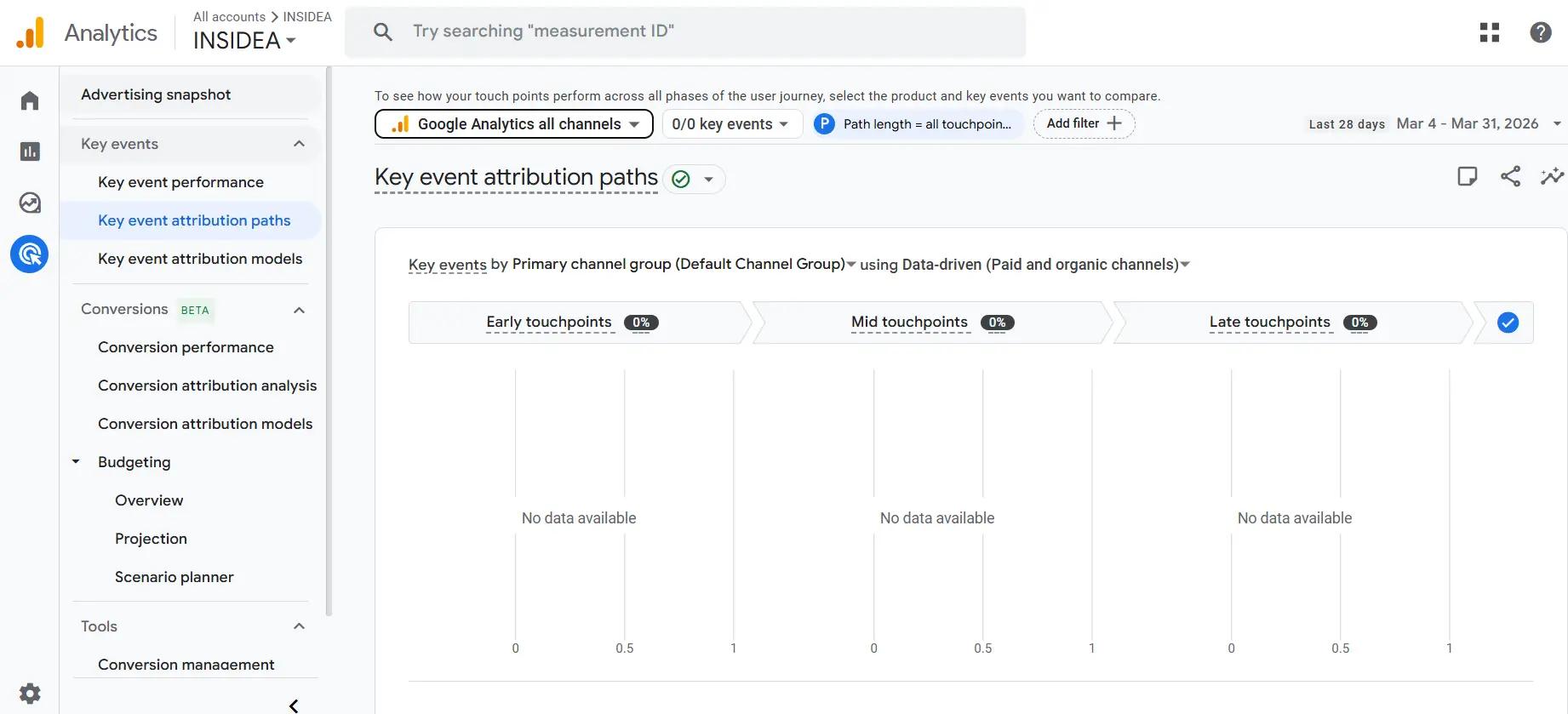
- Go to Advertising → Attribution → Attribution Paths in GA4.
- Change the primary dimension to Source.
- Filter for path lengths of 2 or more touchpoints.
Look for multi-touch paths where chatgpt.com or perplexity.ai appears as an early touchpoint, with a different channel closing the conversion. These cases show AI’s role as a discovery layer that attribution models currently miss.
Step 7: Set Up Google Search Console for AI Overview Visibility
GA4 cannot track Google AI Overview traffic; clicks from AI Overviews blend into organic search without any separation. For this, Search Console is the only free option.
How to access it:
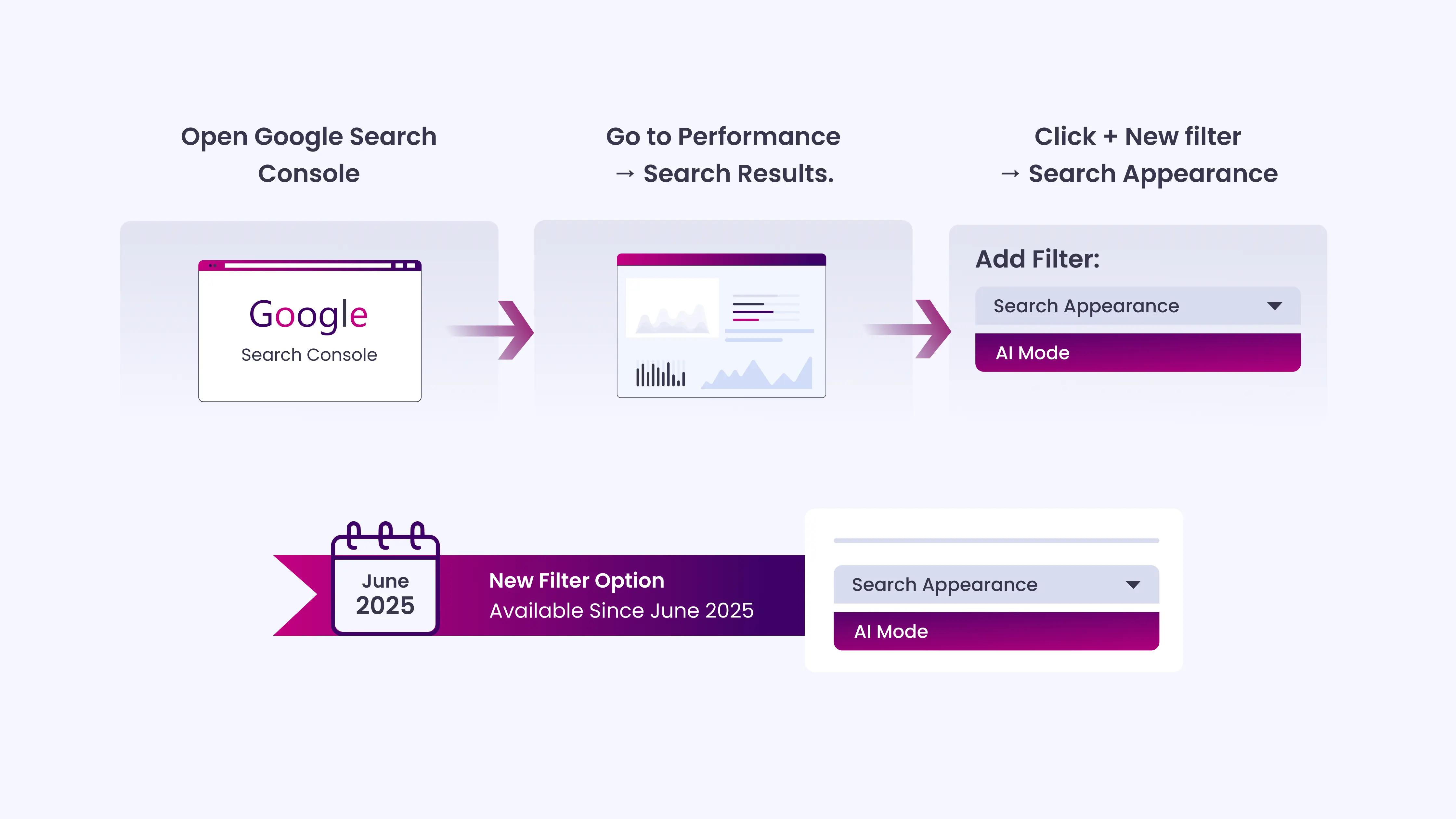
- Open Google Search Console.
- Go to Performance → Search Results.
- Click + New filter → Search Appearance → select AI Mode (available since June 2025).
This shows impressions, clicks, CTR, and average position for queries where your content appeared in Google’s AI-generated responses. It is not complete coverage; it only shows when users interact with an AI Mode result, not standard AI Overview appearances, but it is the closest view available.
Note: Google AI Overviews now appear for 13.14% of all search queries, up from 6.49% in January 2025, a 102% increase in just two months.
When an AI Overview appears, organic click-through rates drop from 1.41% to 0.64%, a 54% decline.
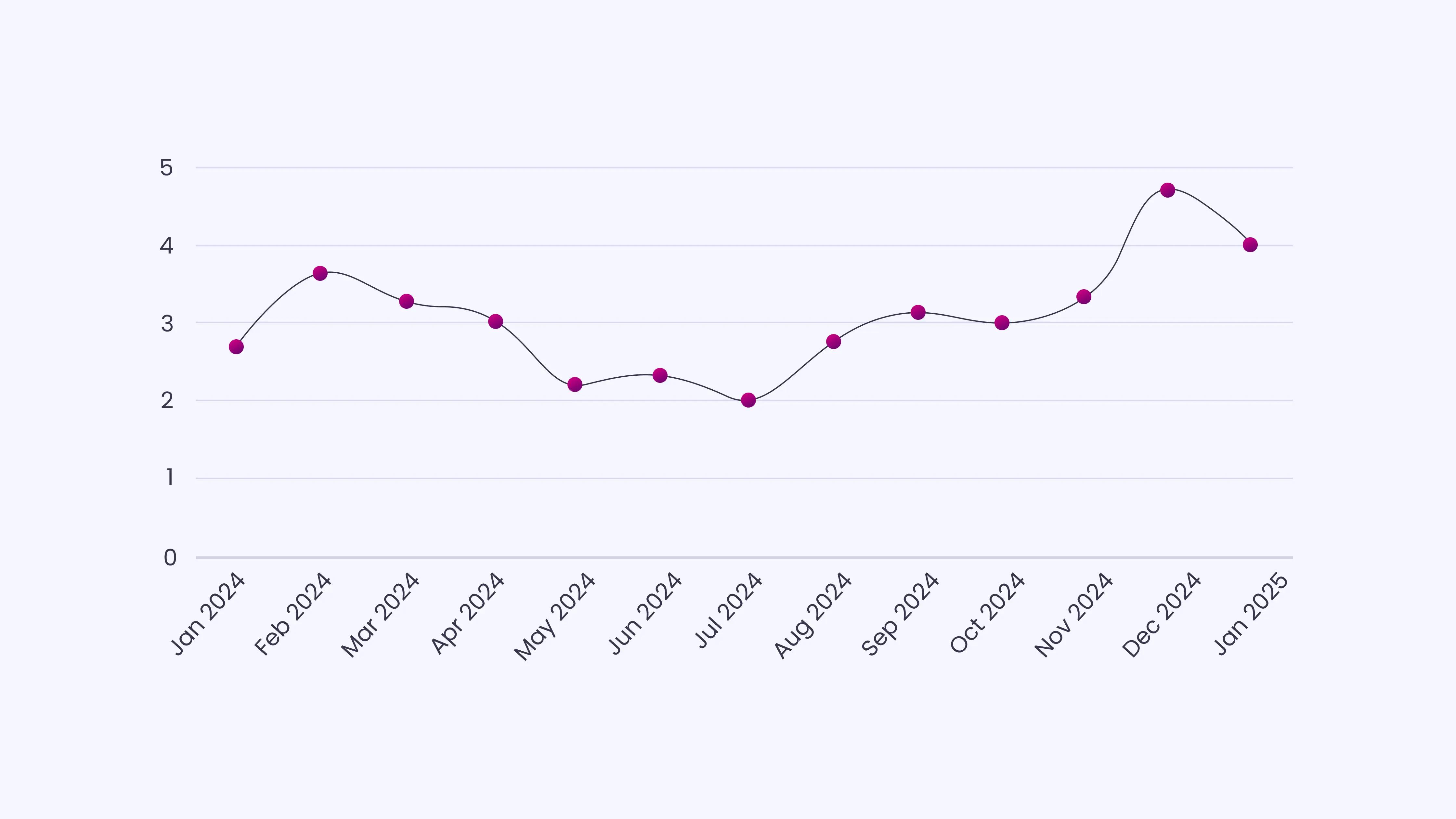
This is why your organic traffic numbers can look stable while actual visitor volume from informational queries has dropped significantly.
The Portion of AI Traffic You Won’t See in GA4
Even after a perfect custom channel group setup, you are seeing a minority of actual AI influence on your site.
Here is a practical breakdown of what remains invisible:
What GA4 can capture (the visible minority):
- ChatGPT desktop clicks where the referrer passes (post-June 2025)
- Perplexity clicks (consistent referrer across desktop and mobile)
- Some Claude.ai and Gemini web clicks
What GA4 cannot capture:
- ChatGPT mobile app visits (referrer stripped)
- Google AI Overview clicks (blends into organic search)
- Copy-paste arrivals from any AI tool
- Zero-click interactions where AI answered the question without a visit
- An AI agent crawls that scrapes your content without generating a browser visit
| Quick Check for Hidden AI Traffic in Your Direct Channel Use this checklist to see if AI visitors are inflating your “Direct” traffic:
If two or more items apply, a portion of your Direct traffic is likely AI-driven. |
How to Identify AI Crawlers in Your Server Logs?
AI crawlers, the bots that GPT, Claude, and Perplexity use to index and read your content, visit your site regularly and leave records in your server logs. These visits never trigger GA4 because GA4 runs on client-side JavaScript, which bots do not execute.
How to check your server logs:
- Access your server access logs (via cPanel, your hosting provider’s dashboard, or SSH).
- Search for these user agent strings:
GPTBot (OpenAI’s crawler)
PerplexityBot
ClaudeBot (Anthropic)
Google-Extended (used for Gemini training and AI Overviews)
Amazonbot, FacebookBot, cohere-ai - Look at which pages they visit most frequently; those are the pages AI systems are actively reading and potentially citing.
Quarterly AI Traffic Review ChecklistHere’s a checklist to make sure you’re capturing the full impact of your AI-driven traffic each quarter. Data & Configuration
Traffic Analysis
Attribution Insights
Content Action
|
Why AI Traffic Deserves Your Attention
Even though AI-driven visits currently account for less than 1% of sessions, they consistently outperform other channels. Across multiple datasets in 2025-2026, AI-referred visitors converted at four to eleven times the rate of organic search traffic.
These visits focus on high-value pages, pricing, tools, and industry content, so even a small share can generate meaningful results. AI referrals grew 700% in 2025, and hidden sessions in the Direct channel can distort reporting, making accurate tracking essential.
The method outlined in this blog captures the visible portion, identifies the pages AI platforms read most, and reveals multi-touch paths that GA4 often misses. Regular tracking and quarterly review ensure you maintain a clear view of this emerging channel.
Capture AI-Driven Sessions That GA4 Misses With INSIDEA
Hidden AI-driven sessions in GA4 can make it difficult to measure which visitors are converting. Traffic from ChatGPT, Perplexity, Claude, and Gemini often lands as “Direct” or “Referral,” making it easy to miss high-intent visits. Without proper tracking, analytics underestimate AI’s impact and the value of the content that drives conversions.
INSIDEA helps businesses measure AI-driven traffic accurately and use those insights to improve content performance and conversions. Our work focuses on tracking, analyzing, and acting on AI visits with clear methods and practical results.
Here are the services we provide:
- AI Traffic Audits & GA4 Setup: Implement custom channel groups, identify hidden AI-driven sessions, and ensure GA4 accurately reflects AI traffic patterns.
- Content & Citation Analysis: Identify pages AI platforms reference, optimize content, and apply FAQPage schema for higher citation likelihood.
- Multi-Touch Attribution Tracking: Map AI-influenced journeys that GA4 often misattributes, so you see the real contribution of AI to conversions.
- Quarterly Review & Maintenance: Update regex filters, track new AI platforms, and monitor server logs to maintain visibility of AI-driven traffic over time.
We ensure your analytics, content, and reporting reflect the actual impact of AI traffic. This allows teams to make informed decisions and prioritize pages that drive meaningful engagement and conversions.

 How INSIDEA works