

Over 80% of search results now include AI-generated summaries or answers, and many AI-driven platforms rely heavily on structured data to display accurate information about businesses. Yet many brands overlook a simple but critical step: declaring their identity in a format machines can read.
An organization schema is a type of structured data from Schema.org that defines your brand in a machine-readable format. Tools such as Google, Bing, Perplexity, and ChatGPT use this data to verify your identity before disclosing any information about your company. If your schema is missing, inconsistent, or incorrect, AI-driven engines may ignore your brand or display incomplete details.
Entity clarity is essential for AEO. Brands that fail to declare their identity in structured markup risk being overlooked, even if their website ranks well.
This blog walks through every Organization schema property, why it matters, and how to implement it accurately, so your brand is consistently recognized across AI-powered platforms.
What is an Organization Schema?
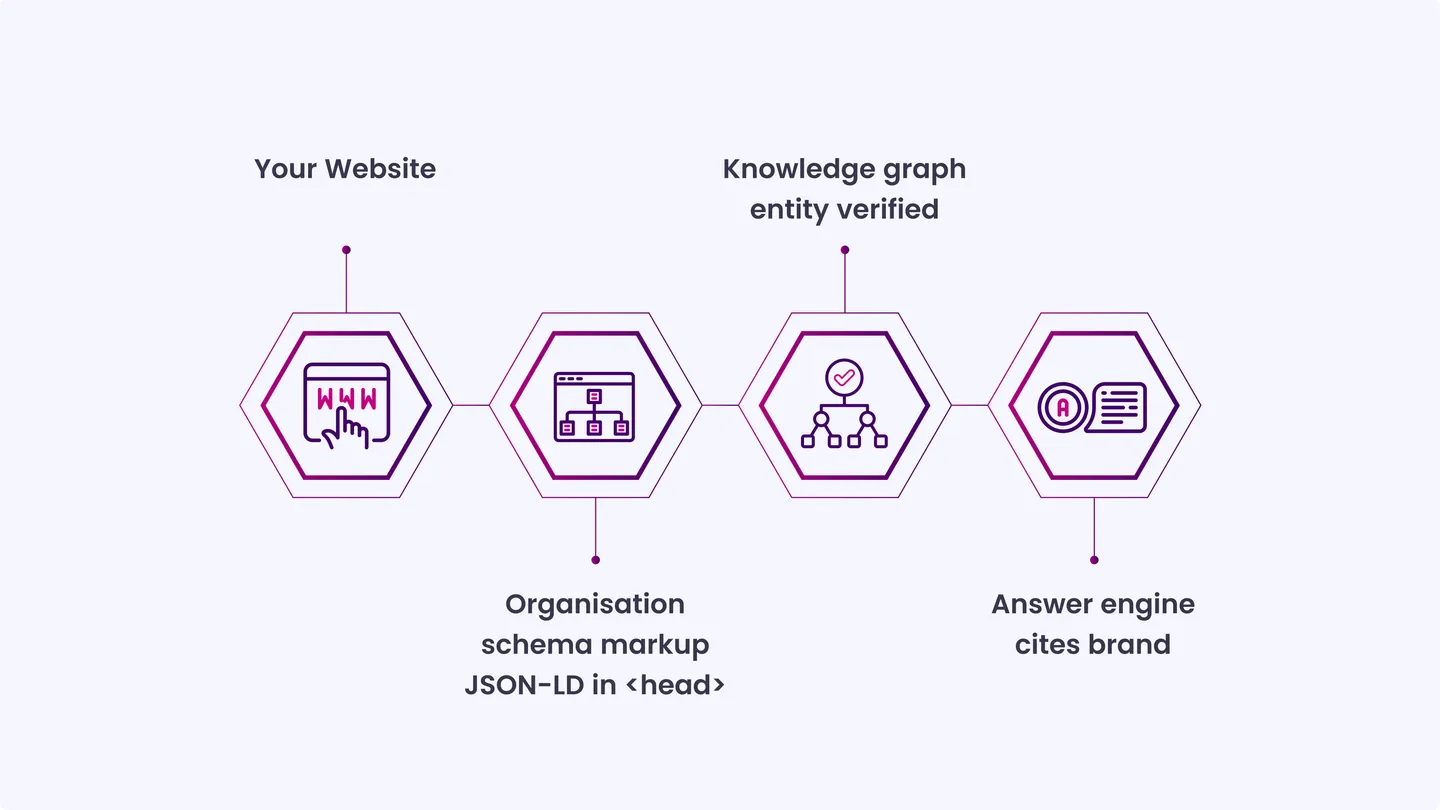
Organization schema is a JSON-LD markup block added to your website that describes your business as a structured entity. It tells machines your name, URL, logo, contact details, social profiles, and location in a format they can parse without having to read your pages.
It sits in the <head> of your homepage, or on a dedicated About page. Unlike on-page content, it does not need to be visible to users. Its job is to communicate directly with crawlers and AI reasoning systems that interpret your brand before responding.
How Organization Schema Verifies Your Brand for AI Platforms?
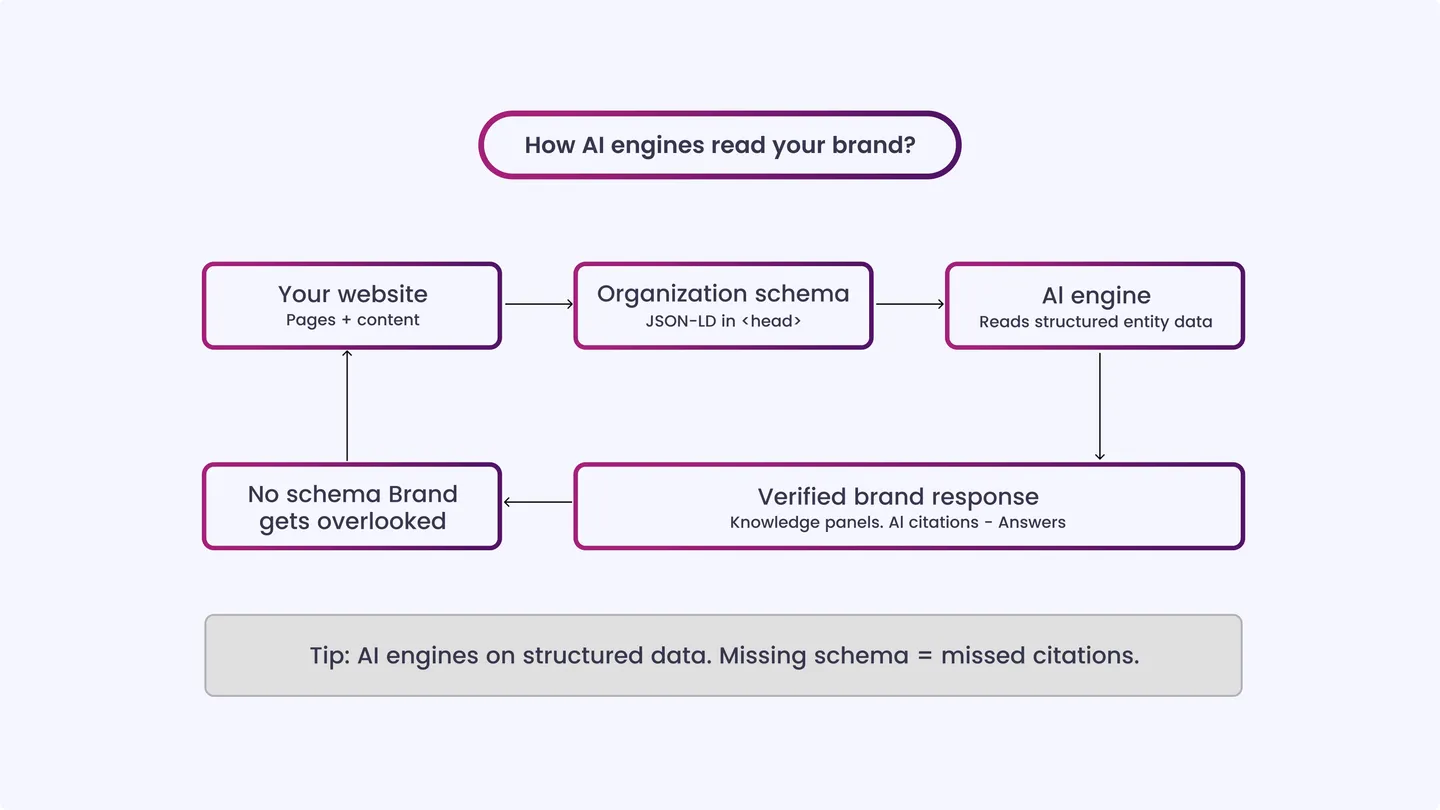
Answer engines do not retrieve information the way traditional search does. They construct responses by pulling from verified entities and trusted data sources. The organization schema is how you provide that verification.
Google’s Knowledge Graph uses structured entity data to populate brand panels, answer boxes, and voice results. AI assistants like Perplexity and ChatGPT browse and synthesize information, but they prioritize data that is consistently attributed and cross-referenced.
If your brand is not clearly declared in the markup, you rely entirely on the engine inferring your identity from unstructured content.
In addition to visibility, schema signals trust. It confirms that your brand controls its own data narrative, which feeds into how prominently and accurately an answer engine represents you.
Organization Schema Checklist for AEO
Before we go through each checklist item, here’s a quick decision tree to help you see at a glance which elements apply to your organization and where to begin:
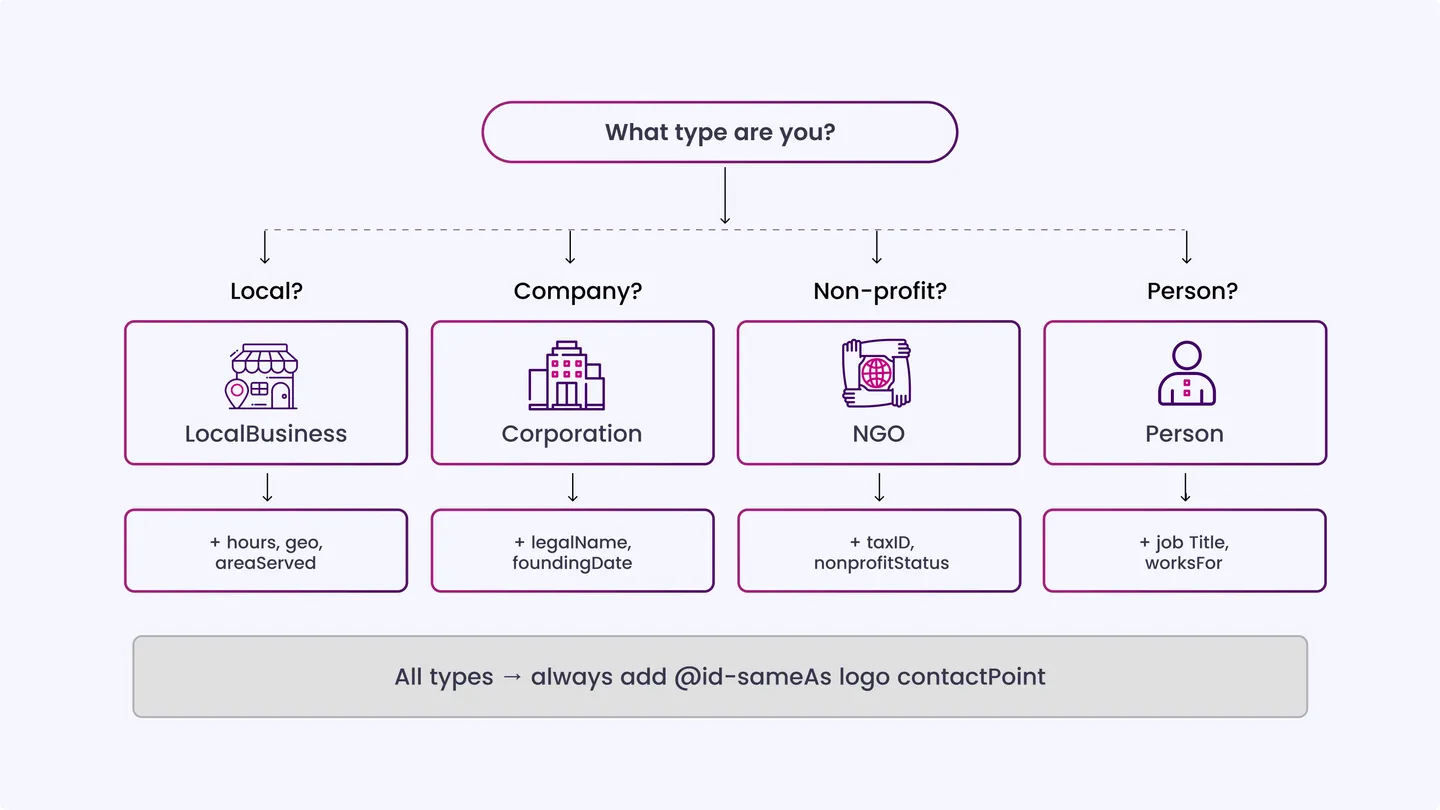
Here’s a step-by-step checklist to implement the organization schema accurately and strengthen your brand’s presence in answer engines:
Basic Organization Details
- @type declaration: Set the type to Organization or a more specific subtype like Corporation, LocalBusiness, or NGO where applicable.
Impact: Specificity improves entity classification accuracy in knowledge graphs. - Legal name and operating name: Include both legalName and name if they differ. Use the name exactly as it appears on your official registration and branded properties. Impact: Discrepancies between your schema name and third-party mentions create entity ambiguity that engines struggle to resolve.
- Canonical URL: Set the URL to your homepage’s canonical URL with the correct protocol and without a trailing slash variation.
Impact: This anchors your entity to a single verified web location. - Description: Write a clear, factual one-to-two sentence description of what your organization does. Avoid marketing tone.
Impact: Answer engines often pull from this field when generating brand summaries. - Founded year: Add foundingDate in ISO 8601 format (YYYY or YYYY-MM-DD).
Impact: Signals organizational longevity and supports knowledge panel accuracy.
Logo and Branding
- Logo property: Use the logo property with an ImageObject pointing to a stable, publicly accessible URL.
Preferred formats: PNG or SVG, minimum 112x112px, no transparent background for Google. Impact: Google’s Knowledge Panel pulls directly from this field when displaying brand logos in search. - Image property: Add a representative brand image via the image property, separate from the logo. This can be a team photo, office image, or visual brand asset.
Impact: Gives answer engines additional visual context when constructing brand responses.
Contact Information
- ContactPoint: Declare a contactPoint with a telephone number, contactType (e.g., customer service, sales), and availableLanguage. Add area Served where relevant.
Impact: Enables accurate contact information in answer engine responses, especially for voice and AI assistant queries. - Email: Include a publicly listed contact email under the email property. Use a general contact address, not a personal one. Impact: Supports entity completeness and helps engines verify the organization’s contact claims.
Social Profiles and SameAs Connections
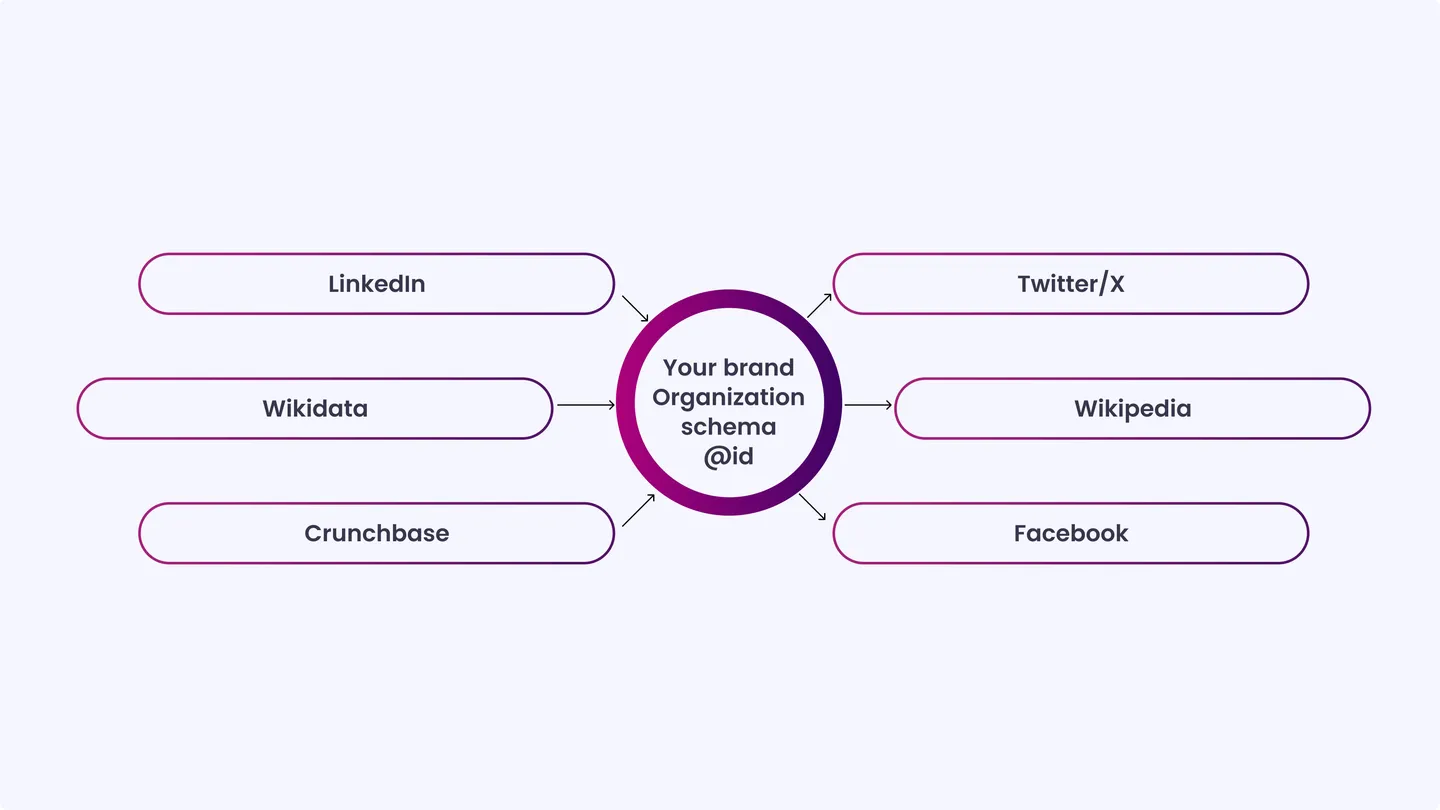
- SameAs array: List all official brand profile URLs in the sameAs array: LinkedIn, Twitter/X, Facebook, Instagram, YouTube, Wikipedia (if applicable), Wikidata, Crunchbase, and any other verified listings.
Impact: This is one of the most important fields for AEO. SameAs connections indicate to knowledge graphs that multiple web entities refer to the same real-world organization. Missing these breaks in cross-platform entity reconciliation. - Profile consistency: Confirm that the name, description, and URL on every linked profile exactly match your schema declaration.
Impact: Engines cross-reference these profiles. Inconsistencies lower confidence in entity matching.
Location and Business Presence
- Address: Use PostalAddress with street, city, state/region, postal code, and country. Use the same format across schema, Google Business Profile, and your contact page. Impact: Inconsistent address formatting creates location entity conflicts that weaken local AEO signals.
- Geographic coordinates: Add geo with GeoCoordinates using latitude and longitude values for your primary location.
Impact: Provides engines with a precise anchor for local queries, improving the relevance of geo-targeted answer results. - Area served: Declare areaServed using a region, country, or city name. For national brands, this can be a country code.
Impact: Helps answer engines understand your service scope when responding to location-qualified queries.
Knowledge Graph Alignment
- @id property: Set @id to your canonical homepage URL or a dedicated entity URI (e.g., https://yourdomain.com/#organization). Reference this same @id across all schema types on your site.
Impact: This creates an internal entity graph that connects your schema types into a single coherent entity declaration. - numberOfEmployees: Add an approximate employee count using QuantitativeValue. Round to the nearest tier (e.g., 50, 500, 5000).
Impact: Contributes to knowledge graph entity enrichment and organizational classification.
Supporting Schema to Pair With It
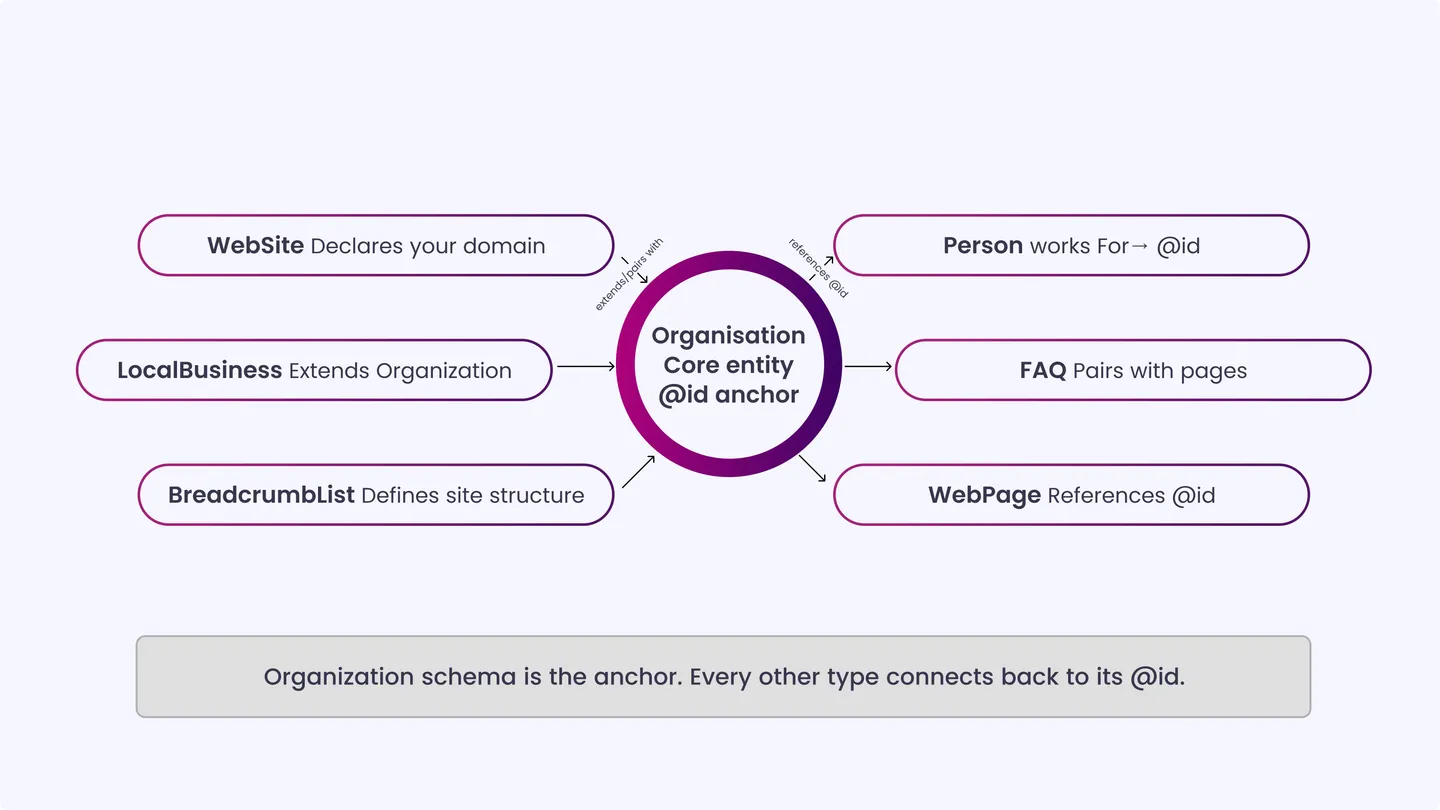
To get the full picture, pair your Organization schema with these key supporting schema types that clarify your website, locations, and people.
- WebSite: Declares your website as a named entity. Add Sitelinks Searchbox markup here to support direct search queries from your brand name.
- LocalBusiness: Use instead of or alongside Organization for brick-and-mortar locations. Add hours, rating, and service areas. Especially relevant for multi-location brands.
- Person: Mark up founders, executives, or key authors. Link them to the Organization via the memberOf or worksFor relationships. Strengthens the overall entity cluster around your brand.
- FAQ: Add to the main pages by answering common questions. AI answer engines actively pull from the FAQ schema when constructing direct answers to informational queries.
- BreadcrumbList: Defines site structure. Supports how engines understand content hierarchy when pulling context around your brand’s pages.
Schema Errors to Avoid for Reliable Brand Data
Here are some common mistakes that can trip up your schema. Fixing these early keeps your brand information accurate and trusted by search and answer engines.
- Using Microdata instead of JSON-LD: JSON-LD is Google’s preferred format and the most maintainable. Microdata embeds markup in HTML, making it harder to audit and update.
- Omitting the @id property: Without @id, your schema types cannot reference each other. The entity graph stays disconnected.
- Inconsistent name formats: If your schema says “Acme Inc.” but your Google Business Profile says “Acme”, entity matching breaks. Pick one format and use it everywhere.
- Pointing the logo to an unstable URL: Images that move or expire force engines to cache a broken logo. Host it on a permanent CDN path.
- Incomplete SameAs array: Adding two or three profiles while omitting Wikipedia or Wikidata (if they exist) significantly reduces cross-platform entity confidence.
- Not validating with Rich Results Test: JSON-LD syntax errors are silent. Always validate after any update using Google’s testing tool.
- Adding schema only to the homepage: Your About page, Contact page, and service pages should reference the Organization @id to keep the entity signal consistent across the site.
Best Practices for AEO Optimization
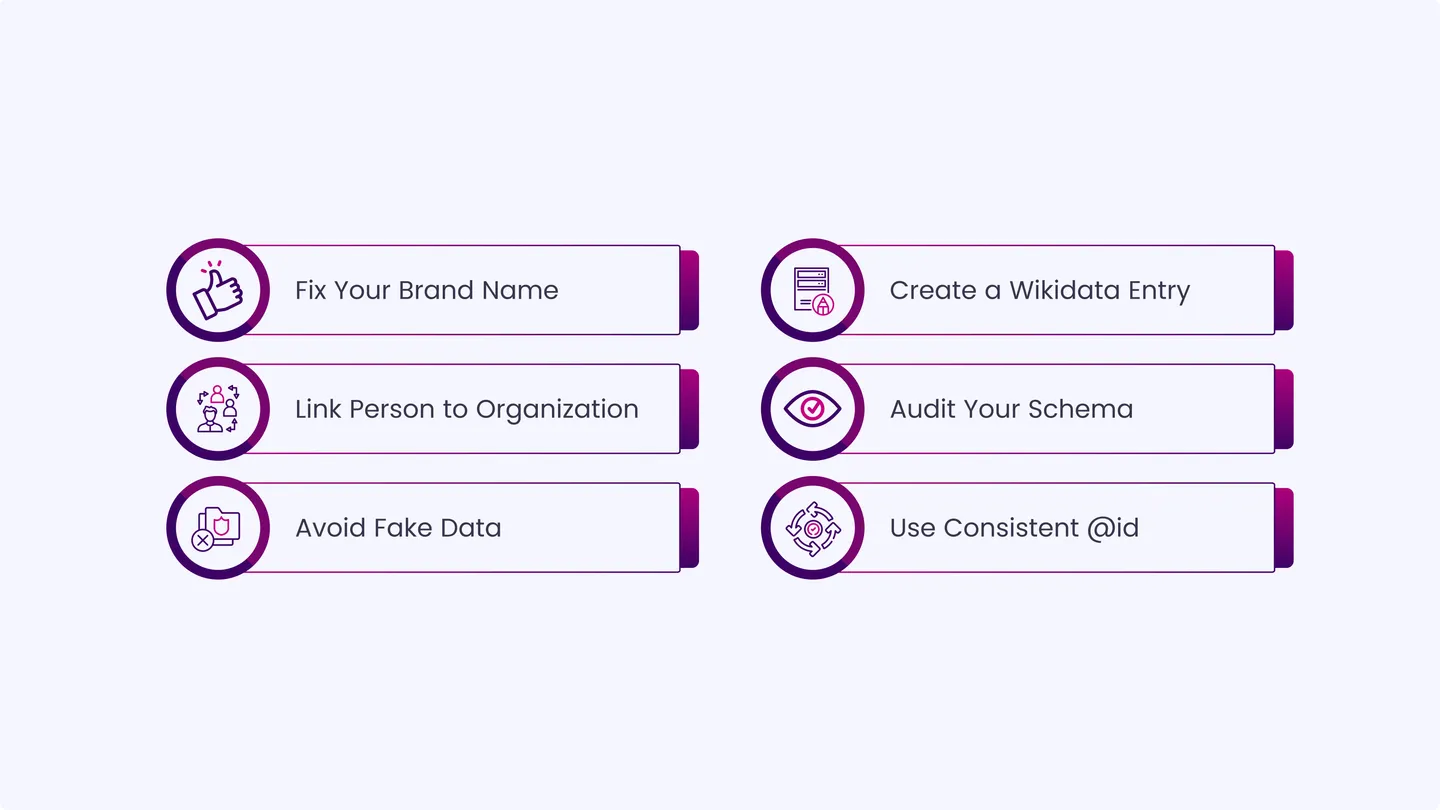
To get the most from your Organization schema, follow these best practices, small, precise steps that make your brand easier for answer engines to recognize and trust:
- Fix your brand name as a single string: Choose your exact brand name format once, and use it consistently across schema, meta tags, Google Business Profile, press coverage, and social bios.
- Build a Wikidata entry if you do not have one: Wikidata is one of the most cited external entity sources for AI answer engines. A verified entry significantly improves knowledge graph recognition.
- Cross-link Person entities to your Organization: If your CEO or founder has a Person schema on your site, link it to the Organization using worksFor. This strengthens the entity cluster around your brand.
- Audit schema every six months: Business details change. Outdated phone numbers, old addresses, or dead social profile URLs degrade entity trust over time.
- Do not fabricate schema data: If you do not have a Wikipedia page, do not add a SameAs link to one. Engines cross-verify. False claims reduce credibility.
- Reference the same @id throughout your site schema: Every WebPage, Article, or Product schema on your site should point back to the Organization @id. This connects your content entity graph to your brand entity.
The Long-Term Value of a Complete Organization Schema
Organization schema is foundational for any brand that wants to appear accurately in AI-driven search results. The shift from keyword-based retrieval to entity-based answers means your brand’s structured identity directly affects whether and how it gets cited in AI responses.
A complete, consistent, and cross-referenced Organization schema tells every answer engine in 2026 exactly who you are, where to find you, and why you are credible. That signal compounds over time as more engines index, verify, and reference your entity.
Get the basics right first. Then build out. Entity authority is a long-term asset.
INSIDEA
Ready to get found by people and AI?
Search and answer-engine visibility that compounds, built to be cited.

 How INSIDEA works




