

Over the last couple of years, AI has made it easier to write, plan, and brainstorm on demand. But inside real businesses, the hardest part was never coming up with ideas. It was getting the work out the door in a clean, usable, and repeatable way.
Campaign files still sit in scattered folders. Reports still take hours to compile. Competitive research still means jumping between tabs and trying to pull everything into one clear point of view.
Even simple operational work like organizing documents, turning meeting notes into action items, or preparing client deliverables involves more manual effort than it should.
That is the gap Claude Cowork is trying to close.
Instead of giving you another place to chat, it works inside your actual environment. It can read and organize files, move through browser steps, and help you produce finished outputs that you can use immediately.
In this blog, we’ll break down how Claude Chat, Claude Code, and Claude Cowork fit together, the working approach that separates casual users from power users, how skills bring consistency to your outputs, and the marketing, RevOps, and execution workflows where Cowork starts saving real time.
Claude Chat vs Claude Code vs Claude Cowork: So You Don’t Use the Wrong Tool
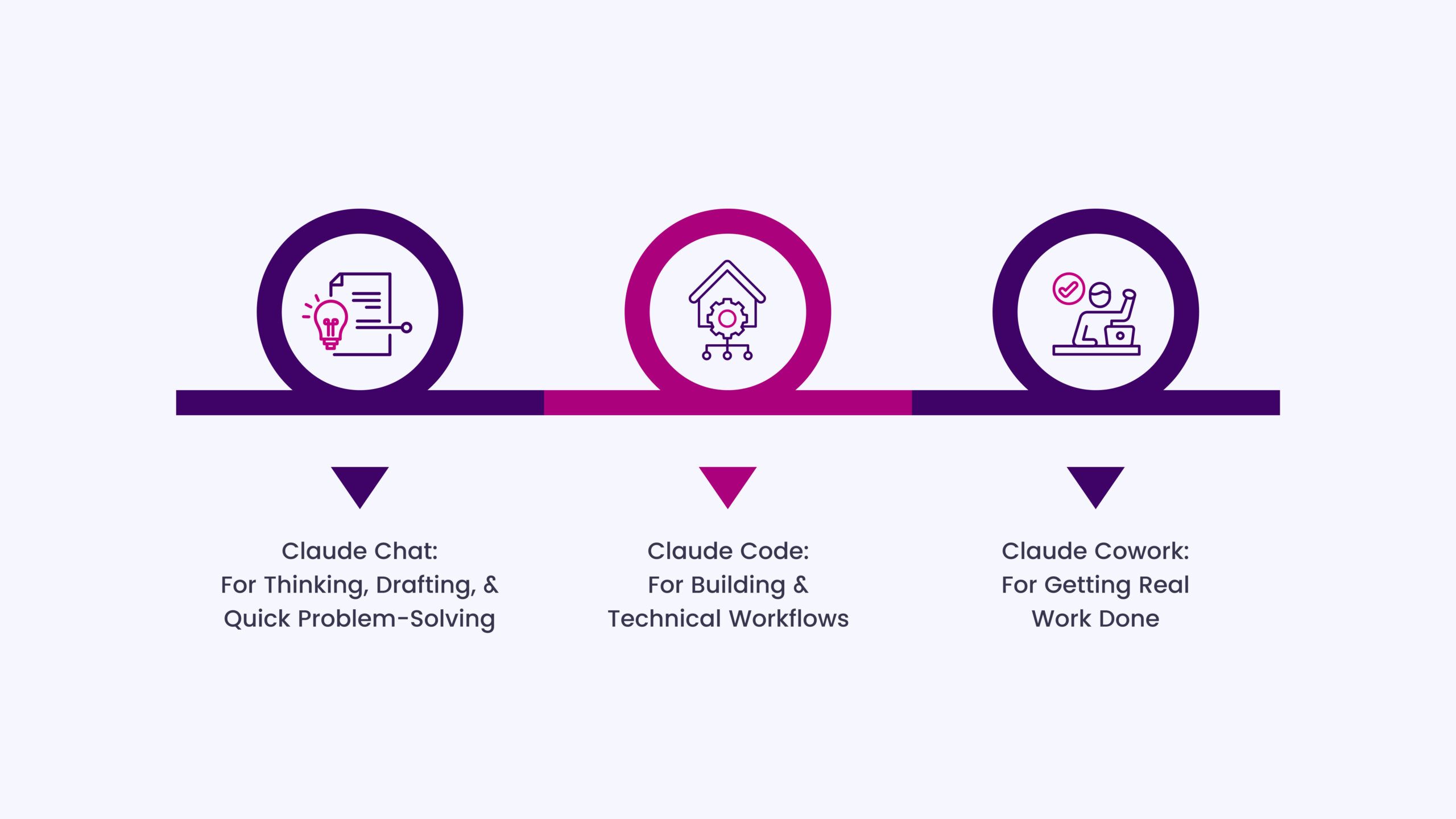
One of the biggest reasons people don’t get the full value from Cowork is simple. They use the right tool in the wrong place. Claude now has three distinct working modes. When you know which one to reach for, your work becomes faster and far more predictable.
Claude Chat: For Thinking, Drafting, & Quick Problem-Solving
Claude Chat is where most people start. It’s the right space when the goal is to:
- explore an idea
- write or refine content
- summarise information
- plan something before execution
Nothing is being changed in your environment. You are thinking, shaping, and deciding. It is fast and flexible, which makes it perfect for early-stage work.
If the output is a piece of text you will copy and use somewhere else, Chat is usually enough.
Claude Code: For Building & Technical Workflows
Claude Code is built for development environments. It works inside a codebase, understands project structure, and helps with:
- writing and refactoring code
- debugging
- running technical workflows
- managing software projects
If the task lives in a repository and requires terminal-level control, this is the right tool. Most non-technical teams will rarely need it for day-to-day marketing or operations work.
Claude Cowork: For Getting Real Work Done
Cowork is where execution happens.
This is the mode you use when the outcome needs to be a finished asset in your workspace. For example:
- organising and renaming files
- compiling research into a structured document
- turning raw notes into a client-ready deliverable
- pulling information from multiple sources and shaping it into one clear output
Instead of giving you text to copy, Cowork works directly with your folders, documents, and browser steps, so the result is already in the right place and in a usable format.
What Makes Cowork Different From Claude’s Other Modes?
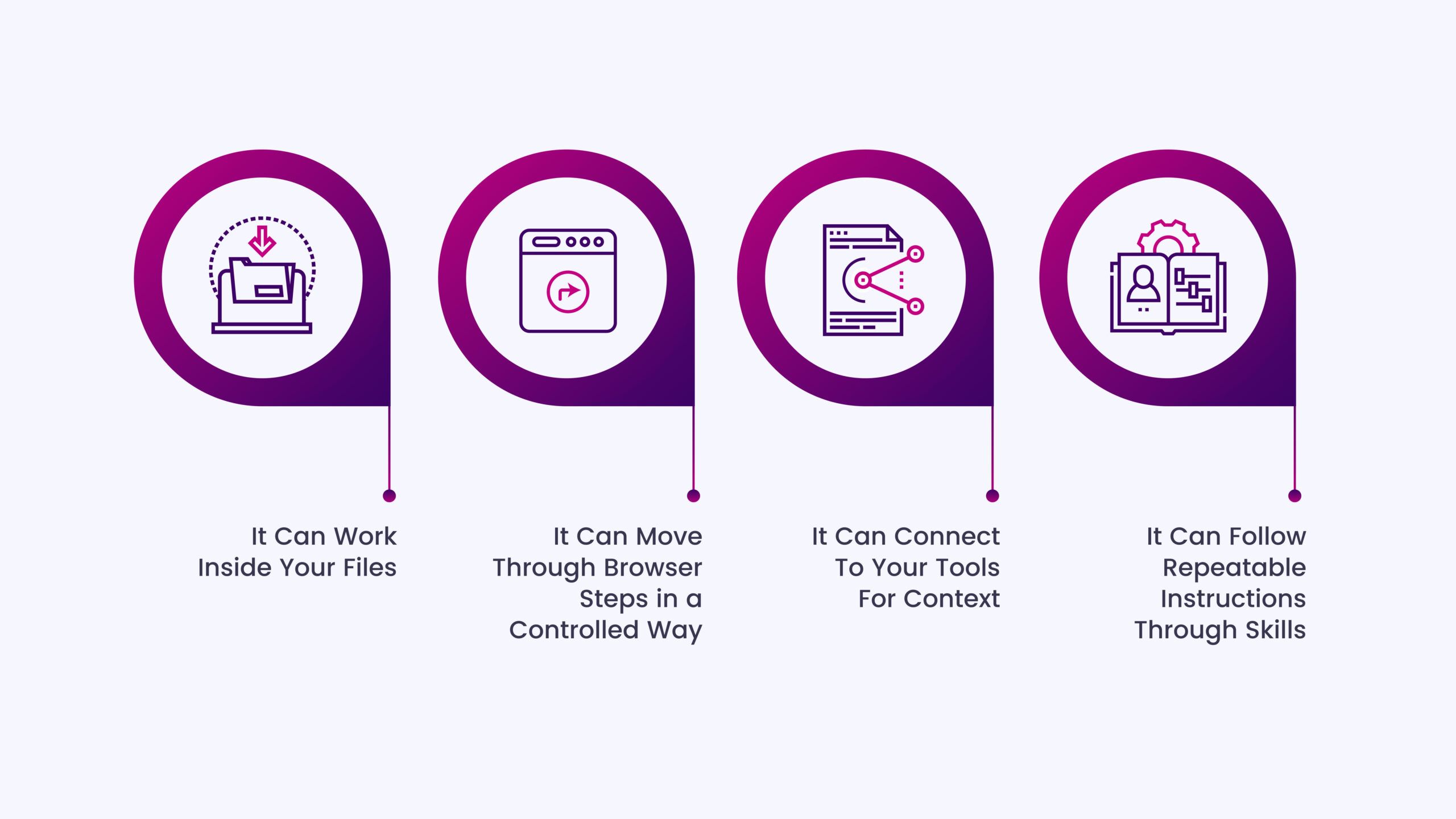
Once you start using the right mode for the right job, the real difference becomes clear. Chat gives you text to work with, while Cowork helps you produce a finished output that already lives in the right place.
That shift removes many of the manual steps from everyday work, and it comes down to four core capabilities.
It Can Work Inside Your Files
You are not pasting content into a window and taking it back out. Cowork can read documents, organise folders, rename assets, and create new files as part of the task.
For marketing and operations teams, this means things like:
- turning a messy campaign folder into a clean, structured workspace
- compiling multiple documents into a single client-ready report
- preparing research in a format that is ready to use
The work does not just get written. It gets placed where it belongs.
It Can Move Through Browser Steps in a Controlled Way
Research and execution rarely happen in one tab. Cowork can open pages, pull the information that matters, and shape it into a usable output.
That makes it possible to:
- turn competitor analysis into a comparison document
- gather market inputs and convert them into a positioning summary
- collect source material and prepare a structured brief
Instead of switching between tabs and manually assembling everything, the flow stays in one place.
It Can Connect To Your Tools For Context
When you connect the right sources, Cowork can use real data from the systems you already work in. The key here is not to connect everything, but to connect what supports a specific workflow.
That is when it becomes useful for:
- turning meeting transcripts into action plans
- converting raw performance data into a narrative report
- preparing follow-ups based on the actual account context
The output is no longer generic. It reflects your real environment.
It Can Follow Repeatable Instructions Through Skills
This is where the biggest jump in quality happens.
Without clear instructions, every task starts from zero, and the results vary. With Cowork, skills follow the same structure every time. Your tone, your format, and your way of working become the default. That is how one-off tasks turn into repeatable systems.
These core capabilities turn Cowork into a space where real work gets finished, not just drafted, and that is where the 99% framework comes in.
The 99% Better Framework
Most inconsistent results come from running Cowork like an open-ended assistant. Power users treat it like a structured system. The difference is not in how much you use it, but in how you set up the work before it starts.
Start With A Deliverable, Not Just A Task
The output becomes clearer the moment the end result is defined.
“Research competitors” will always produce scattered information. “Create a one-page comparison with positioning gaps and messaging angles” produces something you can actually use.
A defined deliverable gives the task:
- a format
- a level of depth
- a clear finish line
That is what removes rework.
Force A Plan Before Execution
Before Cowork takes action, let it show how it will approach the task.
This keeps the process structured and keeps you in control. You can review the steps, adjust the direction if needed, and then approve the execution.
It turns the workflow into plan → approve → execute, which is far more reliable for real business work.
Work in a Folder Like a Project Workspace
Context improves when everything related to one objective lives in one place.
Inputs, drafts, and final outputs sit in the same folder, so the work stays focused and easy to review. It also prevents unrelated files from influencing the result.
For teams, this makes collaboration and handovers much cleaner because the entire workflow is already organised.
Use Connectors Only When Needed
More connections do not mean better output. The right connection at the right time does.
- If the task needs meeting notes, connect that source.
- If it needs performance data, connect the reporting tool.
This keeps the work grounded in real information without adding unnecessary complexity.
Build Skills Like Internal Sops
If you find yourself repeating the same instructions, structure, or format, that is a skill waiting to be created.
Once the process becomes a skill:
- the output stays consistent
- the setup time drops
- the workflow becomes repeatable
With this, what used to depend on memory turns into a reliable system.
Run Cowork with this structure, and the results change quickly. The outputs are cleaner, the process is easier to manage, and the time spent fixing and reformatting drops.
The 99% Advantage: Where Cowork Starts Doing the Work for You
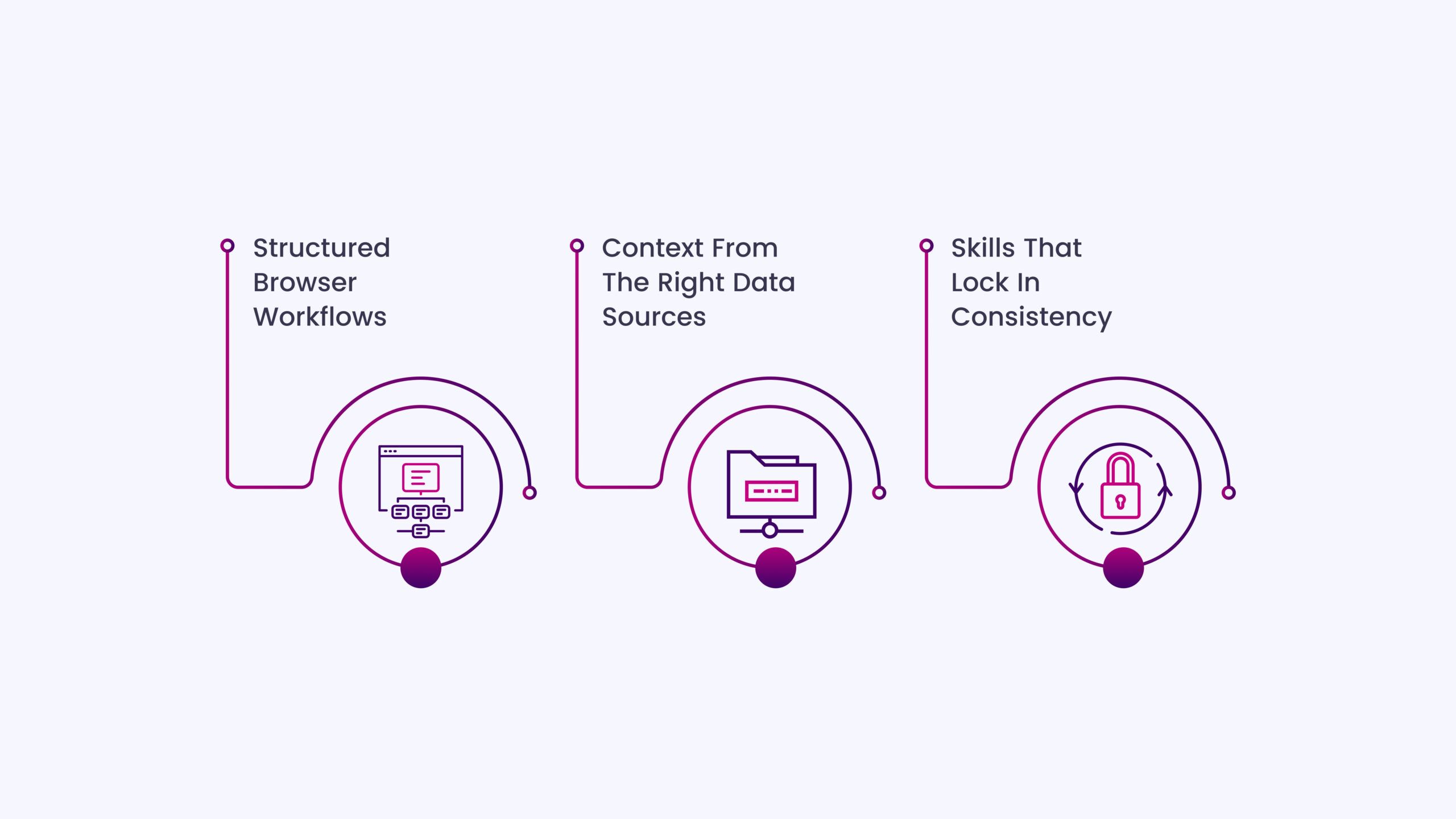
In real workflows, browser actions, connected data, and skills work together in a single flow. The result is a finished deliverable ready for use. Here is how Cowork handles the kind of multi-step work that normally eats up large parts of your week:
Structured Browser Workflows
Most research tasks break because they are spread across too many tabs and notes. When you let Cowork show the plan, approve the steps, and then execute, the process stays controlled, and the output comes out clean.
For marketing teams, this becomes useful very quickly:
- A competitor teardown that opens key pages, extracts positioning, proof points, and offers, and turns it into a one-page battle card for sales and campaigns.
- A content research workflow that scans high-performing articles for a topic and produces a structured brief with angles, gaps, and internal linking opportunities.
You move from collecting information to getting something you can actually ship.
Context From The Right Data Sources
The moment Cowork can see real data, the output becomes specific to your business.
- A campaign performance sheet becomes a ready-to-send monthly report with highlights, drop-offs, and next actions, rather than raw numbers that need explanation.
- A set of call transcripts becomes a messaging document that highlights common objections, buying triggers, and the language your customers actually use.
You are no longer starting from a blank page. The work is grounded in what is already happening.
Skills That Lock In Consistency
This is what makes the results consistent across the team. If you are manually repeating the same review process, formatting structure, or brand checks, that is a skill.
For example:
- A brand voice review that checks every blog, landing page, or email against tone, clarity, and positioning before it goes live.
- A content repurposing workflow that takes one long-form piece and produces LinkedIn posts, newsletter angles, and short-form hooks in the same format every time.
The quality stops depending on who runs the task. The structure does the work.
The Insidea Skill Stack In Action
These are the kinds of repeatable systems that start saving serious time:
For Founders:
- A weekly business update that converts scattered inputs into a clear summary with priorities, risks, and decisions needed.
- A meeting-to-action workflow where notes become owners, timelines, and follow-ups without manual clean-up.
For Marketers:
- A landing page critique that reviews clarity, proof, and conversion flow in a fixed structure so every audit is immediately usable.
- A campaign-in-a-box workflow that turns a brief into messaging, asset requirements, and a distribution checklist.
For RevOps Teams:
- A CRM hygiene check that flags stage gaps, missing fields, and naming issues before they affect reporting.
- A pipeline narrative that turns deal movement into a weekly update that leadership can act on.
When these pieces run together, the workflow changes from collect → clean → format to a single pass that produces a ready-to-use output. That is when Cowork stops feeling like a helper and starts functioning like an execution layer for marketing, revenue, and operations.
How to Set Up Cowork for Business Workflows
Many setup guides focus on where to click. What actually matters is making sure Cowork runs in an environment where it can complete tasks cleanly and safely.
Getting Cowork Running (Desktop + Browser)
Cowork works best when the desktop app and the browser extension are both set up. The desktop side gives it access to your files and folders. The browser side lets it move through web-based workflows when a task requires research or actions across pages.
You do not need a complex configuration. You just need both surfaces active so the work can move from input to finished output without you having to switch tools.
Desktop Environment and Access
The desktop app is where file-based workflows come to life.
Make sure you are working with:
- a clear folder structure
- dedicated workspaces for active projects
- only the files that are relevant to the task
This keeps the context focused and prevents unrelated material from affecting the output.
Browser Extension & Permission Controls
The browser extension enables Cowork to gather information and complete tasks that involve web steps.
The important part here is not just installing it, but choosing the right permission mode.
For most business workflows, the safest and most reliable approach is:
- let it show the plan first
- approve actions before they run
This keeps sensitive work protected and makes the process transparent. You always know what it is doing and why.
Pricing and Access Notes
Cowork is available on paid Claude plans, and availability may change as the product evolves. For most teams, the key point is simply that it sits inside the same environment as the rest of Claude, so there is no separate tool to manage.
From a workflow perspective, the value comes less from the plan itself and more from how consistently you use the structure covered in the earlier section.
Work Like the Top 1%: Steal These Cowork Workflows
Here are six practical, repeatable workflows you can run inside Cowork:
1) Campaign-in-a-Box Execution System
Folder setupCampaign Name → Brief → Messaging → Assets → Distribution → Reporting
| Prompt Use the brief in the 01_Brief folder to build a complete campaign plan.Extract:– ICP – core pain points – offer – primary outcome Create: 1. Core campaign message 2. Three supporting angles 3. Channel-wise asset list 4. A 4-week execution timeline Save the messaging in the 02_Messaging folder and the execution plan in the 04_Distribution folder. Follow our brand voice skill. |
Skills requiredCampaign messaging framework
Brand voice review
Connectors requiredPerformance data source (optional for iteration phase)
QA checklist
- Message aligned to ICP and offer
- Asset list matches channels
- Timeline is realistic and sequenced
DeliverableA ready-to-run campaign plan with messaging, assets, and rollout order.
2) Competitive Teardown → Positioning → Landing Page Copy
Folder setupCompetitors → Screenshots / URLs → Notes → Output
| Prompt Review all competitor material in the Inputs folder.For each competitor, extract:– ICP – primary promise – proof – offer structure Then create: 1. A positioning gap summary 2. Five clear differentiation angles for us 3. A landing page wireframe with section-wise copy direction Save the final document as Positioning_and_Landing_Page_Direction in the Output folder. |
Skills requiredPositioning framework
Landing page conversion audit
Connectors requiredBrowser workflow
QA checklist
- Clear differentiation
- Proof and outcomes visible
- Messaging tied to pain points
DeliverableBattle card + landing page wireframe and core copy direction.
3) Pillar Content → Multi-Channel Distribution Engine
Folder setupPillar → Source → LinkedIn → Newsletter → Shortform → Repurposing_Map
| Prompt Use the pillar content in the Source folder to create a full distribution pack.Generate:– Five LinkedIn posts with different angles – Two newsletter versions (insight-led and tactical) – Ten short-form hooks – A three-week repurposing schedule Follow the brand voice skill and make each output native to its platform. Save each asset in its respective folder. |
Skills requiredContent repurposing structure
Brand voice skill
Connectors requiredNone required (optional performance data for optimisation)
QA checklist
- Each output is native to the platform
- No repetition across formats
- Clear hook in every piece
Deliverable A complete distribution pack from a single content asset.
4) CRM Hygiene Sprint
Folder setupCRM Export → Issues → Clean Structure → Summary
| Prompt Analyse the CRM export in this folder and identify:– missing required fields– inconsistent deal names – stage mismatches – deals with no activity in the last 60 days Create: 1. A prioritised clean-up task list 2. A standard naming convention 3. A stage governance checklist Save the final action plan in the Summary folder. |
Skills requiredCRM governance checklist
Connectors requiredCRM data source (or export)
QA checklist
- Stage logic intact
- Required fields identified
- Naming standard defined
Deliverable A prioritised clean-up plan + governance rules.
5) Sales Enablement Asset Builder
Folder setupCall Notes → Objections → Proof → Output
| Prompt Use the call notes in this folder to extract:– top objections– buying triggers – common use cases – exact customer language Create: 1. An objection → response sheet 2. A proof library mapped to outcomes 3. A one-page pitch flow for sales calls Save everything in the Output folder. |
Skills requiredSales messaging structure
Voice-of-customer extraction
Connectors requiredCall transcript source (optional)
QA checklist
- Objections mapped to responses
- Proof tied to outcomes
- Clear flow for sales use
DeliverableA sales-ready enablement pack.
6) Monthly Reporting Automation Assistant
Folder setupData Sources → Current Month → Narrative → Client Version
| Prompt Use the performance data in the Data folder to prepare this month’s report.Structure it into:1. Key wins 2. Key drop-offs 3. Insights (why this happened) 4. Recommended next actions Write in a client-ready format. Save the working version in Narrative and the final version in Client_Version. |
Skills requiredPerformance narrative framework
Client-ready formatting skill
Connectors requiredReporting sheet / analytics source
QA checklist
- Insight, not just numbers
- Clear wins and risks
- Actionable next steps
DeliverableA ready-to-send monthly report.
These workflows show where Cowork creates a real difference. Instead of starting from scratch each time, the structure stays the same and only the inputs change. That is what turns recurring work into a fast, reliable system.
How to Use Cowork Safely in a Team Environment
As soon as Cowork moves from personal productivity to shared work, structure and control become important. This is to ensure the outputs are reliable, reviewable, and safe to use in client- and revenue-facing workflows.
Keep the plan → approve → execute model as the default
For most business use cases, this should be the standard way of working.
You can see what Cowork is about to do, adjust the direction if needed, and then let it run. This is especially important when:
- Files are being created or edited
- Browser actions are involved
- Client material is being used
It keeps the process transparent and prevents accidental changes.
Use dedicated workspaces for different types of work
A simple separation makes a big difference:
- personal work
- internal projects
- client accounts
Each gets its own folder structure. This keeps context clean and makes reviews easier because everything related to a task lives in one place. It also reduces the risk of the wrong material being pulled into the wrong output.
Limit access to what the workflow actually needs
Cowork does not need access to everything. It only needs access to what the task requires.
For example:
- A reporting workflow only needs the current month’s data
- A campaign workflow only needs the campaign folder
- A CRM clean-up only needs the export or the relevant pipeline
This keeps the output focused and simplifies governance.
Add a human review point for external deliverables
Anything that goes to a client, a leadership team, or a live campaign should pass through a quick review. Not because Cowork is unreliable, but because:
- Context can change
- Priorities shift
- Messaging may need a final adjustment
With a clear folder structure, this review becomes fast because the output is already organised.
Turn the process into a shared way of working
Once a workflow proves useful, document it and turn it into a shared skill.
That is how:
- Different team members get the same output quality
- New hires ramp faster
- Recurring work stops depending on the individual’s memory
With these controls in place, you get the speed of automated execution without losing clarity or oversight. Now, the final step is putting everything into a simple activation plan so teams can start small and scale the system without disrupting their current workflow.
INSIDEA
Ready to put AI to work in your business?
Practical automation and AI workflows built on top of your stack, not bolted on.


 How INSIDEA works




